 Installation guide
 Owner’s manual
 Error Codes



How to find model number on Hotpoint dishwasher?
On your Hotpoint dishwasher model HDA2100H70WW, the model number is printed on a label on the tub wall just inside the door. Open the door fully and look along the inner tub wall near the door opening, then write down the model and serial numbers exactly as shown.
Where to look (quick checklist)
- Open the dishwasher door and look inside the tub (not on the outer door panel).
- Find the rating label on the tub wall just inside the door opening.
- Use a flashlight; the label can be low-contrast or partially hidden by the rack.
- Copy the model number and serial number character-for-character.
- If the label is dirty, wipe it gently with a damp cloth and dry it.
Why the model number matters
We use the model number to match the correct Hotpoint dishwasher parts and diagrams, because items like a door switch, timer, or pump and motor assembly can vary by production run.
What to do with the number once you find it
| What you need | What to write down | What it helps with |
|---|---|---|
| Model number | HDA2100H70WW | Correct parts list and fit |
| Serial number | From the same label | Version and production details |
Helpful next steps
- Confirm operating and care details in the HDA2100H70WW owner's manual.
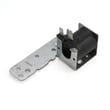
- If you are troubleshooting a symptom (won’t start, not draining, not cleaning), use the model number first, then narrow to likely parts such as the dishwasher door switch WD21X10261 or dishwasher drain hose WD24X10014.
Why it matters: A single character difference in a model number can point to different racks, seals, or electrical parts, so copying it exactly prevents wrong-part returns and delays.
Last updated: February 2026
Is it better to feed dishwasher hot or cold water?
For the Hotpoint HDA2100H70WW dishwasher, it’s better to feed hot water. For best cleaning, the entering water should be at least 120°F (and not more than 150°F); cold water can lead to poor cleaning and longer cycle times. See the temperature check steps in the HDA2100H70WW owner’s manual.
What we recommend for water temperature
- Run the hot water faucet nearest the dishwasher until it’s fully hot before starting a cycle.
- Target 120°F to 150°F entering water for effective cleaning and to help prevent dish damage.
- Check temperature with a candy or meat thermometer in a glass while the hot water runs.
- If the temperature is low, adjust the water heater settings to deliver proper hot water.
- If water flow seems weak, wait until household pressure returns to normal.
Installation notes (hot water supply)
The installation guidance for this model calls for a hot water inlet line and specifies typical supply requirements.
| Item | Recommended range | Why it matters |
|---|---|---|
| Entering water temperature | 120°F to 150°F | Better cleaning, less residue, protects dishes |
| Hot water supply pressure | 20 to 120 PSI | Helps the inlet valve fill correctly and reduces leak risk |
If the dishwasher is not filling well even with good hot water at the sink, a sticking or restricted inlet valve can be a cause; the model uses a dishwasher water inlet valve WD15X28379.
Why it matters
Dishwasher detergents dissolve and activate better in hot water, and the wash system performs as designed when the unit fills with properly heated water. Low inlet temperature is a common reason for dishes and flatware coming out dirty.
Last updated: February 2026
Is there a reset button on Hotpoint dishwashers?
Hotpoint dishwashers like model HDA2100H70WW typically do not have a separate physical “reset button.” Resetting is done from the control panel: on electronic models, press START/RESET to cancel and drain; on timer models, touch RESET to cancel options (then restart your cycle).
How to reset (cancel) a cycle on HDA2100H70WW
- Electronic controls: touch START/RESET one time to start; touch START/RESET a second time to pump out (drain) and turn off.
- Timer (dial) models: touch RESET to cancel options; then reselect your cycle.
- If the START/RESET light is flashing, let the dishwasher drain and reset before starting a new cycle.
- If the door was opened mid-cycle, close and latch it; some models beep until the door is latched.
- For exact button names and sequences on your control style, use the HDA2100H70WW owner's manual.
Quick troubleshooting if it still will not “reset”
- Make sure the door is fully closed and latched (the dishwasher will not run if the latch is not engaged).
- If the controls seem unresponsive, check whether LOCK is enabled (on electronic models, touch LOCK twice within 3 seconds to unlock).
- If you hear draining but the tub stays full, check for a drain restriction; the dishwasher not draining video covers the common causes.
- If the unit will not start after canceling, confirm power at the breaker and that the cycle was reselected correctly.
What “reset” does on this dishwasher
| Action | What you press | What happens |
|---|---|---|
| Cancel and drain (electronic models) | START/RESET (second press) | Pumps out water, then turns off |
| Cancel options (timer models) | RESET | Cancels selected options |
| Clear a control error (some models) | START/RESET | Turns off beeper; attempts to reset |
Why it matters
Using the correct reset method prevents interrupted cycles, helps the dishwasher drain safely, and avoids repeated button presses that can confuse the control sequence.
Last updated: February 2026
What are the commonly replaced parts in a dishwasher?
In the Hotpoint HDA2100H70WW dishwasher, the most commonly replaced parts are the wash and drain components (pump, motor, drain parts), water fill parts (inlet valve), and wear items inside the tub (racks, spray arm, door seal, switches). These parts fail most often from normal wear, clogs, leaks, and loading damage.
Commonly replaced parts (and what they do)
- Spray and wash parts: move and spray water to clean dishes (spray arm, circulation pump, pump and motor assembly)
- Drain parts: push dirty water out (drain hose, drain solenoid)
- Fill parts: let water into the tub (water inlet valve)
- Door and safety parts: confirm the door is closed so the unit can run (door switch, door seal)
- Rack and basket parts: hold dishes and take the most abuse (upper rack, lower rack, silverware basket)
Model-matched examples for HDA2100H70WW
| Symptom you see | Part that commonly fixes it | Model-matched example |
|---|---|---|
| Not cleaning well, weak spray | Spray arm or circulation pump | Dishwasher spray arm WD22X10055 |
| Not draining, water left in tub | Drain hose or drain solenoid | Dishwasher drain hose WD24X10014 |
| Leaking at the door | Door seal | Dishwasher door seal WD08X10057 |
| Won’t start or stops when door moves | Door switch | Dishwasher door switch WD21X10261 |
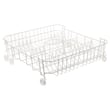
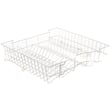
| Rusted, broken, or missing rack pieces | Dishrack or basket | Dishwasher dishrack, lower WD28X31819 |
What we check first (before ordering parts)
- Confirm the dishwasher has power at the breaker and any wall switch that feeds the dishwasher
- Make sure the door closes firmly and latches consistently
- Check for kinks or clogs in the drain hose routing
- Inspect the spray arm for blocked holes and free rotation
- Look for obvious leaks around the door perimeter and tub corners
Why it matters
Replacing the right “high-failure” part restores cleaning and draining performance and prevents repeat issues. For example, a restricted drain path can mimic a bad pump, and a misaligned door can mimic an electrical problem.
For safety steps and model-specific guidance, follow the HDA2100H70WW owner’s manual.
Last updated: February 2026
What is the difference between Sani rinse and high temp wash?
On the Hotpoint HDA2100H70WW dishwasher, Hi temp wash boosts water temperature during the prewash and main wash to improve cleaning on heavy soil, while Hi temp rinse heats the final rinse to help reduce spotting and improve drying. For exact option behavior on your control panel, use the HDA2100H70WW owner's manual.
What each option does
- Hi temp wash: energizes the heater to raise wash water temperature during the wash portions of the cycle; best for pots, pans, and baked-on food.
- Hi temp rinse: turns on the heater in the final rinse; helps prevent spotting and supports better drying results.
- Sanitized indicator (if your model has it): it only lights when the final rinse reaches the required conditions; opening the door during the final rinse can prevent it from lighting.
When to use which (quick guide)
| Your goal | Use this option | What to expect |
|---|---|---|
| Better cleaning on heavy soil | Hi temp wash | Hotter wash water, improved soil removal |
| Less spotting, better finish | Hi temp rinse | Hotter final rinse, fewer water spots |
| Best overall results | Hi temp wash + Hi temp rinse | Longer cycle, higher energy use |
Why it matters
These options heat different parts of the cycle. Using Hi temp wash targets stuck-on food during washing; using Hi temp rinse targets the final rinse so dishes come out cleaner-looking and drier.
Tips for best results
- Start with hot water at the sink before you begin a cycle.
- Keep incoming water temperature around 120°F for normal performance.
- Avoid interrupting the cycle by opening the door during the final rinse.
- Load so spray arms can rotate freely and nothing blocks the detergent cup.
- If cleaning is still weak, check for clogs and follow the maintenance steps in the HDA2100H70WW owner's manual.
Last updated: February 2026
What is the disadvantage of a dishwasher?
A dishwasher like the Hotpoint HDA2100H70WW saves time and can improve cleaning consistency, but the main disadvantages are that it uses kitchen space, needs proper installation and maintenance, and can struggle if water temperature, detergent, or loading are not right (which can leave dishes less clean).
Common disadvantages (what most owners notice)
- Takes up cabinet space that could be storage.
- Upfront cost and repair cost compared with hand-washing.
- Cycle time can feel long versus washing a few items by hand.
- Needs correct detergent; using hand dish soap can create heavy suds and a mess.
- Performance depends on hot water and water pressure; low temp or low pressure can reduce cleaning.
- Loading matters; poor rack loading can block spray and detergent action.
What matters most for HDA2100H70WW day to day
Your dishwasher is a water-heating appliance, so results depend on setup and how it’s used. We recommend following the loading and detergent guidance in the HDA2100H70WW owner’s manual.
Quick “dishwasher vs hand-wash” comparison
| Topic | Dishwasher | Hand-washing |
|---|---|---|
| Best for | Full loads, routine cleanup | Small loads, a few items |
| Time you spend | Low (load and unload) | Higher (wash, rinse, dry) |
| Consistency | High when loaded correctly | Varies by person |
| Common downside | Space, cycle length, maintenance | Time and effort |
Why it matters
Most “dishwasher disadvantages” show up as poor cleaning, suds/overflow, or draining issues. Using automatic dishwasher detergent, loading racks correctly, and keeping water hot helps you avoid the problems that make a dishwasher feel inconvenient.
Last updated: February 2026
What is the most expensive part of a dishwasher?
For the Hotpoint HDA2100H70WW dishwasher, the most expensive repair is typically a major drive component such as the pump and motor assembly; electronic controls can also be among the highest-cost items on many dishwashers. For this model, a common high-cost part is the g.e. dishwasher pump and motor assembly WD26X10051.
What usually costs the most (and why)
These parts combine high material cost with more labor to access and replace:
- Pump and motor assembly: drives wash circulation and often includes multiple internal components
- Circulation pump: creates wash pressure; failures cause poor cleaning or no wash action
- Timer or control: manages cycle timing and functions (varies by design and generation)
- Spray arm system: can be pricey on some models, especially if assemblies are sold as a unit
- Racks: not “mechanical,” but replacement racks can be expensive due to size and coatings
Typical “most expensive” parts: quick comparison
| Part type | What it does | Common symptom when failing |
|---|---|---|
| Pump and motor assembly | Powers washing and circulation | Won’t wash, loud grinding, weak spray |
| Timer/control | Runs and sequences cycles | Stuck cycle, won’t advance, erratic operation |
| Racks | Holds dishes and directs water flow | Rusting, broken tines, poor loading stability |
How to decide if it’s worth replacing
We use these checkpoints to judge value before ordering a high-cost part:
- Confirm the symptom is not caused by loading or blocked spray (see HDA2100H70WW owner’s manual)
- Check for simple restrictions first (clogged sump area, blocked wash tower area, jammed spray arm)
- Compare part cost to dishwasher age and overall condition
- If the unit also leaks, inspect seals and hoses before investing in a motor-driven repair
Why it matters
The “most expensive part” is usually the one that restores core washing performance. On the HDA2100H70WW, circulation-related failures can mimic detergent or loading problems, so verifying the root cause helps avoid replacing an expensive assembly unnecessarily.
Last updated: February 2026
What is the spinning thing at the bottom of a dishwasher called?
In a Hotpoint dishwasher like model HDA2100H70WW, the spinning part at the bottom is the lower spray arm (also called the wash arm). It rotates during the wash and rinse portions of the cycle to spray water up through the lower rack for cleaning.
What it does (and what else is nearby)
The lower spray arm works with other wash components to move water and remove soil.
- Spray arm: spins and distributes water jets across dishes
- Wash tower (on some designs): rises through the center area during wash and rinse
- Pump and motor: pushes water through the spray arm
- Filters/sump area: collects debris so it does not recirculate
For loading guidance that helps keep the spray arm turning freely, follow the rack and tower notes in the HDA2100H70WW owner’s manual.
Common signs the spray arm is blocked or not spinning
If the “spinning thing” is not moving, cleaning performance drops fast.
- Dishes come out gritty or still have food soil
- Lower rack cleans poorly but upper rack seems better (or vice versa)
- You hear thumping or clicking as the arm hits a pan handle
- The arm feels hard to turn by hand (with power off)
- Items fall through the rack and interfere with rotation
Quick checks we recommend
- Pull out the lower rack and confirm nothing hangs down into the spray arm path.
- Keep the center area clear so the wash tower (if present) can move freely.
- Spin the arm by hand; it should rotate smoothly without scraping.
- Check spray holes for clogs; rinse debris out under running water.
Helpful part match for this model
| Part | What it is | When to replace |
|---|---|---|
| Dishwasher spray arm WD22X10055 | Lower spray arm assembly | Cracks, stripped hub, persistent clogging, or poor rotation |
Why it matters
The spray arm is the dishwasher’s “water delivery system.” If it cannot rotate or its jets are clogged, detergent and hot water do not reach the dishes evenly, so you get poor cleaning and leftover residue.
Last updated: February 2026
Why is my Hotpoint dishwasher leaking underneath?
On the Hotpoint HDA2100H70WW dishwasher, an underneath leak usually comes from oversudsing (wrong detergent), a loose or leaking water connection under the unit, or a drain hose that’s kinked or leaking. Start by stopping the leak source, then run a short fill and drain test to confirm it’s resolved using the steps in the HDA2100H70WW installation guide.
Quick checks that fix most “leaking underneath” complaints
- Use only automatic dishwasher detergent; hand dish soap creates suds that can spill out and wet the floor.
- Look for oversudsing evidence: lots of foam, soapy water on the floor, or suds coming from vents.
- Inspect under the dishwasher for drips at the water inlet valve, fill line, and drain connections.
- Check the drain hose routing; it must not be kinked under or behind the dishwasher.
- Confirm the dishwasher is positioned correctly; cabinet interference can contribute to door-area leaks that run down and look like an “underneath” leak.
Parts that commonly cause leaks on this model
If you see water tracking from the door area or pooling at the front corners, these parts are common suspects:
| What you see | Likely area | Common fix |
|---|---|---|
| Water at bottom front corners | Door sealing surface | Replace the dishwasher door seal WD08X10057 and clean the mating surface |
| Water appears during drain | Drain hose/connection | Replace the dishwasher drain hose WD24X10014 or tighten clamps |
| Water appears during fill | Water inlet/line | Tighten fittings; inspect inlet valve and supply line |
How we recommend confirming the repair (simple wet test)
- Restore power and water.
- Start a cycle and watch the first fill.
- Check for leaks under the dishwasher; if found, turn off power and tighten/correct connections.
- Let it drain after the first fill and check the drain line for leaks.
Why it matters
Even a small leak under a dishwasher can damage flooring and cabinets. Fixing oversudsing, hose kinks, and worn seals early also helps prevent repeat leaks and wash performance issues.
Last updated: February 2026





