 Owner’s manual



What is the most common problem with GE washers?
On GE top-load washers like model GTW720BSN0WS, the most common service issues we see are draining problems (slow drain or no drain) and lid lock related no-start symptoms. Many “won’t drain” complaints trace back to a restriction in the drain path or a failing drain pump.
Most common symptoms customers report
- Washer won’t drain or leaves water in the tub
- Washer won’t spin, or stops before the cycle completes
- “Lid” message or lid won’t lock or unlock
- Cycle pauses and seems “stuck” (some pauses are normal load sensing)
- Poor wash results from oversudsing (too much detergent)
Quick checks you can do first
Before replacing parts, we recommend these basics (they solve a large share of calls):
- Confirm the lid is fully closed; open and close it if the display shows a lid-related message.
- Check the drain hose for kinks, crushing, or a clogged standpipe.
- Run a Drain/Spin cycle with the tub empty to see if draining improves.
- Use HE detergent and reduce the amount if you see excess suds (too much detergent can hurt performance).
- Review normal operation notes and troubleshooting steps in the GTW720BSN0WS owner’s manual.
When a part is the likely fix
If the checks above do not help, these parts commonly resolve the most frequent failures:
| Symptom | Most likely area | Example part for GTW720BSN0WS |
|---|---|---|
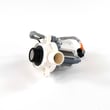
| Hums but won’t drain, or drains very slowly | Drain pump or restriction | GE washer drain pump assembly WH23X28418 |
| Won’t start, lid won’t lock/unlock, lid lock light issues | Lid lock system | Washer lid lock WH08X37938 |
| Won’t fill or fills incorrectly | Water inlet valve | Washer water inlet valve assembly WH13X26637 |
Why it matters
Drain and lid lock problems can stop the washer from completing a cycle, leaving water in the basket and preventing a safe spin. Catching a kinked drain hose or a weakening drain pump early helps avoid repeat stoppages and reduces strain on the control system.
For display messages and model-specific troubleshooting, we also use the GE top load washer error codes reference alongside the manual.
Last updated: February 2026
What is the life expectancy of a GE washing machine?
A GE washing machine typically lasts 10 to 14 years with normal household use and basic maintenance. For your GE GTW720BSN0WS top-load washer, keeping it level, using the right load sizes, and maintaining hoses and drainage helps you reach the full expected lifespan (see the GTW720BSN0WS owner's manual).
What affects washer lifespan the most
- Load habits: frequent overloading and unbalanced loads increase wear on the suspension, drive system, and tub.
- Water quality: hard water can increase detergent buildup and residue.
- Drain performance: slow draining strains the drain pump and can leave standing water.
- Vibration and leveling: an unlevel washer can cause cabinet rubbing and extra stress on internal parts.
- Hose condition: aging fill hoses are a common failure point; GE recommends replacing them every 5 years.
Maintenance checklist we recommend
- Replace fill hoses every 5 years; turn off faucets when not in use.
- Keep the washer level by adjusting the leveling legs if it rocks or squeaks.
- Use HE detergent and avoid overdosing to reduce residue.
- Don’t ignore slow-drain symptoms; check for kinks and clogs.
- Run periodic cleaning cycles to reduce odor and buildup.
Common “wear” items vs. “major” items
| Category | What you may notice | Example part for GTW720BSN0WS |
|---|---|---|
| Drain and water handling | won’t drain, water left in tub | GE washer drain pump assembly WH23X28418 |
| Fill system | slow fill, no fill, temperature issues | Washer water inlet valve assembly WH13X26637 |
| Safety/lock system | won’t start, lid won’t lock/unlock | Washer lid lock WH08X37938 |
Why it matters
Knowing the typical 10 to 14 year lifespan helps you decide whether to repair or replace. If your GTW720BSN0WS is near the end of that range and needs a high-cost repair (for example, a control board), comparing repair cost to replacement value is the practical next step.
Last updated: February 2026
What does GTW720BSN0WS stand for?
GTW720BSN0WS is the GE model number that identifies your specific top-load washer version (the GTW720 series) and its exact configuration. We use this full model number to match the correct parts, diagrams, and operating instructions for your washer.
How to read the model number
Model numbers like GTW720BSN0WS are best treated as an identifier, not an acronym. In general:
- GTW720 points to the washer platform/series (GTW720 top-load family)
- The middle letters/numbers (such as BSN0) identify the exact feature set and production revision
- The ending (such as WS) identifies a specific configuration, often tied to finish or sales channel
For model-specific details like cycle options, dispenser layout, and where to find the serial tag, use the GTW720BSN0WS owner’s manual.
Why the full model number matters for parts
Even small model-number differences can change which parts fit (especially electrical and lid-lock components). When ordering, match the full model number from the tag under the lid.
Common part examples for GTW720BSN0WS include:
- Drain and no-drain issues: GE washer drain pump assembly WH23X28418
- Won’t fill or fills slowly: washer water inlet valve assembly WH13X26637
- Won’t start or won’t spin with lid closed: washer lid lock WH08X37938
Quick reference table
| What you’re doing | Use this identifier | Where to find it |
|---|---|---|
| Ordering replacement parts | Model number (GTW720BSN0WS) | Under the lid (model/serial tag) |
| Checking cycles, features, care | Owner’s manual | GTW720BSN0WS owner’s manual |
| Diagnosing a displayed fault | Error code list | GE gtw top load washer error codes |
Why it matters
Using the exact model number prevents ordering the wrong GE washer parts (control board, lid lock, drain pump, harnesses) and helps you follow the correct troubleshooting steps for the GTW720 platform.
Last updated: February 2026
How do I tell what model my GE washer is?
For your GE washer, the fastest way to confirm the model is to read the model and serial tag; on model GTW720BSN0WS, GE places this label under the lid. Match the exact model number on the tag to your paperwork and parts listings.
Where to look on a GE top-load washer
Check these common label locations (start with the first one):
- Under the washer lid (most common for GTW720-series models)
- On the underside of the lid itself
- Around the top rim of the cabinet opening
- On the back of the control panel area
- On the side of the cabinet near the bottom edge
Use the GTW720BSN0WS owner's manual to confirm the exact label location and how GE formats the model and serial fields.
What to write down (and why)
Record the information exactly as shown on the tag.
- Model number: identifies the exact design and compatible parts
- Serial number: helps date the unit and match production changes
- Brand: GE (useful when searching manuals and error code charts)
Quick check table
| Item on label | Example format | What it’s used for |
|---|---|---|
| Model number | GTW720BSN0WS | Finding correct washer parts and diagrams |
| Serial number | Letters + numbers | Identifying production run details |
Why it matters
GE often makes small design changes within a product line; using the exact model number (like GTW720BSN0WS) prevents ordering the wrong lid lock, drain pump, or control board for your washer.
Last updated: February 2026
What voids a GE washer warranty?
For the GE GTW720BSN0WS washer, warranty coverage is typically lost when a failure is caused by misuse or abuse, using the washer for non-home or non-intended purposes, or damage from events like fire or flooding. Always follow the care, cleaning, and operating guidance in the GTW720BSN0WS owner's manual.
Common situations that can void or exclude warranty coverage
These are frequent reasons a repair is not covered under a limited warranty:
- Using the washer commercially or for anything other than normal household use
- Abuse or misuse (overloading, repeated operation with severe out-of-balance loads, forcing the lid, etc.)
- Damage from accident, fire, floods, or other “acts of God”
- Operating the washer in freezing temperatures (damage from freezing is commonly excluded)
- Damage that happens after delivery (for example, moving damage)
- The washer is not accessible for service (service access restrictions can lead to trip charges or non-coverage)
What is usually not considered a warranty issue
Limited warranties generally do not cover items that are not defects in materials or workmanship.
| Situation | Typical outcome | What to do next |
|---|---|---|
| House fuse blows or breaker trips | Not covered | Check the outlet, breaker, and power cord; correct the electrical issue first |
| Washer is operating as described | Not covered | Compare symptoms to the troubleshooting section in the manual |
| Damage from flood/fire/freezing | Not covered | Correct the underlying condition before operating again |
| Cosmetic or handling damage after delivery | Not covered | Inspect and document issues as soon as possible |
Steps we recommend to protect your coverage
- Keep your purchase receipt; proof of purchase date is required for warranty service
- Use the correct cycle, load size, and detergent amount for a top-load washer
- Perform routine care and cleaning (helps prevent drain, odor, and performance problems)
- Avoid running the washer in areas that can freeze
- If a repair is needed, use qualified service and follow GE service guidance
Why it matters
Warranty coverage is designed for defects in materials or workmanship. When a failure is caused by operating conditions, environment, or misuse, the repair cost typically becomes the owner’s responsibility.
Last updated: February 2026
Why is my GE washer not doing a spin cycle?
If your GE GTW720BSN0WS washer won’t spin, the most common causes are an open lid, an out-of-balance load, or a paused/canceled cycle. Close the lid and press Start, then redistribute the load and run Drain & Spin if clothes end up wetter than normal. See the GTW720BSN0WS owner’s manual for the model’s Spin light and CHI (help message) guidance.
Quick checks that fix most “no spin” complaints
- Make sure the lid is fully closed; the washer will not agitate or spin with the lid up.
- Press Start again if the cycle paused when the lid was opened.
- If the Spin light is blinking, redistribute the load evenly and run Drain & Spin.
- Confirm you selected a cycle and spin option that includes spinning.
- Unplug the washer for 2 minutes, plug it back in, then press Start to reset the electronics.
What the washer is “telling” you (lights and symptoms)
| What you notice | What it usually means | What to do next |
|---|---|---|
| Spin light blinking during/after cycle | Out-of-balance detected | Rebalance load; run Drain & Spin |
| Washer pauses during spin | Normal operation | Let it continue; it may be removing soapy water |
| Clothes too wet at end | Low/no spin or imbalance | Even out load; rerun Drain & Spin |
| Cycle stopped when lid opened | Safety pause | Close lid; press Start |
When to suspect a part problem
If the washer drains poorly, won’t ramp up to spin speed, or stops with a tub full of water, a drain issue can prevent spinning. For this model, a common repair part is the GE washer drain pump assembly WH23X28418.
Other spin-related suspects (depending on symptoms) include the lid lock and control system, such as the washer lid lock WH08X37938 or the washer electronic control board assembly WH22X36477.
Why it matters
A GE top-load washer may reduce or skip spin to protect the machine when it senses an unsafe condition (lid open) or an unstable load. Fixing balance and drain issues helps restore full spin speed and improves drying time.
Last updated: February 2026


