Installation guide
 Owner’s manual
 Error Codes






Does a Kenmore Elite have a reset button?
The Kenmore Elite gas range model 79079369405 does not use a dedicated external “reset button.” When the control needs a reset after a power interruption, we restore power and then reset the clock and oven function as described in the 79079369405 owner’s manual.
How to reset the range controls (safe, basic reset)
- Turn all surface burner knobs to OFF.
- If the oven is running, turn the oven OFF.
- Unplug the range or switch OFF the circuit breaker for about 1 minute.
- Restore power.
- Set the clock, then reselect your bake/broil settings.
- If the display is still unresponsive, check the house breaker again and confirm the outlet has power.
What to do after a power failure
For electric-ignition gas ranges like this Kenmore Elite, we follow these rules:
- Do not try to operate the oven during the outage.
- Turn the oven OFF if power fails.
- When power returns, reset the clock and oven function.
Quick guide: “reset” options and what they fix
| Situation | What we do | What it usually restores |
|---|---|---|
| Display glitch or stuck keypad | Power cycle at breaker | Touch panel response, normal operation |
| After outage | Set clock and reselect cooking mode | Timed functions, oven settings |
| Oven light not working | Replace the bulb | Oven cavity lighting |
If the oven light is the issue (not the controls), the correct replacement for this model is the range oven light bulb 316538904.
Why it matters
A gas range still relies on electrical power for the electronic oven control and electric ignition. Resetting correctly helps prevent the oven from restarting unexpectedly when power returns and gets your timer and cooking modes working normally again.
Last updated: February 2026
How long should a Kenmore gas stove last?
A Kenmore gas range like model 79079369405 typically lasts 15 years with normal residential use. Keeping burners clean, using proper flame size, and addressing ignition or temperature issues early helps you get the full service life; see the 79079369405 owner’s manual for care and safety guidance.
What affects lifespan most
- Daily cooking volume and high-heat use (frequent broiling, long bakes)
- Spillovers and grease buildup around burner heads and ports
- Ignition health (surface spark ignition and oven igniter cycling)
- Ventilation and heat management (using a vent hood, keeping airflow clear)
- Cleaning habits (avoiding harsh methods that damage finishes)
Simple maintenance that pays off
- Wipe up boilovers quickly so burner ports do not clog.
- Keep the flame adjusted so it does not extend beyond the pan edge.
- If the oven takes longer than about a minute to light, schedule diagnosis before it worsens.
- Keep the oven door sealing surfaces clean so heat stays in the cavity.
- Replace small wear items promptly, such as a failed oven light; the range oven light bulb 316538904 is a common replacement part for this model.
Normal operation vs. signs of wear
| What you notice | Often normal | Often needs service |
|---|---|---|
| Oven ignition delay | Up to about 30 to 60 seconds before flame appears | No ignition, repeated clicking, gas smell, or very long delays |
| Temperature control | Burner cycles on and off to hold temp | Large temp swings, underbaking, or frequent shutdowns |
| Cooktop flame | Steady blue flame sized to pan | Yellow/orange flame, uneven flame, or lifting flame |
Why it matters
A gas range can run for many years, but clogged burners, poor flame sizing, and ignored ignition problems increase heat stress on components like the igniter and gas valve. Staying ahead of those issues helps your Kenmore Elite range cook more evenly and last closer to its full expected lifespan.
Last updated: February 2026
How to remove the top of a Kenmore gas range?
To remove the cooktop (top) on your Kenmore Elite gas range model 79079369405, we start by removing the grates and burner pieces, then release any screws that secure the burner heads or burner tubes so the main top can lift up. Follow the steps and safety notes in the 79079369405 installation guide.
Safety first (do this before lifting the top)
- Turn all surface burner knobs to OFF and let the range cool completely
- Shut off the gas supply at the manual shut-off valve if you will lift the range or disconnect lines
- Disconnect electrical power at the breaker (the range uses electricity for ignition and controls)
- Keep the range stable; confirm the anti-tip bracket is engaged if you moved the unit
- Work on a protected surface to avoid scratching the main top
Step-by-step: removing the cooktop/main top
- Remove the grates.
- Lift off the burner caps.
- Remove the burner heads/bases (sealed burner style). On many Kenmore ranges, these are held by screws.
- If present, remove screws securing the burner tubes or brackets.
- Lift the front of the cooktop and raise it (some tops hinge up; others lift off once rear tabs release).
- Support the top safely so you do not strain the igniter wires or gas tubing.
What you may need
| Item | Why it helps |
|---|---|
| Phillips screwdriver or nut driver | Removes burner and top mounting screws |
| Small container | Keeps screws together |
| Work gloves | Protects hands from sharp sheet metal |
| Flashlight | Helps you see rear tabs and brackets |
If you are removing the top to fix a burner problem
A weak spark, uneven flame, or a burner that will not light is often caused by a dirty burner head, misaligned cap, or a failing igniter assembly.
- Clean ports on the burner head and dry completely
- Reseat the cap so it sits flat
- Inspect the igniter wire connections under the top
- Replace damaged burner hardware when needed; for this model, see the range surface burner head 316212400 and the igniter and orifice holder 316237805
Why it matters
Removing the top correctly prevents gas leaks, pinched igniter wiring, and alignment issues that can cause delayed ignition or uneven cooking. It also helps you access burner components and the main top area for cleaning and service.
Last updated: February 2026
Where to find model number on Kenmore Elite gas range?
On the Kenmore Elite gas range model 79079369405, the model and serial number identification plate is typically on the right-hand surface of the oven front frame, near the storage drawer or warmer drawer, or in the lower panel area. Confirm the exact spot and label details in the 79079369405 installation guide.
Quick places to check on model 79079369405
- Open the storage drawer or warmer drawer and look along the right side of the front frame
- Check the lower front panel area (below the oven door)
- Use a flashlight and look for a metal or foil identification plate
- Write down the model number, serial number, and any lot number/letter shown
What the identification plate tells you (and why it matters)
The identification plate is more than a model tag. It also lists key setup information used for safe operation and correct parts matching.
| Label item | Why we use it |
|---|---|
| Model number | Ensures parts fit your exact range configuration |
| Serial number | Helps match production changes and service bulletins |
| Lot number/letter | Improves accuracy when ordering similar-looking parts |
| Fuel type and pressure info | Confirms the range setup (natural gas vs LP conversion) |
Tips for ordering parts once you find the model number
- Match the model number exactly: 79079369405
- If you are replacing an oven light component, use the exact part listing such as the range oven light bulb 316538904
- Keep the numbers saved with your home records for faster reordering
Why it matters
Kenmore Elite ranges often have multiple versions within the same series; using the identification plate details prevents ordering the wrong burner, igniter, control, or oven component.
Last updated: February 2026
Why is my Kenmore gas oven clicking but not lighting?
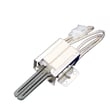
If your Kenmore Elite gas range model 79079369405 clicks but the oven will not light, the most common cause is a weak oven igniter that is getting power but not heating enough to open the oven gas valve. On this model, normal ignition can take 30 to 60 seconds after you set BAKE.
What to check first (quick, safe checks)
- Wait a full 60 seconds after setting BAKE; ignition is not instant on this design.
- Confirm the range has electrical power (electric ignition needs power even though it is a gas oven).
- Make sure you are using the correct oven setting and temperature per the 79079369405 owner's manual.
- If the clicking is coming from the cooktop (not the oven), check for clogged burner ports and moisture on burner parts.
- If the oven never lights, stop and move to the diagnostics below.
Likely causes and what they look like
| Symptom | Most likely cause | What you typically observe |
|---|---|---|
| Clicking, no flame, no glow visible | No power to ignition circuit | No heat, no glow, no ignition cycle |
| Clicking, igniter glows weakly or takes a long time | Weak oven igniter | Long preheat, intermittent ignition |
| Igniter glows normally but still no flame | Gas valve or gas supply issue | No burner flame even after extended wait |
| Cooktop clicks but burner will not light | Clogged ports or wet burner head | Spark present, uneven or no flame |
DIY diagnostics that narrow it down
- Look for igniter glow: when you set BAKE, the oven igniter should glow like a light bulb before the valve opens.
- Time the cycle: if there is no flame after about a minute (and the igniter behavior seems abnormal), the igniter is the top suspect.
- Check cooktop burner parts (if the clicking is at the top): remove and clean ports; dry thoroughly before retrying.
- Inspect burner head condition: a damaged or dirty burner head can prevent proper ignition on surface burners; see range surface burner head 316212400 if yours is cracked or corroded.
Why it matters
A weak igniter can keep the oven gas valve from opening, so the oven never lights even though you hear clicking. Fixing the ignition issue restores reliable preheat, stable baking temperatures, and normal burner cycling.
Last updated: February 2026