Owner’s manual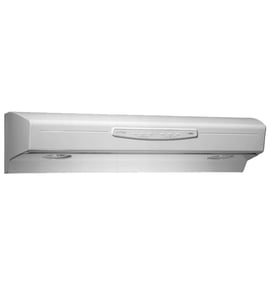



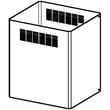
How to clean filters on kitchenaid vent hood?
For the KitchenAid KVIB606DSS1 island-mounted ventilation hood, we clean the grease filters by turning the hood off, removing the filters, washing them with warm water and mild detergent (or using a dishwasher if allowed), drying fully, then reinstalling them. See the KVIB606DSS1 owner’s manual for your exact removal steps.
- Turn the hood and lights off; let surfaces cool.
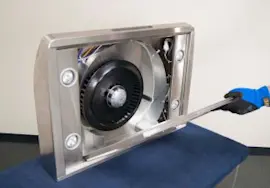
- Support the filter with one hand and release the latch or retaining clip.
- Wash the filter in a sink with warm water and a grease-cutting dish detergent.
- Rinse thoroughly and let the filter dry completely.
- Reinstall the filter so it seats flat and the latch fully locks.
- If the filter is bent, torn, or won’t come clean, replace it.
| Method | Best for | What to watch for |
|---|---|---|
| Hand-wash | Heavy grease, best cosmetic results | Use non-abrasive sponge; avoid harsh cleaners |
| Dishwasher | Routine cleaning | Some filters can discolor; always dry fully before reinstall |
A grease filter that is damaged or permanently clogged restricts airflow and makes the blower work harder. If cleaning does not restore airflow, we replace the filter with the correct part for this model, such as the range hood grease filter W10915369.
Clean filters help your KVIB606DSS1 move air efficiently, reduce cooking odors, and keep grease from building up inside the hood, ducting, and blower area.
Last updated: February 2026
How do I know what model range hood I have?
To identify your range hood model, find the rating label on your KitchenAid island-mounted ventilation hood and match the model number printed there (for this page, it is KVIB606DSS1). The label is usually on the hood body, often near the filters or inside the canopy.
Check these common label locations first:
- On the underside of the hood, near the front edge
- Behind or next to the grease filters (remove the filters to look)
- Inside the canopy area near the blower housing
- On the top side of the hood (more common on some installations)
- Near the wiring junction box cover (inside the hood)
Use the layout diagrams in the KVIB606DSS1 owner's manual to confirm the typical label location and what the data plate looks like.
Write down the full ID exactly as shown so we can match parts correctly.
- Model number (example: KVIB606DSS1)
- Serial number
- Brand (KitchenAid)
- Electrical rating (volts/amps)
- Sometimes a manufacturing code or type number
| What you find on the label | What to do with it |
|---|---|
| Model number matches KVIB606DSS1 | Use KVIB606DSS1 parts lists and diagrams for the best fit |
| Model number is close but not exact (extra digits/letters) | Use the exact model number; small differences can change filters, controls, and dampers |
| Label is greasy or hard to read | Remove and wash the filter, then re-check the label area |
Range hood parts are model-specific. Even within KitchenAid island hoods, the correct grease filter, electronic control, damper, or recirculation kit can change by revision, so the exact model number prevents ordering the wrong part.
Last updated: February 2026
Why did my range hood stop working?
If your KitchenAid KVIB606DSS1 range hood stopped working (no fan and no lights), the most common causes are a loss of power to the hood, a blown fuse or tripped breaker, a failed control or switch, or a wiring connection problem. Start with power checks, then inspect the controls and internal wiring.
- Confirm the hood has power: check the kitchen breaker, then test the outlet (or junction box) feeding the hood.
- If the hood is plugged in, reseat the plug and inspect the cord for damage.
- If the hood is hardwired, check for a loose wire nut or burned connection in the wiring compartment.
- If the hood has a thermal protector, let it cool 30 to 60 minutes and try again (overheating can shut it down).
- If only the lights are out, the bulb or light circuit is the likely issue.
When power is present but nothing runs, these parts are the usual suspects:
- Electronic control board (buttons unresponsive, intermittent operation)
- Transformer (low-voltage controls dead)
- Thermostat switch (overheat protection stuck open)
- Power cord or internal wiring harness (open circuit)
| Symptom | Most likely area | What to do next |
|---|---|---|
| Fan and lights both dead | Power supply, control, wiring | Verify voltage, then inspect control and connections |
| Fan works, lights dead | Light bulb or light circuit | Replace/test the bulb and socket wiring |
| Lights work, fan dead | Fan control circuit, blower wiring | Check fan switch/control output and motor wiring |
- Turn off power at the breaker before opening any covers.
- Use a multimeter to check for voltage at the hood input and continuity through suspect components.
- Look for overheated terminals, loose spade connectors, or pinched wires near the canopy and chimney.
- If the control panel is unresponsive, inspect the low-voltage wiring between the transformer and control.
For model-specific access points, wiring locations, and disassembly steps, follow the KVIB606DSS1 owner’s manual.
A range hood that stops working is often a simple power or connection issue, but a failed control or overheated wiring can keep the hood completely dead. Systematic checks prevent unnecessary part replacement and help restore ventilation and lighting quickly.
Last updated: February 2026
What are the parts of a range hood?
A range hood like the KitchenAid KVIB606DSS1 is built from an air-moving system (blower and ducting or recirculation), grease capture (filters), lighting, and the outer canopy and chimney that cover and direct airflow. The exact configuration depends on whether you vent outside or recirculate.
- Grease filter(s): traps grease before it reaches the blower and ductwork
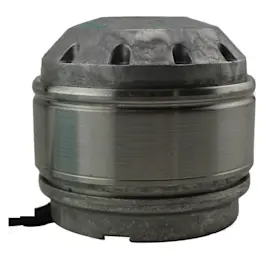
- Blower/fan assembly: pulls cooking smoke, steam, and odors through the hood
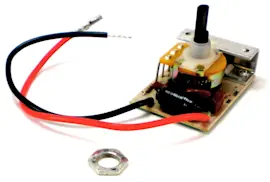
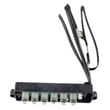
- Controls: switches or an electronic control board for fan speeds and lights
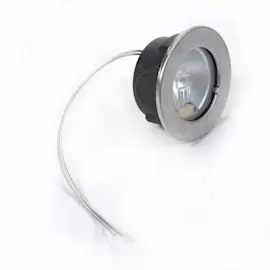
- Lights and light covers: illuminate the cooktop
- Damper(s): helps prevent backdrafts when the fan is off
- Chimney/flue and covers: decorative and functional panels that conceal ducting and wiring
These are model-matched examples we commonly see customers replace on the KVIB606DSS1:
| What it does | Example part for this model | When it’s usually needed |
|---|---|---|
| Captures grease | Range hood grease filter W10915369 | Filter is bent, clogged, or won’t clean up well |
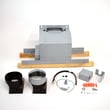
| Enables recirculating setup | Range hood recirculation kit W11430922 | You are not venting outdoors |
| Helps prevent backdraft | Range hood damper W10847841 | Flapper sticks, rattles, or won’t open/close freely |
| Provides cooktop lighting | Range hood light bulb WPW10638164 | Light is out or flickering |
Use these quick checks to match what you see in your kitchen to the right parts list:
- If you see ductwork going up into the ceiling, you are typically vented (uses ducting and a damper).
- If there is no duct to the outside, you are typically recirculating (uses a recirculation kit and filters).
- If the fan runs but airflow is weak, start with grease filters and the damper.
- If buttons do not respond, focus on the control and wiring connections.
Knowing the major parts helps you troubleshoot faster and order the correct replacement the first time. For example, airflow complaints are often filter or damper related, while lighting issues are usually bulb or light assembly related.
For diagrams and model-specific component locations, use the KVIB606DSS1 owner’s manual.
Last updated: February 2026