 Installation guide
 Owner’s manual
 Error Codes






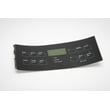

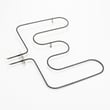

How do you reset a Kenmore 79045589905 oven?
To reset a Kenmore 79045589905 electric range oven, we recommend doing a hard reset by turning OFF the range’s circuit breaker (or unplugging the cord if accessible) for 3 to 5 minutes, then restoring power and setting the clock. This clears many control glitches and false error displays.
Quick reset steps (safe, standard method)
- Turn all surface element knobs to OFF.
- Switch the range breaker OFF (or unplug the range if it’s safely reachable).
- Wait 3 to 5 minutes.
- Restore power.
- Set the clock and test Bake at 350°F.
- If an error code returns, note it before resetting again.
If the oven is stuck in a lock or won’t respond
Some resets fail because the control is waiting on a safety input (door lock circuit, temperature sensor, or cooling fan logic).
- If the display shows a lock icon, allow the oven to cool fully, then try Cancel/Off and the hard reset again.
- If the oven overheated recently, a safety device may have opened; after cooling, power-cycling often restores operation.
- If the control beeps and won’t start heating, check for an error code and follow the troubleshooting chart in the 79045589905 owner’s manual.
Common causes when a reset does not fix it
| Symptom after reset | Most common cause | What to check next |
|---|---|---|
| Oven won’t heat | Failed heating circuit | Inspect bake element and wiring; test with meter |
| Temperature way off | Sensor out of range | Check the range oven temperature sensor 5304504897 |
| Random beeping or error returns | Control sensing a fault | Look up the code in Kenmore 790 self-cleaning range error codes |
| No display at all | Power supply issue | Verify breaker, terminal block connections, cord |
Why it matters
A hard reset clears temporary electronic faults, but repeated error codes usually point to a real problem such as a failing oven temperature sensor, heating element, or wiring connection. Resetting without addressing the cause can lead to inconsistent baking and repeated shutdowns.
Last updated: February 2026
What causes a Kenmore oven to stop working?
On a Kenmore 79045589905 electric range, an oven that “stops working” is usually caused by a power supply problem (tripped breaker or loose cord connection) or a failed heating or temperature-control component such as the bake element, temperature sensor, or a safety thermostat.
Quick checks first (most common)
- Confirm the range has power; reset any tripped double breaker fully OFF then ON.
- Make sure the oven is not in a timed or delayed setting; cancel the timer and try BAKE again.
- Set BAKE to 350°F and look for heat: the lower element should glow red during operation.
- Set BROIL and look for heat: the upper element should glow red.
- If the control is dead after the range was stored in cold conditions, let it sit at room temperature for 3 hours before powering it on (cold-start can damage controls).
Likely failed parts on an electric range
If power is good but the oven will not heat or heats erratically, these parts are common causes:
- Bake element: cracks, blisters, or no glow during BAKE.
- Oven temperature sensor: incorrect temperature readings can prevent proper heating.
- High-limit thermostat: can open if overheating occurs and stop heating.
- Control or wiring issue: loose connections at the terminal block or damaged harness.
Helpful model-matched parts to consider:
What to do based on symptoms
| Symptom | Most likely cause | What we recommend |
|---|---|---|
| Display dead, nothing works | Power supply, terminal block, cord | Check breaker and cord connections; inspect terminal block |
| Cooktop works, oven won’t heat | Bake/broil element, sensor, thermostat | Test BAKE and BROIL glow; check sensor/thermostat |
| Oven heats but temperature is off | Temperature sensor | Replace sensor; then verify temps |
| Fan runs after cooking | Normal cooling fan operation (some models) | Let it run; it protects electronics |
Why it matters
An oven can appear “broken” when it is actually protecting itself (high-limit thermostat) or not receiving full 240V power. Starting with simple BAKE/BROIL glow checks helps pinpoint whether the issue is heating, sensing, or power.
For operating checks and feature settings specific to this range, use the 79045589905 owner's manual.
Last updated: February 2026
Where can I find my Kenmore electric range model number?
On Kenmore electric range model 79045589905, the model and serial number are printed on the appliance serial plate. For this style of 30-inch electric drop-in range, the serial plate is typically located on the range frame in an area shown in the installation guide.
Common places to check on the range
Look for a paper or metal tag that lists Model and Serial. Check these spots first:
- Along the oven frame behind the oven door opening (door jamb area)
- Around the lower drawer opening (if your range has a storage or warming drawer)
- On the back of the range near the power cord/terminal block cover
- Under the cooktop edge (some drop-in designs place the plate where it is visible when the cooktop is lifted)
Quick tips to find it faster
- Use a flashlight and look for a rectangular label with a barcode.
- Wipe grease and dust off the frame; the print is often faint.
- Record the full model number exactly as shown (all digits matter for parts like a bake element, surface element switch, or oven temperature sensor).
What the label usually looks like
| Label field | What it’s used for | Example for this page |
|---|---|---|
| Model | Identifies the exact range version | 79045589905 |
| Serial | Helps date/track production | Varies |
Why it matters
We use the exact model number to match the correct Kenmore parts and diagrams. Even small model-number differences can change fit and wiring for items like the oven temperature sensor, terminal block, or surface element receptacle.
Last updated: February 2026





