 Installation guide
 Owner’s manual


Where is the filter on my Amana microwave?
On the Amana AMV2307PFS0 microwave/hood combo, the filters are in two places: the grease filters are on the underside of the unit, and the charcoal filter sits behind the vent grille at the top front. See the steps in the AMV2307PFS0 user guide.
Filter locations (quick map)
- Grease filters: bottom of the microwave (above the cooktop)
- Charcoal filter: behind the vent grille at the top front (used for recirculating setups)
- Turntable area: not a “filter”, but it is a common place for spills and odors to collect
| Filter type | Where you’ll find it | What to do with it | Typical schedule |
|---|---|---|---|
| Grease filter | Underside of microwave | Clean (soap and water or dishwasher) | Monthly |
| Charcoal filter | Behind top vent grille | Replace (not washable) | About every 6 months |
How to access each filter
Grease filter (bottom)
- Turn the vent fan off and let surfaces cool.
- Support the filter with one hand.
- Slide the filter away from the tab area, then drop it out.
- Wash, dry, then reinstall by inserting one end first and sliding it back toward the tab.
Charcoal filter (top vent grille)
- Remove the 2 screws holding the vent grille.
- Slide the grille to the left, tilt it forward, then lift it out.
- Remove the charcoal filter and install the new one with the wire mesh facing the front.
- Reinstall the grille by engaging the bottom latch hooks, then secure with screws.
Why it matters
Clean grease filters help airflow and reduce smoke and odors while cooking. Replacing the charcoal filter on schedule keeps recirculating ventilation working properly and helps prevent lingering kitchen smells.
Last updated: February 2026
What usually breaks in a microwave?
In an Amana AMV2307PFS0 microwave/hood combo, the parts that most often cause failures are the door safety interlock system, internal fuse, and high-voltage heating components (diode, capacitor, magnetron). Use the AMV2307PFS0 owner's manual troubleshooting checks first, then replace the failed part.
Most common failure points (and what you’ll notice)
- Door interlock switches/interlock assembly: unit will not start, stops when door is moved, or blows a fuse.
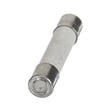
- Microwave fuse: completely dead display or no operation after a power event.
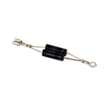
- High-voltage diode: runs but does not heat, or heats weakly.
- High-voltage capacitor: humming, no heat, or intermittent heating.
- Magnetron: runs but does not heat (often after other checks pass).
- Electronic control board: random keypad behavior, no response, or error codes.
Quick checks we recommend before replacing parts
- Confirm power: check the household breaker or fuse, then reset the clock if “PF” appears.
- Check the door: close it firmly; if a door message appears, open and close the door and restart.
- Control settings: verify Control Lock and Demo mode are OFF.
- Heat test: try heating 1 cup of cold water for 2 minutes on High; if it does not heat, move to component diagnosis.
Parts that commonly fix “won’t start” vs “won’t heat”
| Symptom | Most likely area | Example model-matched part |
|---|---|---|
| No power, dead display | Line fuse or power supply issue | Microwave fuse W11707984 |
| Runs but no heat | High-voltage circuit | Diode W11256462, microwave magnetron W10754299 |
| Starts only with door pressure | Door safety interlocks | Interlock WPW10156813 |
Why it matters
Microwaves use a door interlock system to prevent operation with the door open, and they use a high-voltage circuit to create heat. A “won’t start” problem is often interlock or fuse related; a “won’t heat” problem is often diode, capacitor, or magnetron related. For safety, internal high-voltage repairs should be handled by properly qualified service personnel.
Last updated: February 2026
What are the external parts of a microwave?
On the Amana AMV2307PFS0 microwave/hood combo, the main external parts you interact with are the door, control panel, lights, and the venting and mounting hardware that supports the unit above the range. These pieces affect daily use, ventilation performance, and safe installation.
Common external parts you can see and touch
- Door assembly (handle, hinges, latches, viewing window)
- Control panel and keypad (user interface)
- Exterior wrapper (outer cover) and bottom base
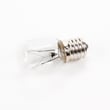
- Cooktop light underneath (often a replaceable lamp)
- Vent grille and damper area (for wall or roof venting setups)
- Grease filter(s) on the underside (captures cooking grease)
- Mounting plate and upper cabinet bolts (supports the microwave)
Model-specific examples of external replacement parts
If you are replacing a visible or user-facing item on AMV2307PFS0, these are common examples:
| External part | What it does | Example part for this model |
|---|---|---|
| Grease filter | Traps grease from the cooktop before it reaches the blower | Filter W10208631A |
| Cooktop light | Lights the range surface below the microwave | Lamp assembly 8206232A |
| Mounting plate | Wall bracket the microwave hangs on during installation | Microwave mounting plate W11025649 |
Installation-related exterior pieces (what matters most)
Our installation guidance for over-the-range units like AMV2307PFS0 focuses on the external support and venting components.
- The opening must support up to 150 lbs (microwave plus contents and cabinet load)
- A grounded outlet is typically located in the upper cabinet
- Proper wall stud support is required; the mounting plate anchors into studs
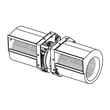
- Damper and blower orientation affects venting performance (poor orientation reduces airflow)
For diagrams and the exact mounting and venting layout, use the installation guide.
Why it matters
External parts are not just cosmetic. The door and interlock system support safe operation, filters protect the vent path, and the mounting plate and hardware keep the microwave secure. Correct venting setup also helps remove smoke and heat from your cooktop.
Last updated: February 2026
What is the plate inside a microwave called?
In the Amana AMV2307PFS0 microwave/hood combo, the plate inside the cooking cavity is called the turntable (also known as the glass turntable tray). It’s the removable glass plate that supports your dish and rotates to help heat food more evenly.
What the turntable does
- Rotates food through the microwave energy pattern for more even heating
- Supports bowls, plates, and microwave-safe containers
- Lifts out for quick cleaning
- Works with the turntable support and drive coupler underneath
Common names you’ll see
| What people call it | What it usually means |
|---|---|
| Turntable | The rotating glass plate (most common) |
| Glass tray | Same part as the turntable |
| Plate | Informal name for the glass tray |
When you should replace it
Replace the turntable if you notice any of these issues:
- Cracks, chips, or sharp edges
- It wobbles badly even when seated correctly
- It no longer sits flat on the support ring
- It’s missing (microwaves are designed to run with it installed)
If you need the correct replacement for this model, match it to the microwave glass turntable tray W11367904.
Why it matters
A properly seated, unbroken turntable helps prevent uneven cooking and reduces the chance of spills from a rocking dish. It also protects the cavity floor from direct contact with hot cookware.
For cleaning and correct placement details, follow the AMV2307PFS0 owner’s manual.
Last updated: February 2026


