Installation guide
 Owner’s manual



What is the difference between a regular GE and GE profile?
GE Profile is GE’s premium line; compared with “regular” GE models, Profile typically adds more advanced features, upgraded styling, and more automation (such as sensor-driven cycles and enhanced drying options). For your GE dishwasher model PDWT280V00SS, the exact feature set is best confirmed in the PDWT280V00SS owner’s manual.
What you can expect to be different
In most appliance categories (including dishwashers), GE Profile models commonly include more of the following:
- More cycle and option choices (specialty wash cycles, extra-dry options)
- More sensors and automation (soil sensing, temperature management)
- Quieter operation features (additional insulation, improved motor control)
- More premium controls and styling (display, handle design, trim)
- More convenience features (better rack adjustability, targeted spray zones)
Quick comparison (typical)
| Category | “Regular” GE | GE Profile |
|---|---|---|
| Features | Core, practical options | More advanced options and automation |
| Controls | Simpler interface | More display and programming features |
| Noise focus | Standard sound control | More emphasis on quiet packages |
| Styling | Basic to mid-grade | More premium finishes and design |
Why it matters
Choosing between GE and GE Profile usually comes down to priorities: if you want straightforward cleaning at a lower cost, regular GE is often the better fit; if you want quieter performance and more specialized cycles, GE Profile is typically the upgrade.
How to confirm what your dishwasher has
Use these checks for PDWT280V00SS:
- Review the cycle list and option buttons in the PDWT280V00SS owner’s manual
- Compare the control panel labels to GE Profile models you are considering
- If performance is the concern (not cleaning, not drying, not draining), match symptoms to common GE diagnostics using GE dishwasher error codes
Last updated: January 2026
Is GE profile considered high end?
Yes. GE Profile is widely considered GE’s higher-end line; it typically adds more premium design, quieter operation, and more advanced features than GE’s standard lines. This applies broadly across GE kitchen appliances, including dishwashers like model PDWT280V00SS.
What “high end” usually means with GE Profile
GE Profile products are positioned above many base and mid-tier GE models. In practical terms, we usually see:
- More feature options (wash cycles, drying options, smart features on some models)
- Quieter sound packages and better insulation
- More refined controls and styling
- Higher-priced replacement components in some assemblies (controls, motors)
- More emphasis on performance and convenience features
For model-specific operating details and cycle options, use the PDWT280V00SS owner’s manual.
Quick comparison: GE vs GE Profile (typical)
| Category | GE (standard) | GE Profile |
|---|---|---|
| Feature set | Basic to mid | Mid to premium |
| Noise level | Varies | Often quieter |
| Controls/design | Simple | More refined |
| Price tier | Lower | Higher |
Why it matters when you’re buying parts or troubleshooting
Knowing the product tier helps set expectations for parts cost and complexity. For example, higher-end dishwashers more often use integrated electronic controls and higher-performance wash systems.
If you’re diagnosing a wash performance or noise issue on PDWT280V00SS, common “premium-feature” components to check include the dishwasher pump and motor assembly WD26X10053 and filters such as the dishwasher filter WD12X10109.
Helpful next steps
- Confirm your exact feature set and cycle selections in the PDWT280V00SS owner’s manual
- If the dishwasher shows an error, use GE electronic dishwasher error codes
- Keep filters and spray paths clear; buildup can mimic “failed” parts
- Match parts by model number PDWT280V00SS to avoid fit issues
Last updated: January 2026
What is the most common problem with a GE dishwasher?
The most common GE dishwasher problem is a no-start condition (the dishwasher has power but will not run). On GE model PDWT280V00SS, this is usually tied to the door not latching fully, a control issue, or a drain or fill problem that prevents the cycle from beginning; use the PDWT280V00SS owner’s manual to confirm the exact start sequence and indicators.
Most common causes (and what to check first)
- Door not fully latched: Close the door firmly; check for racks or dishes blocking closure.
- Power interruption: Verify the breaker is on and the dishwasher is plugged in (if applicable).
- Control not accepting input: Cancel and restart the cycle; try a different cycle option.
- Drain issue from a previous cycle: Standing water can stop a new cycle from starting; check the filter and drain path.
- Fill problem: If the unit cannot take in water, it may pause or stop early in the start sequence.
Quick troubleshooting steps for PDWT280V00SS
- Reset power at the breaker for 1 minute, then restore power.
- Close the door and press Start; listen for initial fill or drain sounds.
- Check the tub bottom for debris; clean the filter area (a clogged filter is a common root cause).
- If the door feels loose or the unit starts only when you press on the door, inspect the latch.
- If you see an error code, match it using GE electronic dishwasher error codes.
Parts that commonly solve “won’t start” symptoms
| Symptom you notice | Likely area | Example part for PDWT280V00SS |
|---|---|---|
| Must push door to make it run | Door latch/door closure | Dishwasher door latch assembly WD13X10031 |
| Stops early, won’t complete cycles | Drain system restriction | Dishwasher filter WD12X10109 |
| Hums but won’t move water | Pump/motor | Dishwasher pump and motor assembly WD26X10053 |
Why it matters
A GE dishwasher that will not start is often protecting itself from running with an unlatched door, poor draining, or improper filling. Fixing the underlying cause prevents repeat shutdowns, leaks, and poor cleaning.
Last updated: January 2026
Can a clogged drain cause an FTD error?
Yes. On the GE PDWT280V00SS dishwasher, a clogged or restricted drain can trigger an FTD error because the dishwasher expects the tub to be empty before it starts the next fill; leftover water makes the fill and drain sensing act like a fault. Check the drain path first using the PDWT280V00SS owner’s manual.
What to check first (fast drain-path checklist)
- Cancel the cycle and see if the unit will drain at all.
- Remove standing water (cup or wet/dry vac) so you can inspect the sump area.
- Clean the filter area and remove food debris; a blocked filter commonly slows draining.
- Inspect the drain hose for kinks, crushing, or a low spot that traps water.
- Check the sink/disposer connection for a clog (and confirm the disposer knockout plug was removed if newly installed).
- If you have an air gap, clean it; a clogged air gap can stop draining.
Parts that commonly relate to an FTD drain problem
If the drain path is clear but draining is still slow or noisy, these model-matched parts are common suspects:
- Dishwasher drain pump WD26X10048 (won’t pump out water, hums, or drains intermittently)
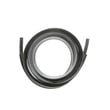
- Drain tube WD24X10045 (restricted, split, or leaking drain line)
- Dishwasher filter WD12X10109 (clogged filter causing poor flow through the sump)
Quick symptom guide
| What you notice | Most likely cause | What to do |
|---|---|---|
| Water remains in tub after cycle | Clog in filter, hose, air gap, disposer inlet | Clear restrictions and rerun drain |
| Humming but little or no draining | Drain pump jammed or failing | Check impeller area; replace pump if needed |
| Drains slowly, then errors | Partial blockage or weak pump | Clean filter and hose; evaluate pump output |
Why it matters
FTD errors are often a “water management” issue, not a control problem. Restoring normal drain flow prevents false fill sensing, improves wash performance, and reduces the chance of leaks from water backing up.
For model-specific diagnostics and any error-code steps, use the GE electronic dishwasher error codes reference alongside your manual.
Last updated: January 2026