 Installation guide
 Owner’s manual
 Error Codes


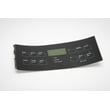
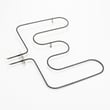
How to find Kenmore Range model number?
For Kenmore electric range model 79045589902, the model number is printed on the serial plate. On this style of range, the serial plate is located on the appliance in the spot shown in the documentation; use the plate to record both the model and serial number for parts and service.
Where to look on the range
Check these common serial plate locations first (starting with the easiest):
- Behind the oven door, along the door frame (door jamb area)
- Around the lower storage drawer opening (remove the drawer if needed)
- On the back panel near the power cord entry or rear venting area
- Along a side frame edge that becomes visible when the door is open
What the label looks like and what to write down
The serial plate typically includes multiple identifiers. We recommend recording:
- Model number (for this page: 79045589902)
- Serial number (unique to your unit)
- Electrical rating (useful for installation checks)
| Label item | Why it matters | Example format |
|---|---|---|
| Model number | Ensures correct part fit | 790.4558## / 790.4559## family |
| Serial number | Helps match production details | Letters and numbers |
| Electrical info | Helps confirm wiring requirements | Volts/amps |
Tips if the label is hard to read
- Wipe gently with a damp cloth and a drop of dish soap; dry completely.
- Use a flashlight held at an angle to make faint printing stand out.
- Take a close-up photo and zoom in.
Why it matters
Kenmore ranges often share similar styling across multiple model families, but parts like a bake element, oven temperature sensor, or control overlay can vary by model. Using the exact model number from the serial plate helps us match the correct Kenmore range parts the first time.
For diagrams and the serial plate location illustration, use the 79045589902 installation guide.
Last updated: January 2026
How to reset Kenmore oven model 79045589902?
To reset the Kenmore electric range model 79045589902, we recommend first canceling any active cycle with STOP/CLEAR, then restoring power by turning the range circuit breaker OFF for 1 minute and back ON. If the display shows “LOC”, turn off Oven Lockout by holding STOP/CLEAR for 3 seconds.
Quick reset steps (most common)
- Press STOP/CLEAR once to cancel cooking, timed bake, or Self-Clean.
- If the control is unresponsive, switch the range breaker OFF.
- Wait 60 seconds (this clears many control glitches).
- Switch the breaker ON and set the clock.
- Test BAKE at 350°F to confirm normal operation.
If the display shows “LOC” (control lockout)
Your range has an Oven Lockout feature that can make it look like the oven “won’t work.” To reset out of lockout:
- Press and hold STOP/CLEAR for 3 seconds.
- Wait about 15 seconds for the door lock motor to finish unlocking.
- Confirm normal keys work again (BAKE, BROIL, COOK TIME, DELAY START).
For the exact key sequence and indicator light behavior, use the 79045589902 owner's manual.
What to check if it still will not reset
If power-cycling and canceling do not restore operation, focus on common causes that prevent the control from operating normally.
- House breaker is tripped or weak (range needs a dedicated 120/240V supply)
- Oven door is stuck in a locked state after Self-Clean
- Failed oven temperature sensing circuit
- Overheat protection opened during a high-heat event
Common parts related to “won’t heat” or odd temperature behavior
| Symptom | Often involved part | Example part for this model |
|---|---|---|
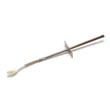
| Oven heats erratically or shows temp-related errors | Oven temperature sensor | Range oven temperature sensor 5304504897 |
| Oven shuts down after overheating | High-limit thermostat | Frigidaire range high-limit thermostat 318578506 |
Why it matters
A proper reset clears temporary control faults and confirms whether you have a simple lockout or power issue versus a failed component (like a sensor or thermostat). That saves time and helps you replace only the part that is actually causing the problem.
Last updated: January 2026
What does F5 mean on a Kenmore oven?
On the Kenmore 79045589902 electric range, an F5 error usually points to a problem in the oven temperature sensing circuit (most often the temperature sensor or its wiring). Clear the code, then check connections; if the code returns, testing the sensor circuit is the next step using the 79045589902 owner's manual.
What to do first (safe, quick checks)
- Press CLEAR/OFF to stop the beeping and clear the display.
- Let the oven cool completely, then try Bake again.
- Turn off power at the breaker for 1 minute, then restore power and retest.
- If the code returns, avoid using Self-Clean until the issue is corrected.
Most common causes of an F5 code
In this model family, the control is reacting to a temperature feedback problem.
- Loose, corroded, or overheated wiring at the sensor connector
- Failed oven temperature sensor
- Control board issue (less common)
A common repair part tied to this symptom is the range oven temperature sensor 5304504897.
Basic troubleshooting path (what we check in order)
| Step | What we check | What it tells us |
|---|---|---|
| 1 | Clear code and retest | Confirms it is not a one-time glitch |
| 2 | Inspect sensor harness and plug | Finds loose/burned connections |
| 3 | Ohm-test the sensor at room temp | Confirms sensor is in a normal range |
| 4 | If sensor and wiring test good | Points to the electronic control |
Why it matters
The oven control relies on the sensor circuit to regulate heat. When that feedback is wrong, the oven can heat unpredictably, shut down mid-cycle, or refuse to start, which affects baking results and can lead to repeated fault beeping.
Last updated: January 2026
What was the size of the Kenmore 79045589902 oven?
The Kenmore 79045589902 electric range has an oven capacity of 5.2 cubic feet. It is a 30-inch class drop-in range designed for a 30-inch cabinet opening; use the 79045589902 owner's manual and 79045589902 installation guide to confirm the exact exterior dimensions and cutout clearances for your countertop.
What “size” can mean (and what to use)
Most customers mean one of these measurements:
- Oven capacity (how much it holds): 5.2 cu. ft.
- Installation opening width (cabinet cutout): 30-inch cabinet spacing
- Exterior dimensions (overall height, width, depth)
- Interior dimensions (rack and pan fit)
Quick sizing summary
| Size type | Kenmore 79045589902 detail | Best place to confirm |
|---|---|---|
| Oven capacity | 5.2 cu. ft. | 79045589902 owner's manual |
| Fit class | 30-inch class drop-in electric range | 79045589902 installation guide |
| Cabinet spacing | Base cabinets 30 inches apart | 79045589902 installation guide |
| Exact exterior dimensions | Varies by trim and leveling | 79045589902 owner's manual |
Tips to avoid a bad fit
- Measure the cabinet opening width and compare to the drop-in requirements.
- Verify countertop cutout dimensions before removing the old range.
- Confirm electrical junction box location and conduit routing.
- Keep the countertop level and flat around the cooktop edges.
- Plan for required clearances to cabinets and ventilation.
Why it matters
Using the correct oven capacity and installation sizing prevents countertop cutout mistakes, ensures safe clearances, and helps you choose cookware that fits properly on the racks for even baking.
Last updated: January 2026





