 Installation guide
 Owner’s manual
 Error Codes








Are Frigidaire wall ovens any good?
Yes. Frigidaire wall ovens like model FPEW3077RFD are generally a solid choice for everyday baking and roasting because they are designed for consistent temperature control, straightforward touch controls, and features like convection that help cook food more evenly when used correctly (see the FPEW3077RFD use and care manual).
What “good” means for a wall oven
A wall oven is doing its job when it holds temperature, heats evenly, and stays easy to operate and maintain. For the Frigidaire FPEW3077RFD, we focus on these practical indicators:
- Even cooking: Convection can improve browning and reduce hot spots.
- Temperature accuracy: A stable sensor and control system help prevent underbaking or overbaking.
- Usability: Clear settings, timers, and predictable preheat behavior.
- Serviceability: Common wear parts (sensor, door seal, fan motor) are replaceable.
- Cleaning and care: Routine cleaning and correct broiling habits reduce smoke and flare-ups.
Quick pros and common pain points
| Area | What most owners like | What to watch for |
|---|---|---|
| Convection baking | More even browning and faster heat circulation | Fan-related noise or uneven results if racks are overcrowded |
| Controls and timers | Easy to set cook modes and timers | Settings can feel sensitive if the panel is dirty or wet |
| Heat retention | Good insulation helps maintain temperature | A worn door seal can leak heat and extend cook times |
Parts that most often affect performance
If cooking results seem “off,” these are the first components we check on a built-in oven like the FPEW3077RFD:
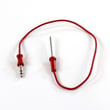
- Cooking appliance oven temperature sensor 5304504897 (helps the control board regulate oven temperature)
- Wall oven door seal 139036700 (prevents heat loss and helps maintain stable temps)
- Wall oven convection fan motor 139008504 (drives airflow for convection baking)
Why it matters
A wall oven can look great but still disappoint if it cannot hold temperature or circulate heat properly. Keeping the temperature sensor, door seal, and convection system in good shape is what protects baking results, preheat time, and energy use.
Last updated: January 2026
What would cause a Frigidaire oven to stop working?
A Frigidaire FPEW3077RFD wall oven can stop working because it is not getting proper power, a control setting is preventing heat, or a key component (like the oven temperature sensor or control board) has failed. Start with power checks, then confirm Bake and Broil operation using the FPEW3077RFD owner’s manual.
Quick checks we recommend first
- Verify the oven has power at the home breaker (wall ovens typically use a 240V circuit).
- Make sure the oven is not in a special mode that blocks normal operation (for example, Sabbath mode or a displayed “SF” message after a power interruption).
- Test Bake: about 20 seconds after turning it on, open the door and feel for heat.
- Test Broil: the upper element should begin glowing red when set to Broil.
- If convection is selected, remember the convection fan stops when the door is opened.
Most common causes (and what they look like)
| Symptom | Likely area to check | What to do next |
|---|---|---|
| Display dead, no response | Power supply, wiring connections | Check breaker, then inspect wiring connections at the terminal block |
| Display works, but no heat in Bake/Broil | Sensor, elements, control | Run Bake/Broil checks; consider testing the sensor and control outputs |
| Oven shuts off after a while | Energy-saving auto shutoff setting | Review the 6-hour energy saving vs continuous bake setting in the manual |
| “SF” shown after outage | Sabbath failure state | Turn selectors OFF, then clear SF per the manual |
Parts that commonly fix “stopped heating” problems
If the oven powers on but will not heat correctly, these model-matched parts are common suspects:
- Cooking appliance oven temperature sensor 5304504897: a bad sensor can cause no-heat, overheating, or erratic temperatures.
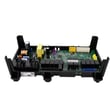
- Range oven relay control board 316472807: relays on the board control power to heating circuits.
- Terminal block 5304409888: burned or loose connections can cut power to the oven.
Why it matters
A wall oven that “stops working” can be a simple control-mode issue (like Sabbath/SF) or a true power or heating failure. Checking Bake and Broil behavior first helps you separate a settings problem from a part failure and prevents unnecessary parts replacement.
Last updated: January 2026
Is there a reset button on a Frigidaire oven?
For the Frigidaire FPEW3077RFD wall oven, there is no separate external reset button. Resetting is done either by power-cycling the oven at the breaker, or by using the control’s built-in “restore default settings” option described in the FPEW3077RFD owner’s manual.
Two reliable reset methods
- Power reset: Turn the oven’s circuit breaker OFF, wait 1 to 10 minutes, then turn it back ON.
- Restore factory (default) control settings: Use the oven control’s user preference menu to return settings to default.
- Cancel active functions first: End any bake, broil, timer, or self-clean cycle before attempting a control reset.
How to restore factory control settings (FPEW3077RFD)
Use this when the oven powers on but settings or behavior seem off (tones, energy-saving shutoff, temperature offset).
- Start with the oven idle.
- Enter the user preference mode as shown in the manual.
- Scroll to the rSt (reset) choice.
- Select yes to restore defaults; the control accepts the change and returns to the clock display.
What the factory reset changes
| Control area | What resets to default | Common symptom it fixes |
|---|---|---|
| Audible settings | Silent vs audible tones | Unexpected beeps or no beeps |
| Energy saving | 6-hour shutoff vs continuous bake | Oven shutting off during long bakes |
| Temperature offset | Calibration adjustments | Baking temperature seems consistently high/low |
Why it matters
A breaker reset clears minor electronic glitches after a power event. A factory control reset is the correct fix when user preference settings were changed over time and the oven no longer operates the way you expect.
Last updated: January 2026





