Owner’s manual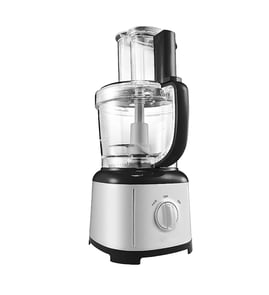



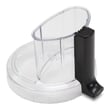
What should you not put in a food processor?
For your KitchenAid KFPW763CS0 food processor, do not process items the manual says it is not designed to handle, such as coffee beans, grains, hard spices, bones or other inedible parts, or raw fruits and vegetables for liquefying. These can damage the blade, bowl, or motor; see the owner's manual for the full list.
Foods and tasks to avoid
- Coffee beans, grains, or hard spices (grinding)
- Bones or other inedible parts of food
- Liquefying raw fruits or vegetables (use a blender for that job)
- Slicing hard-cooked eggs
- Slicing unchilled meats
- Feeding food by hand (always use the food pusher)
Safe-use reminders that prevent damage and injuries
The manual also calls out key safety rules that matter during any processing task.
- Unplug the food processor before installing or removing parts and before cleaning
- Keep hands and utensils away from moving blades or discs while processing
- Use a scraper only when the food processor is not running
- Make sure the cover is securely locked before operating
- Do not use an extension cord (fire hazard guidance for KFPW760 and KFPW763 series)
Quick guide: what to use instead
| If you need to... | Use this instead | Why |
|---|---|---|
| Liquefy raw fruits/vegetables | Blender | A food processor is not designed for liquefying |
| Grind coffee beans/hard spices | Coffee/spice grinder | Protects the processor blade and motor |
| Chop very hard inedible items | Do not process | Prevents damage and reduces injury risk |
Why it matters
Avoiding these foods and tasks protects the interlock system, keeps sharp blades from binding or chipping, and helps prevent overload that can lead to overheating or electrical issues.
Last updated: February 2026
Why did my KitchenAid food processor stop working?
Your KitchenAid food processor model KFPW763CS0 usually stops working because the bowl or lid is not fully locked (the safety interlock prevents starting), the outlet or home circuit is open, or the motor overheated and shut itself off for protection. Use the checks in the KFPW763CS0 owner's manual to restore power and confirm proper assembly.
Quick checks that fix most “won’t run” problems
- Press OFF, then re-seat the bowl and lid until they fully lock.
- Plug the unit directly into a wall outlet (no extension cord).
- Check the fuse or circuit breaker for the kitchen circuit and reset if tripped.
- If it shut off mid-task, let it cool, then try again (overheat protection can stop the motor).
- Inspect the cord for cuts, kinks, or loose prongs; replace if damaged.
What to do if it shut off while running (overheat protection)
If the motor gets too hot, it can shut off automatically to prevent damage. Let the food processor sit unplugged until it cools, then try a smaller batch and avoid forcing dense foods through the disc.
Why it matters
Overheating and repeated forced starts can shorten motor life and can also make the safety interlock seem “intermittent” when it is actually doing its job.
Parts that commonly solve power-related issues
If the unit has no signs of power after you confirm the outlet and circuit are good, a damaged cord is a common, fixable cause.
| Symptom | Most likely cause | What to check/replace |
|---|---|---|
| Completely dead (no response) | No power to unit | Outlet, breaker/fuse, then cord |
| Stops during use | Overheat protection | Cool-down, reduce load |
| Runs only when you press/hold parts | Lid/bowl not locked | Reinstall bowl/lid, clear debris |
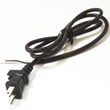
Helpful part: Power cord W10451329
Last updated: February 2026
Is the KitchenAid food processor worth it?
Yes. The KitchenAid KFPW763CS0 food processor is worth it if you want faster, more consistent chopping and slicing for everyday meal prep, and you plan to use it regularly. It delivers strong versatility for common kitchen tasks, as long as you use it within the functions listed in the owner's manual.
What it does well (and what it is not designed to do)
A food processor earns its value when it replaces repetitive knife work and gives repeatable results.
Great uses for value:
- Chopping vegetables, herbs, and nuts (edible, not rock-hard items)
- Slicing and shredding for salads, slaws, and cheese
- Mixing dips, sauces, and spreads
- Pureeing cooked ingredients (for soups, sauces, baby food)
- Batch prep to save time during the week
Not designed for these tasks (important):
- Grinding coffee beans, grains, or hard spices
- Grinding bones or other inedible parts
- Liquefying raw fruits or vegetables
- Slicing hard-cooked eggs or unchilled meats
How to decide if it is “worth it” for you
Use this quick checklist to match the machine to your cooking habits.
| If you often... | Then it is usually worth it because... |
|---|---|
| Prep veggies 3+ times per week | It cuts prep time and improves consistency |
| Make slaws, shredded cheese, or sliced potatoes | Discs handle repetitive slicing/shredding quickly |
| Cook in batches or meal prep | You get the biggest time savings |
| Only chop small amounts occasionally | A knife and cutting board may be enough |
Parts and upkeep that protect your investment
Keeping the bowl and accessories in good shape helps performance and reduces frustration.
- Replace worn accessories like the food processor scraper 8211760 to keep the bowl sides clear during mixing
- If plastic parts discolor from certain foods, clean them with lemon juice
- Avoid forcing hard items that can stress the bowl and drive components
- If the cord is damaged, replace it instead of taping it; use the power cord W10451329
Why it matters
A food processor is “worth it” when it reliably handles the tasks you actually do. Staying within the intended uses and keeping key parts (bowl, scraper, cord) in good condition helps you get consistent results and a longer service life.
Last updated: February 2026