 Error Codes



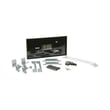


How do I find the right GE part number?
For your GE electric range model JKP36G, the most reliable way to get the right GE part number is to match the part to your exact model and the correct diagram location, then confirm the part’s ID and description before ordering from the parts list on this page or searching on Sears PartsDirect.
Step-by-step: how we recommend matching the correct part
- Find the model tag on the range (commonly behind the oven door frame, on the lower frame, or on the back panel).
- Write the model number exactly as shown (letters and numbers matter).
- Use the model number to open the correct parts diagrams for your range.
- Identify the failed component by location and description (for example, control area vs. oven cavity).
- Confirm the part ID and part name match what you need before you order.
Common part-number mix-ups (and how to avoid them)
| What happens | Why it happens | What to do instead |
|---|---|---|
| The part “looks right” but doesn’t fit | Similar GE ranges use different mounting or wiring | Match by model JKP36G and diagram callout |
| You order by a generic description (like “timer”) | Multiple timers exist by revision | Confirm the exact part ID, such as timer WB19X10006 |
| You chase symptoms instead of the failed part | A control issue can mimic a heating issue | Verify with basic checks (power, wiring, error codes) before ordering |
Helpful shortcuts for this model page
If your issue points to the control system, these model-listed parts are common starting points:
- Timer WB19X10006 (often tied to timing, control, or clock-related functions)
- Package solenoid WB24X5096 (used in specific control or latch-related functions on some designs)
Why it matters
GE part numbers and IDs are model-specific; using the exact model (JKP36G) and the diagram callout prevents wrong-part returns and helps ensure proper fit, wiring compatibility, and safe operation.
Related troubleshooting help
If you are diagnosing an error code before choosing a part, use our guide: GE manual cleaning range error codes.
Last updated: February 2026
How to order GE appliance parts?
You can order replacement parts for your GE electric range model JKP36G directly from the parts list for your model, then check out through Sears PartsDirect. For the best match, use the complete model number from your range’s ID tag when searching.
What you need before you order
Having these details ready helps us get the right part the first time:
- Full model number (for this page: JKP36G)
- Serial number (helps confirm production run details)
- The part name you need (for example, timer or solenoid)
- A symptom description (for example, oven not heating, clock not keeping time)
- Basic appliance details (electric range, 240V household circuit)
Common parts customers order for this model
If your issue points to a control or timing problem, these model-listed parts are a good place to start:
Quick ordering checklist
Use this checklist to avoid returns and delays:
- Match the part by model number first, then by part name
- Compare your old part’s label numbers to the listing (when accessible)
- Confirm the part is for the correct function (bake, broil, clock/timer, door lock)
- Review quantity needed (some parts are sold individually)
Troubleshooting first (so you order the right part)
If you are ordering because the range is showing an error or acting up, identify the failure mode first:
- For GE range error displays: use GE manual cleaning range error codes
- If the oven will not heat: use oven wont heat troubleshooting electric range problems video
Symptom-to-part starting points
| Symptom | Most likely area | Good next step |
|---|---|---|
| Clock/timer not working or won’t set | Control/timer circuit | Check wiring connections, then consider the timer WB19X10006 |
| Door lock or latch action seems abnormal during self-clean | Lock/solenoid mechanism | Inspect lock linkage, then consider the package solenoid WB24X5096 |
| Error code on display | Control sensing/logic | Look up the code in GE manual cleaning range error codes |
Why it matters
Ordering by the exact model number and symptom prevents buying the wrong electrical control part. On an electric range, similar-looking timers and solenoids can have different terminals, mounting, or operating specs.
Last updated: February 2026
Why is my GE stove display panel not working?
On a GE electric range like model JKP36G, a dead display is usually caused by a power problem to the control (tripped breaker, loose/failed wiring), a failed electronic control/timer, or a failed control panel. Start by confirming the range is getting full power, then check the control components.
Quick checks we recommend first
- Reset power: turn the range breaker OFF for 1 minute, then back ON.
- Confirm both legs of power are present (many ranges use a 2-pole breaker; one side tripping can leave the display blank).
- If the cooktop and oven are both dead, focus on incoming power and the terminal block wiring.
- If heating works but the display is blank or erratic, focus on the control/timer and control panel connections.
- Look for obvious signs of failure: burnt smell, discoloration, or melted connectors behind the control area.
Parts that commonly cause a blank display
On this model family, the display function is typically tied to the clock/timer or electronic control assembly. If power is correct and wiring is intact, the control component is the next most common fix.
| Symptom | Most likely area | What to do next |
|---|---|---|
| Entire range dead (no heat, no lights, no display) | House power, terminal block, cord | Verify breaker, outlet, and wiring connections |
| Oven heats but display is blank | Control/timer, control panel wiring | Inspect connectors; consider replacing the control/timer |
| Display flickers or resets | Loose connection, failing control | Reseat connectors; check for heat damage |
If you need the control component, we list the compatible timer WB19X10006 for this GE range.
Why it matters
The display is more than a clock; it is often the user interface for bake, broil, and timed functions. Fixing the root cause (power vs. control failure) prevents repeat failures and helps restore safe, predictable operation.
When to stop and get service
- You see burned wiring, arcing marks, or melted plastic
- The breaker trips repeatedly
- The display is dead after confirming correct power
You can order replacement parts for your GE JKP36G from the parts list for this model, or search by model number on Sears PartsDirect.
Last updated: February 2026




