Installation guide
 Owner’s manual
 Error Codes



What model is my Kenmore gas range?
Your Kenmore Elite gas range model number is printed on the model/serial/rating plate. On Kenmore Elite model 66475223710, that plate is located on the oven frame behind the top left-hand side of the oven door; the model format may appear like 664.7522* (the asterisk is the color code). See the 66475223710 use and care guide for the exact label format.
Where to find the model number label
Check these common locations on a Kenmore gas range:
- Oven frame behind the top left side of the oven door opening (most common for this model family)
- Door jamb area when the oven door is open
- Behind the storage/warming drawer (remove the drawer to look along the frame)
- On the back panel near the vent area (less common, but possible)
What the model number looks like (and why it can be confusing)
Kenmore Elite ranges often show the model in a dotted format on the paperwork and a full model on the rating plate.
| Where you see it | Example | What it means |
|---|---|---|
| Use and care guide | 664.7522* | The * is the color code |
| Parts and service listings | 66475223710 | Full model number used to match parts |
Tips to make sure you match parts correctly
Use these checks before ordering parts like an igniter, spark module, or control:
- Copy the model number exactly from the rating plate (all digits matter)
- If you see 664.7522*, use the full model 66475223710 for parts lookup
- Record the serial number too; it helps confirm production details
- If the label is worn, take a clear photo with the oven door open
Why it matters
The model number determines the correct fit and wiring for key components such as the oven igniter, gas valve, and electronic controls. Using the exact model number helps prevent ordering a part that looks similar but will not mount or connect correctly.
Last updated: January 2026
Who makes Kenmore Elite gas ranges?
Kenmore Elite gas ranges (including model 66475223710) are made for the Kenmore brand by major appliance manufacturers; the actual maker can vary by model and production run. For your range, the most reliable way to identify the manufacturer is to match the model and product identifiers shown in the 66475223710 use & care guide.
How to identify who built your specific Kenmore Elite range
We recommend using the documentation and the rating label together so you can tie your exact unit to the correct manufacturer and parts system.
- Check the rating label for the full model number and any manufacturer code or serial prefix.
- Compare that information to the model format shown in the 66475223710 use & care guide.
- Use the wiring diagram and parts list references in the manual to confirm the platform family.
- If you are ordering parts, match by model number first, then confirm by part ID.
- If you are troubleshooting ignition or heating issues, confirm whether the problem is in the oven ignition circuit or surface ignition circuit.
Common manufacturers behind Kenmore Elite ranges
Kenmore is a brand, not a single factory. Over the years, Kenmore Elite ranges have been produced by multiple manufacturers.
| Kenmore brand | Who builds it | What changes for you |
|---|---|---|
| Kenmore Elite | Varies by model/run | Parts compatibility, wiring layout, and control style |
| Same model number family | Often same platform | Service procedures and part IDs tend to match |
Why it matters
The manufacturer affects which ignition system, control board layout, and replacement parts fit correctly. For example, ignition-related repairs often involve model-matched components such as the range oven igniter WPW10324262 rather than a “universal” substitute.
Last updated: January 2026
Why is my Kenmore gas oven clicking but not lighting?
On Kenmore Elite gas range model 66475223710, clicking means the electronic ignition is sparking, but the burner is not igniting. The most common causes are a closed gas shut-off valve, loss of power to the range, air in the gas line after service, or a weak/failed igniter.
Quick checks (safe, no disassembly)
- Confirm the range is plugged into a grounded 3-prong outlet and the breaker or fuse is OK.
- Verify the gas shut-off valve is fully open.
- Try BAKE again; first-time lighting can take longer if there is air in the gas line.
- Cancel the cycle, wait 30 seconds, then retry.
- If you smell gas without ignition, turn the oven off and ventilate the area.
What “normal” timing looks like on this model
The installation instructions for this range give clear ignition timing targets:
| Burner | Expected ignition time | Notes |
|---|---|---|
| Cooktop surface burner | Within ~4 seconds | First lighting may take longer due to air in the line |
| Oven bake or broil burner | Within ~8 seconds | First lighting may take longer due to air in the line |
If you hear clicking beyond these timeframes with no flame, focus on ignition and gas supply.
Parts that commonly cause clicking with no ignition
If power and gas supply are good, these parts are the usual suspects:
- Oven igniter: a weak igniter can spark but not draw enough current to open the gas valve.
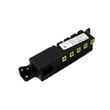
- Spark module: can click continuously or inconsistently.
- Wiring connections: loose or heat-damaged connectors can interrupt ignition.
Model-matched parts to consider:
Why it matters
Repeated clicking without ignition can mean the burner is not lighting reliably, which affects preheat time, temperature stability, and safe operation. Restoring proper ignition helps the oven light within the expected 8-second window.
For model-specific operating steps and troubleshooting, use the 66475223710 owner's manual.
Last updated: January 2026
Why is my Kenmore Elite oven not working?
If your Kenmore Elite 66475223710 oven is not working, the most common causes are a control setting that prevents heating (Demo mode or Sabbath mode), a power interruption, or a failed ignition component. Start by checking settings in the 66475223710 owner's manual and then verify the igniter is operating.
Quick checks first (no tools)
- Make sure a cooking cycle is actually started; some models display “PUSH/PSH” when START still needs to be pressed.
- If the display is flashing after an outage, clear the message and reset the clock.
- Turn Demo mode off; when Demo mode is enabled, the control panel works but the oven will not heat.
- Check Sabbath mode; only Bake operates and other cycles are disabled.
- Confirm the gas supply valve to the range is fully open.
What to look for when the oven tries to heat
When you set Bake, a working gas oven typically follows this sequence: igniter glows, gas opens, burner lights, then flame stays steady.
- No igniter glow: likely an igniter issue, wiring issue, or control issue.
- Igniter glows but no flame: often a weak igniter or a gas valve problem.
- Flame is yellow/noisy: the range may be converted improperly for the gas type; propane setups require correct conversion.
Parts that commonly fix “oven not working” symptoms
| Symptom | Most likely part area | Example model-matched part |
|---|---|---|
| No heat, no ignition | Bake ignition | Range bake igniter WPW10324262 |
| Intermittent ignition or no burner light | Oven burner ignition | Range oven burner igniter WPW10333842 |
| Clicking or spark issues on cooktop (not oven bake) | Spark system | Spark module (red) WPW10475149 |
Why it matters
A gas range that will not ignite can be a simple settings issue (Demo mode) or a failing igniter that prevents the gas valve from opening fully. Fixing the root cause restores safe, consistent heating and prevents long preheat times.
Last updated: January 2026