 Installation guide
 Owner’s manual
 Error Codes







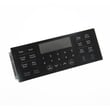


How do I reset my Kenmore oven control board?
To reset the oven control on your Kenmore 79094243311 electric range, we start with a simple power reset (breaker off, then back on). If you need a full factory-default reset of user settings, use the keypad reset steps in the 79094243311 owner's manual.
Reset options (in order)
- Power cycle reset (best first step): Turn the range off, switch the circuit breaker off, wait 5 minutes, then turn it back on.
- Factory-default settings reset (keypad method): Restores user options like clock mode, tones, and temperature offset.
- Cancel control lockout (if keys seem “dead”): Unlock the control so the keypad responds again.
Factory-default reset steps (keypad)
This reset restores common user settings (12/24-hour clock, control tones, Fahrenheit/Celsius display, and oven temperature offset).
- Press and hold 7 on the numeric keypad until you hear an acceptance tone (about 6 seconds).
- Press START to complete the reset.
| Reset type | What it fixes | What it changes |
|---|---|---|
| Power cycle | Temporary glitches, “frozen” display after a surge | Does not intentionally change saved options |
| Factory-default reset | Incorrect user settings, temperature offset set wrong | Resets user options back to defaults |
| Lockout cancel | Keypad won’t respond because controls are locked | Unlocks controls only |
If the keypad still will not respond
- Check whether Oven Lockout is active (look for “DOOR” and a lock icon).
- Press and hold Oven Lock for 3 seconds (on models with that key).
- If your model uses arrows instead of an Oven Lock key, press Up and Down arrows together to toggle lockout.
- If the display shows “DOOR” with a lock icon, wait for the latch motor to finish before trying keys.
Why it matters
A power reset clears minor electronic glitches, while the factory-default reset corrects settings that can make baking temperatures seem “off” (especially if the oven temperature offset was adjusted). If the control is locked, it can look like the control board failed when it is simply in lockout mode.
Last updated: January 2026
What was the size of the Kenmore 79094243311 oven?
For the Kenmore 79094243311 electric range, the exact exterior dimensions and oven capacity are listed in the specifications section of the 79094243311 owner's manual and the fit and clearance requirements are listed in the 79094243311 installation guide. Those documents are the right source for the precise width, height, depth, and required clearances.
What “size” can mean (pick the measurement you need)
- Overall width (left to right across the front)
- Overall height (floor to cooktop, and floor to the top of the backguard)
- Overall depth (back panel to front, with and without the door handle)
- Oven capacity (cubic feet)
- Installation clearances (space to cabinets, wall, and anti-tip bracket location)
How we recommend measuring at home
Use a tape measure and record to the nearest 1/8 inch.
- Measure width at the widest point (often the cooktop lip)
- Measure height from floor to cooktop, then to the highest rear point
- Measure depth from the back panel to the front edge, then to the end of the handle
- Measure the cabinet opening width and depth if you are replacing the range
Typical planning ranges for a freestanding electric range
These ranges help with rough planning only; use the manual and installation guide for exact specs for 79094243311.
| Measurement | Typical planning range |
|---|---|
| Overall width | About 30 inches |
| Overall height | About 46 to 48 inches |
| Overall depth | About 25 to 28 inches |
| Oven capacity | About 4.8 to 5.4 cu. ft. |
Why it matters
Correct dimensions prevent cabinet fit issues, door interference, and problems placing the anti-tip bracket and power cord. Using the installation clearances also helps ensure proper ventilation and safe operation.
Last updated: January 2026
Where is Kenmore's model number?
On the Kenmore electric range model 79094243311, the model and serial information is on the serial plate located on the left side of the warmer drawer frame. Open the warmer drawer fully and look along the left side of the frame to read the plate; see the 79094243311 owner's manual.
How to find the model number quickly
- Pull the warmer drawer open all the way so you can see the drawer frame clearly.
- Look on the left side of the warmer drawer frame for the serial plate.
- Copy the model number and serial number exactly as shown.
- Take a clear photo of the plate; it helps when ordering parts like a bake element or oven temperature sensor.
- If the plate is hard to read, wipe it gently with a damp cloth and dry it.
What the serial plate typically includes
| Item on plate | What it’s used for |
|---|---|
| Model number (example: 79094243311) | Ensures you get the correct Kenmore range parts |
| Serial number | Helps match production details for the correct replacement part |
| Electrical ratings | Useful for installation checks and service diagnostics |
Why it matters
We use the exact model number to match the correct parts and diagrams for your range. Even small differences within the Kenmore 790 series can change which items fit, such as an oven temperature sensor, control board, or surface element switch.
Last updated: January 2026






