 Error Codes




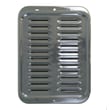
How do I reset a Kenmore electric stove?
To reset a Kenmore electric built-in oven like model 2784218510, turn power off at the breaker (or unplug if accessible) for 1 to 2 minutes, then restore power and set the clock. This clears many control glitches after a power surge or error.
- Turn the range circuit breaker OFF.
- Wait 1 to 2 minutes (we recommend a full 2 minutes).
- Turn the breaker ON.
- Set the time of day on the control.
- Test Bake and Broil for a quick heat response.
A reset will not fix a failed touch panel, loose wire connection, or a heating circuit problem. Check these common causes:
- House breaker is tripped again immediately (short or overload).
- Display is blank but oven light works (control power issue).
- Buttons beep but no heat (element, relay, or wiring issue).
- Error returns right away after reset (control sensing a fault).
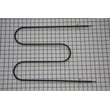
If you suspect a heating problem, inspect the broil circuit and element connections; the broil element is a common no-heat culprit on many electric ovens.
| Symptom | Most likely area | What to do next |
|---|---|---|
| Display blank, no response | Power supply, wiring | Verify breaker, then inspect wiring connections (power off) |
| Display on, won’t start bake/broil | Control lockout or control issue | Try reset again, then check for stuck keys |
| Broil won’t heat | Broil element or wiring | Inspect and test the oven broiler element WB44M5 |
| Oven light out only | Bulb | Replace the lamp bulb 40A15 |
Resetting clears temporary electronic faults, but repeated lockups usually point to an electrical issue (wiring, element, or control). Catching that early helps prevent no-heat failures and nuisance breaker trips.
Last updated: January 2026
What are the most common issues with 2784218510?
The most common problems we see with the Kenmore 2784218510 electric built-in oven are heating issues (won’t heat, uneven baking, weak broil), door and glass concerns, and interior light failures. Many of these symptoms trace back to a failed heating element, worn door components, or a burned-out bulb.
- Broil not working or takes too long: failed broil element such as the oven broiler element WB44M5
- Oven light out: burned-out bulb such as the lamp bulb 40A15
- Door glass cracked, loose, or heat-stained: damaged glass such as oven door glass 328720 (or other door glass depending on location)
- Rattles, loose panels, or handle/trim movement: missing or stripped mounting hardware (screws, washers)
- Uneven baking: temperature calibration issue, poor rack position, or heat loss around the door
- Confirm power: electric ovens need a full 240V supply; a tripped double breaker can leave the oven partially powered.
- Test the heating element: a broil element that is blistered, cracked, or doesn’t glow can be electrically open.
- Inspect the door seal and glass: heat escaping at the door causes long preheat times and uneven results.
- Check the light socket area: look for discoloration or a loose connection when replacing the bulb.
| Problem | Likely part area | Example part on this model |
|---|---|---|
| No broil / weak broil | Upper heating circuit | Oven broiler element WB44M5 |
| Light not working | Lamp and socket area | Lamp bulb 40A15 |
| Damaged viewing window | Door glass | Oven door glass 328720 |
Heating and door-related problems affect cooking performance and can overwork components. Replacing the correct Kenmore 2784218510 part restores proper temperatures, improves bake results, and helps the oven operate safely and efficiently.
Last updated: March 2026
What does F3 mean on a Kenmore stove?
On the Kenmore 2784218510 electric built-in oven, an F3 code typically points to a problem in the oven temperature sensing circuit (most often the oven temperature sensor probe or its wiring), which can make the oven heat incorrectly or stop heating for safety.
- Cancel the code: press Cancel/Off, then let the oven sit for 1 minute.
- Power reset: turn the range off at the breaker for 2 to 5 minutes, then restore power.
- Try Bake again: if F3 returns quickly, focus on the sensor circuit.
- Look for obvious wiring damage: especially near the rear panel and where wires pass close to hot surfaces.
- If the oven overheats or smells hot, stop using it until the issue is corrected.
In most Kenmore electric ovens, F3 is triggered when the control reads an out-of-range sensor signal (open circuit, short circuit, or a reading that does not match actual temperature).
Common causes include:
- Loose or corroded connector at the sensor plug
- Damaged sensor harness (pinched, burned, or broken wire)
- Failed oven temperature sensor probe
- Less commonly, a problem on the electronic oven control (EOC)
| What you observe | Most likely cause | What to do next |
|---|---|---|
| F3 appears immediately after starting Bake | Sensor circuit open/short | Inspect sensor connector and harness; test sensor resistance |
| Oven heats wildly high or low before F3 | Sensor drifting or wiring intermittent | Check harness routing and connectors; replace sensor if readings are unstable |
| F3 comes and goes when moving the unit | Loose connection | Reseat connectors; repair damaged wires |
The temperature sensor is the oven’s feedback device. When the control cannot trust that signal, it may shut heating down or allow unsafe temperature swings, which affects baking results and can damage components.
If you are already inside the oven cavity for inspection, also check the oven light area for heat damage and brittle wiring. The lamp bulb 40A15 is a common service item, but the F3 fix is usually in the sensor circuit, not the bulb.
Last updated: January 2026




