Owner’s manual
 Error Codes





What is the most common problem with LG dryers?
For the LG DLEX4200B dryer, the most common issues we see are long dry times (poor airflow from lint buildup or restricted venting) and noise during tumbling (often from wear in drum support components). Start with airflow checks and lint system cleaning per the DLEX4200B owner’s manual.
Most common symptoms and what they usually point to
- Clothes take too long to dry: lint screen clogged, vent duct restricted, blower airflow problem
- Dryer runs but doesn’t heat well: heating circuit issue (electric models), temperature sensing issue, airflow restriction
- Rumbling, thumping, or squealing: worn drum support roller, idler pulley, belt wear
- Burning smell: lint accumulation in the lint duct or exhaust duct, overheating from restricted airflow
- Stops mid-cycle or shows errors: overheating protection opening, sensor or control issue
Quick checks we recommend first (fastest wins)
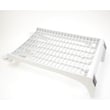
- Clean the lint screen every load; replace a damaged or warped screen with the lint filter - dryer part by LG ADQ56656401.
- Inspect and clean the lint housing and duct path; lint buildup here can mimic “no heat” or “long dry time.”
- Verify the vent run is short, not crushed, and uses 4-inch metal ducting.
- If noise is the complaint, listen for a steady squeal (idler) vs. a rhythmic thump (roller).
Common problem vs. likely part or area
| Symptom | Most likely area | Example compatible part for this model |
|---|---|---|
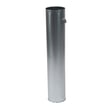
| Long dry times | Airflow and venting | Dryer Exhaust Duct 5209EL1006A |
| Noisy tumbling | Drum support system | Dryer Drum Support Roller 4581EL2002L |
| Overheating or shuts off | Safety thermostats/fuse | Dryer Thermal Cut-off Fuse Kit 383EEL9001C |
| Poor temperature control | Sensor circuit | Dryer Thermistor AGM30045804 |
Why it matters
Airflow problems can cause long dry times, overheating, and repeated thermal fuse or thermostat failures. Catching lint and vent restrictions early helps protect the heater, blower system, and drum support parts.
Last updated: January 2026
Why does an LG sensor dry dryer take so long to dry?
On the LG DLEX4200B, Sensor Dry cycles usually take too long when the dryer cannot move enough air (lint screen, lint duct, blower, or home vent restriction) or when the moisture sensor bars are dirty and misreading dampness. Less commonly, a heating or temperature-sensing problem makes the cycle run inefficiently. See the airflow and maintenance sections in the DLEX4200B owner’s manual.
Quick checks that fix most long dry times
- Clean the lint screen before every load; rinse it with water if you use dryer sheets (film can block airflow).
- Confirm strong airflow outside at the vent hood while the dryer runs.
- Avoid overloading; Sensor Dry needs tumbling space for accurate readings.
- Do not mix heavy items (towels) with light items (t-shirts) in the same Sensor Dry load.
- Use the correct cycle and dryness level; “Energy Saver” style settings can extend run time.
Airflow restrictions to focus on (most common)
Restricted airflow makes the heater cycle off early and the sensor logic extends the cycle to compensate.
Common restriction points:
- Lint screen and lint screen housing
- Lint duct inside the cabinet
- Blower wheel area
- Crushed, kinked, or overly long vent run
- Vent hood flap stuck or blocked
If your lint screen is torn, warped, or will not seat correctly, replace it with the lint filter - dryer part by LG ADQ56656401.
Moisture sensor issues (Sensor Dry specific)
The moisture sensor bars can get coated with residue, causing the dryer to “think” clothes are still wet.
What to do:
- Wipe the sensor bars with rubbing alcohol and a soft cloth.
- If cleaning does not help and Sensor Dry still runs long, inspect the sensor and wiring.
- Replace the sensor if it is damaged using the dryer moisture sensor 6500EL3001A.
What the symptoms often mean
| What you notice | Most likely cause | What to check first |
|---|---|---|
| Clothes hot but still damp | Poor exhaust airflow | Vent run and lint buildup |
| Time keeps adding on Sensor Dry | Dirty/failed moisture sensing | Clean sensor bars, then sensor |
| Long time and clothes barely warm | Heating system not performing | Heater, thermostats, thermistor |
Why it matters
Long dry times waste energy and can overheat components. Restoring proper airflow and accurate moisture sensing helps the DLEX4200B dry faster, protect fabrics, and reduce wear on the heater and thermostats.
Last updated: January 2026
How do I reset the flow sensor on my LG dryer?
On the LG DLEX4200B dryer, the Flow Sense indicator is telling us the dryer is detecting restricted exhaust airflow, not that a “sensor” simply needs a reset. The practical reset is to fix the airflow problem first, then power-cycle the dryer to clear the alert (see DLEX4200B user manual).
Steps to clear Flow Sense on DLEX4200B
- Turn the dryer off and unplug it (or switch the breaker off).
- Wait 5 minutes.
- Plug the dryer back in and run a short cycle to see if the alert returns.
- If it returns, stop and correct the venting restriction before continuing.
Airflow checks that matter most
Flow Sense is usually triggered by lint buildup or a crushed/long vent run. We recommend checking these items in order:
- Clean the lint screen before every load; replace it if it is torn or warped (lint filter - dryer part by LG ADQ56656401).
- Inspect the lint screen housing for lint packing or a poor seal (LG dryer lint screen housing MCK49049101).
- Check the transition duct behind the dryer for kinks, crushing, or foil/plastic ducting.
- Verify the outside vent hood opens fully and is not blocked by lint, snow, or a stuck damper.
- Confirm the vent run is as short and straight as possible; too many elbows and long runs reduce airflow.
Quick venting guideline table
| What we look for | Preferred setup | What causes Flow Sense alerts |
|---|---|---|
| Duct material | 4-inch rigid or semi-rigid metal | Plastic or thin foil duct |
| Duct routing | Short, straight run | Long run, multiple elbows |
| Outside vent hood | Opens freely | Lint-clogged or stuck damper |
Why it matters
Restricted airflow can cause long dry times, overheating, and repeated shutdowns. Clearing the vent system protects the heater circuit, thermostats, and moisture-sensing performance.
If the alert keeps coming back
If you have verified the venting is clear and correctly installed but Flow Sense still returns, we recommend running the dryer’s built-in duct check and reviewing troubleshooting in the DLEX4200B user manual. For code-specific help, use our LG steam dryer error codes guide.
Last updated: January 2026