Error Codes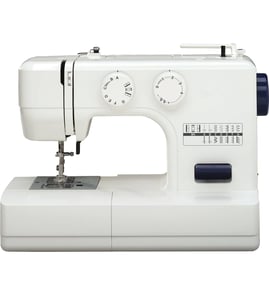

What is the lifespan of a Brother sewing machine?
A Brother sewing machine like the VX1010 typically lasts 15 to 25 years with normal home use and basic maintenance. Heavy use, skipped cleaning, and sewing thick materials without the right needle and settings can shorten life; consistent care extends it.
Typical lifespan by use level
- Occasional home use (a few projects/month): 20 to 25 years
- Regular home use (weekly): 15 to 20 years
- Heavy use (daily or thick fabrics often): 5 to 15 years
| Use pattern | What wears fastest | What helps most |
|---|---|---|
| Light | Belts, lightbulb (if equipped) | Keep lint cleared, store covered |
| Regular | Motor brushes (if applicable), gears, tension parts | Routine cleaning, correct needle/thread |
| Heavy | Drive system, hook/bobbin area, motor | Avoid forcing fabric, service when noisy |
Maintenance that extends life
- Clean lint from the bobbin area and feed dogs after every few projects.
- Use the correct needle type and size for the fabric (denim needle for denim, etc.).
- Rethread the upper thread and bobbin anytime you see looping, nesting, or frequent breaks.
- Keep the machine covered to reduce dust and corrosion.
- Address new noises, knocking, or sluggish running early instead of sewing through it.
Signs your machine is nearing end-of-life (or needs service)
- The motor runs but the needle will not move.
- The machine locks up or binds even with the handwheel.
- Stitches skip consistently after changing needle and rethreading.
- You hear knocking or grinding that was not there before.
- Power is intermittent (won’t turn on, turns off while sewing).
Why it matters
Most “short lifespan” complaints come from preventable wear in the hook/bobbin area, drive belt, or motor system. Catching symptoms early usually prevents damage to higher-cost internal components.
For step-by-step troubleshooting by symptom, use our DIY guides like sewing machine needle won't move and sewing machine locks up.
Last updated: February 2026
What is the most trouble-free sewing machine?
The most trouble-free sewing machine is usually a simple, well-maintained mechanical model from a proven brand. For many home sewers, a Brother mechanical machine like the Brother VX1010 is a low-drama choice because it has fewer electronics and is straightforward to thread, clean, and adjust.
What “trouble-free” really means
A sewing machine is “trouble-free” when it consistently forms stitches without frequent rethreading, jamming, or timing issues. Reliability comes from a mix of design simplicity, correct setup, and routine care.
Most reliable traits to look for
- Mechanical (dial-based) controls instead of complex computerized features
- Easy access for cleaning lint around the feed dogs and bobbin area
- Stable frame and smooth handwheel rotation
- Common needle system and easy-to-find consumables (needles, bobbins)
- Strong dealer or repair support in your area (for tune-ups and timing)
Best picks by sewing style (quick guide)
| Your priority | What tends to be most trouble-free | Why |
|---|---|---|
| Basic hemming and mending | Mechanical Brother or Janome | Fewer sensors and simpler adjustments |
| Quilting and long sessions | Sturdy, smooth-running machine (often heavier) | Better stability and consistent feeding |
| Heavy fabrics (denim, canvas) | Metal-frame, strong motor, correct needle/thread | Less strain, fewer skipped stitches |
| Convenience features | Computerized model from a top brand | Consistent stitch control, but more electronics |
How to keep your Brother VX1010 running with fewer problems
Even the best machine becomes “fussy” with the wrong setup. These steps prevent most jams, thread breaks, and skipped stitches:
- Rethread the upper thread with the presser foot up (opens tension discs)
- Use a fresh needle and match needle size to fabric weight
- Use quality thread; old or fuzzy thread sheds lint and snaps
- Clean lint from the bobbin area and feed dogs regularly
- Confirm bobbin is wound evenly and inserted in the correct direction
- If it starts knocking, stop and inspect for a jam before continuing
For symptom-based help, use our DIY guides such as sewing machine common questions and, if your machine has electronic indicators, Brother electronic error codes.
Why it matters
Choosing a “trouble-free” sewing machine saves time and fabric. Most service calls come from preventable issues like incorrect threading, dull needles, and lint buildup, not from the brand name alone.
Last updated: February 2026
Which is the best Brother sewing machine to buy?
The best Brother sewing machine to buy depends on what you sew most often and how much automation you want. If you like simple, reliable stitching, a mechanical model like the Brother VX1010 is a great fit; if you want more built-in stitches or embroidery, a computerized or combo model is usually the better choice.
Quick picks by sewing goal
- Everyday hemming and basic repairs: mechanical sewing machine (simple controls, easy setup)
- Garment sewing with lots of stitch options: computerized sewing machine
- Denim, canvas, and thicker layers: heavy-duty focused model (stronger feeding and torque)
- Quilting: model with a larger throat space and better fabric control
- Embroidery: sewing and embroidery combo machine
How to choose the “best” Brother model for you
Focus on these decision points first; they matter more than the model name.
- Mechanical vs. computerized: mechanical is straightforward; computerized adds convenience features and more stitch patterns.
- Fabric range: light knits and cottons need good tension control; heavier fabrics need stronger feeding and consistent needle penetration.
- Stitch needs: if you only use straight and zigzag, mechanical is often ideal; decorative stitches push you toward computerized.
- Serviceability: choose a model with easy access for cleaning lint and checking the bobbin area.
- Budget for accessories: presser feet, needles, and bobbins add up; plan for the basics.
Feature comparison (what you get)
| What you care about | Mechanical (like VX1010) | Computerized |
|---|---|---|
| Ease of use | Very high | High |
| Stitch variety | Basic to moderate | Moderate to very high |
| Best for | Repairs, simple garments | Garments, quilting features, convenience |
| Troubleshooting | Often simpler | More settings to verify |
Why it matters
Buying the “best” Brother sewing machine is really about matching the machine to your fabric, stitch needs, and comfort level. The right match reduces thread breaks, skipped stitches, and jams, and it makes learning and maintenance much easier.
Helpful troubleshooting resources (once you pick a machine)
If you’re comparing models because your current machine is acting up, these guides help you separate a setup issue from a part or adjustment problem:
- Sewing machine common questions
- Sewing machine skipping stitches
- Sewing machine bobbin thread breaks
Last updated: February 2026