Installation guide
 Owner’s manual
 Error Codes


How do you reset a Kenmore electric stove?
To reset your Kenmore electric range model 79092402015, turn the range power OFF at the circuit breaker (or unplug it if accessible) for about 1 minute, then restore power. This clears many control glitches and restores normal heating and display operation.
Safe reset steps (recommended)
- Set all surface element knobs to OFF.
- Turn OFF the range breaker (typically a 240V double-pole breaker).
- Wait 60 seconds.
- Turn the breaker ON.
- Set the clock and test Bake and a surface element.
If the range still will not heat after a reset
A reset fixes software or control lockups; it will not fix a failed heating circuit. Check these common causes:
- House power issue: one leg of 240V is out, so lights work but elements do not heat.
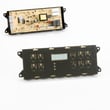
- Oven temperature sensor problem: inaccurate temps or error codes; consider frigidaire range oven temperature sensor 316490000.
- Failed bake or broil circuit: the oven may not reach temperature or heats unevenly.
- Door lock issue after self-clean: the oven can stay locked or act erratically; the lock motor assembly may be involved.
- Control or wiring connection issue: loose or overheated connections can interrupt power.
Quick symptom guide
| Symptom | Most likely direction | What we do next |
|---|---|---|
| Display is blank | No power to range | Check breaker, outlet, cord connection |
| Display works, oven will not heat | Lost 240V leg or heating circuit fault | Verify power, then test elements/sensor |
| Error code shows | Control detected a fault | Use Kenmore 790 range 4-digit error codes to identify the code |
Why it matters
Resetting is a fast first step that can clear a stuck relay or control logic issue. If the problem returns, focusing on power supply, the oven sensor, and heating components prevents repeated shutdowns and poor baking results.
For electrical connection details and grounding requirements (3-wire vs 4-wire), follow the installation guide.
Last updated: February 2026
What causes a Kenmore oven to stop working?
A Kenmore electric range like model 79092402015 usually “stops working” because it is not getting full power (tripped breaker, loose power cord/terminal block connection) or because a key heating or sensing part failed (bake/broil circuit, temperature sensor, or control). Check power first, then heat-related parts.
Quick checks we recommend first (power and safety)
- Reset the range by turning the double-pole breaker OFF for 1 minute, then ON.
- Confirm the outlet is supplying proper power (ranges typically need 240 VAC).
- If the display is dead or the oven is completely unresponsive, inspect the power cord connection area.
- If you recently moved or installed the range, re-check wiring and grounding steps in the installation guide.
- If you smell burning insulation or see heat damage at the cord connection, stop using the range and repair the connection before restoring power.
Most common causes on an electric range
| Symptom | Likely cause | What to check next |
|---|---|---|
| No power at all | House breaker, cord/terminal connection | Terminal block, cord, strain relief |
| Cooktop works, oven will not heat | Failed bake or broil circuit, control issue | Bake/broil operation, wiring, control |
| Oven heats poorly or erratically | Sensor out of range, control calibration | Sensor resistance, calibration settings |
| Oven stops during self-clean or shows lock issues | Door lock system problem | Lock motor/switch, latch alignment |
Parts that commonly fix “oven not working” symptoms
- Oven temperature sensing problems: a failed frigidaire range oven temperature sensor 316490000 can cause incorrect temperatures, error codes, or no-heat behavior.
- Self-clean/lock related shutdowns: a sticking or failed range oven door lock motor and switch assembly 5304528973 can prevent operation if the control thinks the door is locked or unlocked incorrectly.
- Power connection failures: a loose or overheated terminal connection can interrupt power; the universal/multiflex (frigidaire) range terminal block 5303935271 is a common repair when connections are damaged.
Why it matters
An electric oven can appear “dead” from a simple power interruption, but loose terminal block connections can also overheat and cause repeated shutdowns. Verifying correct wiring and tight connections (without loosening factory-secured nuts) helps prevent electrical failure and restores reliable heating.
Last updated: February 2026
Where can I find my Kenmore electric range model number?
On Kenmore electric range model 79092402015, the model and serial plate is typically on the lower right front frame of the range; an alternate location is under the cooktop. Confirm the exact label location and safe access steps in the 79092402015 installation guide.
Common label locations to check
- Lower right front frame (open the oven door and look along the front frame area)
- Under the cooktop (lift access varies by design)
- Behind the storage or warmer drawer area (look for a rating plate on the frame)
- Rear panel area near the power cord opening (less common, but worth a quick check)
Quick steps to find it safely
- Turn the range off and let all surfaces cool completely.
- Open the oven door and inspect the front frame corners with a flashlight.
- Pull out the bottom drawer and look on the frame rails and side walls.
- If you suspect it is under the cooktop, follow the access method in the 79092402015 installation guide so you do not damage the glass top or wiring.
What the plate usually shows
| Item on the plate | Why you need it |
|---|---|
| Model number | Ensures you get the correct Kenmore parts and diagrams |
| Serial number | Helps match production changes and compatible replacements |
| Electrical ratings | Confirms proper power supply and cord/terminal block setup |
Why it matters
We use the exact model number to match the correct parts (like a surface element control switch, bake element, or oven temperature sensor) and to ensure troubleshooting steps and wiring guidance fit your specific Kenmore range.
Last updated: February 2026
Why is my Kenmore electric oven not getting hot?
If your Kenmore electric range model 79092402015 isn’t getting hot, the most common causes are a failed heating circuit (bake or broil element), a bad oven temperature sensor, or a control problem. We start by confirming power, then checking the sensor and elements.
Quick checks first (no tools)
- Make sure the range is fully powered (no tripped double breaker, no loose cord connection).
- Confirm you are using Bake (not Delay Start, Sabbath mode, or a timed setting).
- If the oven heats a little but never reaches temperature, suspect the sensor or a weak element.
- If the oven will not heat at all in Bake or Broil, suspect power supply, wiring, or control.
Most likely failed parts on this model
On model 79092402015, these parts commonly affect oven heating:
- Range oven temperature sensor 316490000: if it reads the wrong resistance, the control limits heat.
- Range bake element 316413800: if it’s cracked, blistered, or open electrically, Bake won’t heat.
- Range broil element 316203301: if Broil is dead (or preheat is very slow), this can be the cause.
How we diagnose it (basic workflow)
- Verify correct power: Electric ovens typically need full 240V supply to heat properly.
- Test the sensor: A sensor that is out of spec can prevent the oven from reaching set temp.
- Check elements: Look for visible damage; then test continuity with a multimeter.
- Inspect wiring/connectors: Burned terminals or loose connections can stop heating.
What to expect from symptoms
| Symptom | Most common cause | Next step |
|---|---|---|
| Won’t heat in Bake, Broil works | Bake element failure | Test/replace bake element |
| Won’t heat in Broil, Bake works | Broil element failure | Test/replace broil element |
| Heats but runs too cool/hot | Temperature sensor issue | Test/replace sensor |
| No heat in any mode | Power supply, wiring, or control | Verify breaker, terminal block, harness |
Why it matters
An oven that does not heat correctly can lead to undercooked food and long preheat times. Fixing the root cause (sensor, element, or power connection) restores accurate temperature control and normal bake performance.
For model-specific operating steps and settings, use the 79092402015 owner’s manual.
Last updated: February 2026