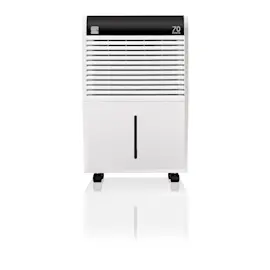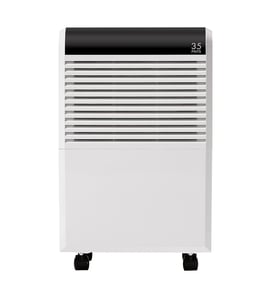

What are the most common issues with MDK-70AEN1-BA9?
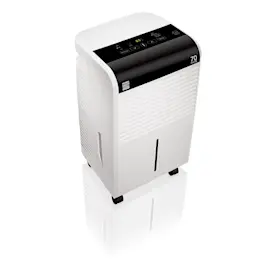
The most common issues we see with the Midea MDK-70AEN1-BA9 dehumidifier are not collecting water, not running, leaking, frost on the coil, and unusual noise. Many problems trace to airflow restrictions, drainage setup, or a failed sensor or control component.
Common symptoms and what they usually point to
- Doesn’t collect water / doesn’t remove moisture: dirty filter or coils, room temperature too low, humidity set too high, sensor issue
- Not running: bucket not seated, float switch stuck, power issue, control board problem
- Leaks water: cracked bucket, misrouted drain hose, clogged drain outlet, unit not level
- Frost on the coil: low room temperature, restricted airflow, dirty evaporator
- Noisy operation: loose panels, fan vibration, compressor mounting noise
For step-by-step troubleshooting by symptom, use dehumidifier doesn't remove moisture or dehumidifier not running.
Quick checks we recommend first (no tools)
- Confirm the bucket is fully seated and the “bucket full” condition is cleared.
- Clean the air intake and filter area; keep at least 12 to 18 inches of clearance around the unit.
- Verify the humidity setting is below the current room humidity; try a lower setpoint.
- If using a drain hose, make sure it slopes downward with no kinks; test bucket mode to compare.
- Let the unit run in a warmer space; many dehumidifiers frost when rooms are cool.
Parts that commonly solve these problems
If basic checks do not help, these model-matched parts are common fixes:
| Symptom | Common part to check | What it affects |
|---|---|---|
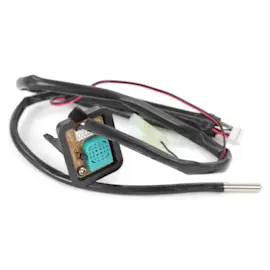
| Poor moisture removal | Midea sensor 202301300303 | Humidity/temperature feedback to controls |
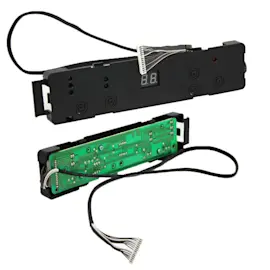
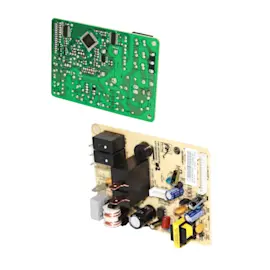
| Dead or erratic operation | Midea main pcb 2013265A0059 | Power distribution and logic control |
| Won’t start, hums, or struggles | Midea capacitor 202401100977 | Compressor/fan starting and running |
| Leaks or “bucket full” issues | Midea dehumidifier water bucket 2011267A0327 | Collection, float action, seating |
Why it matters
A dehumidifier that runs but does not remove moisture often has an airflow, sensor, or coil issue; a unit that will not run is frequently a bucket/float or control problem. Addressing the root cause prevents repeat shutoffs, icing, and water damage.
Last updated: March 2026
What does MDK-70AEN1-BA9 stand for?
MDK-70AEN1-BA9 is the model number for a Midea dehumidifier. It is a manufacturer identifier used to match the correct parts, diagrams, and repair information for your exact unit; it is not an acronym with a special phrase meaning.
What each part of the model number typically indicates
Manufacturers build model numbers to encode product details. For Midea dehumidifiers like MDK-70AEN1-BA9, the segments commonly relate to:
- Series/family (the “MDK” prefix)
- Capacity class (often the number, such as “70”, tied to pints per day in many dehumidifier lines)
- Design or feature package (letters/numbers like “AEN1”)
- Revision or production variant (suffix like “BA9”)
Why this matters when ordering parts
Using the full model number prevents mismatches, especially for electrical and control components.
Common parts that can vary by model variant include:
- Electronic control board (main PCB)
- Humidity/temperature sensor
- Compressor start components (capacitor)
- Water bucket and bucket switch components
Examples of model-matched parts on this page
| Part type | Example part name | Part ID |
|---|---|---|
| Sensor | Midea sensor 202301300303 | 202301300303 |
| Control board | Midea main pcb 2013265A0059 | 2013265A0059 |
| Water bucket | Midea dehumidifier water bucket 2011267A0327 | 2011267A0327 |
Quick tip for confirming you have the right model
- Check the rating label on the cabinet (often on the back or side)
- Match every character: MDK-70AEN1-BA9
- If your label shows a different suffix (for example, a different “BA” code), use that exact model when selecting parts
Related DIY help
If you are troubleshooting humidity readings or shutoffs, our step-by-step guide can help you diagnose and replace the sensor correctly: how to replace a dehumidifier sensor assembly
Last updated: February 2026
What is the average lifespan of MDK-70AEN1-BA9?
A Midea MDK-70AEN1-BA9 dehumidifier typically lasts 8 to 10 years with normal home use. Lifespan depends most on coil cleanliness, airflow, and how consistently the unit can drain; keeping the bucket and filters clean helps the compressor and sensors last longer.
What affects lifespan the most
- Dirty air filter or clogged coils: forces longer run times and increases wear
- Poor drainage (full bucket, kinked hose, or frequent overflow): causes shutoffs and strain
- Hot, dusty, or damp locations (basements, crawlspaces): accelerates corrosion and buildup
- Short-cycling (turning on and off frequently): stresses the compressor and control board
- Rough handling: can damage the bucket switch, panels, and internal wiring
Maintenance schedule we recommend
| Task | How often | Why it helps |
|---|---|---|
| Clean the air filter and intake grille | Every 2 to 4 weeks | Maintains airflow and moisture removal |
| Clean the bucket and check float action | Monthly | Prevents false “bucket full” shutoffs |
| Vacuum dust from coils (carefully) | Seasonally | Improves efficiency and reduces run time |
| Verify steady drainage (bucket or hose) | Ongoing | Prevents leaks and repeated cycling |
Parts that commonly impact performance over time
If the unit runs but doesn’t remove moisture, shuts off early, or reads humidity incorrectly, these parts are often involved:
- Midea sensor 202301300303 (humidity/temperature sensing)
- Midea dehumidifier water bucket 2011267A0327 (bucket, float, and seating)
- Midea capacitor 202401100977 (helps the compressor start and run)
- Midea compressor 11130310000186 (sealed system drive component)
- Midea main pcb 2013265A0059 (electronic control board)
Why it matters
A dehumidifier that is clean and draining correctly removes moisture faster, runs fewer hours per day, and puts less stress on the compressor, evaporator, and control electronics. That directly extends the service life of your MDK-70AEN1-BA9.
For step-by-step maintenance, use how to clean a dehumidifier.
Last updated: March 2026