 Installation guide
 Owner’s manual
 Error Codes


How to find GE wall oven model number?
For your GE JRP15BW5BB electric wall oven, the model and serial numbers are on a label on the front of the lower oven frame, behind the oven door. We use that exact model number to match the correct parts, wiring diagrams, and installation specs in the JRP15BW5BB owner's manual.
Check these common GE wall oven label locations in this order:
- Open the lower oven door and look on the front frame (the face of the oven cavity).
- Look along the left or right side of the frame behind the door.
- Check the bottom edge of the frame behind the door (near the door hinge area).
- If your unit has a front control panel, check just inside the frame under the control panel area.
Record both numbers exactly as shown; they are used for different purposes.
| Item | What it’s used for | Example format |
|---|---|---|
| Model number | Correct part fit and diagrams | JRP15BW5BB |
| Serial number | Production run details | Letters and numbers |
Small differences in a model number can change the bake element, broil element, or thermal fuse used.
- Copy the model number character-for-character (including any letters).
- Take a clear photo of the label before it wears or smudges.
- Match the model number on the label, not the one on a sales receipt.
- If you are replacing a heating part, confirm whether you need the bake or broil circuit.
GE wall ovens often have multiple versions within the same series; the model number ties your oven to the correct electrical layout, temperature control components, and safety parts listed for JRP15BW5BB.
Last updated: February 2026
How long do GE wall ovens last?
GE wall ovens typically last 15 years with normal household use. For your GE JRP15BW5BB electric wall oven, consistent cleaning, avoiding overheating events, and fixing heating or cooling-fan problems early are the biggest factors that help you reach that lifespan.
Most wall ovens age based on heat stress and electrical wear. These factors have the biggest impact:
- How often you bake or broil (daily use shortens life)
- Self-clean frequency (high heat accelerates wear on wiring and controls)
- Ventilation and cooling fan performance
- Door seal condition (heat leaks make components run hotter)
- Power surges and repeated hard resets
We recommend these practical habits for the JRP15BW5BB:
- Place racks before preheating to avoid burns and reduce door-open time (per the JRP15BW5BB owner’s manual)
- Use self-clean only when needed; run the shortest cycle that gets the job done
- Keep the door gasket clean and intact; replace it if it’s torn or flattened
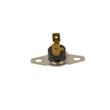
- If the oven overheats or goes dead, check the thermal safety device; a failed wall oven thermal fuse WB24K5085 can stop operation
- If baking becomes uneven or slow, test the bake circuit; a weak wall oven bake element WB44T10007 is a common wear item
| Symptom | Most common cause | What it usually means |
|---|---|---|
| Takes longer to preheat | Weak bake element | Heating output is dropping |
| Food browns unevenly | Bake element or sensor issue | Temperature control is drifting |
| Oven shuts off unexpectedly | Thermal fuse opened | Overheat or airflow problem |
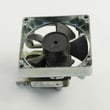
| Fan runs after cooking | Normal cooling behavior | Fan can run up to about 2 hours after shutoff |
A wall oven is built to last, but high heat cycles and poor airflow can shorten component life. Catching early signs (slow preheat, shutdowns, uneven baking) helps you replace a single part instead of stressing the control and wiring.
Last updated: February 2026
Are all 24 inch wall ovens the same size?
No. “24-inch” wall ovens are not all the same size; the 24-inch label usually refers to the cabinet width class, but the required cutout width, cutout height, and cutout depth can vary by brand and model. For the GE JRP15BW5BB, the installation cutout dimensions are specific and should be followed exactly.
Use the JRP15BW5BB installation guide dimensions for your cabinet opening; the oven cannot be leveled after it is installed, so the cutout and support must be square, level, and solid.
- Cabinet width class: 24 in
- Cutout width: 22 1/2 in
- Cutout height: 27 5/8 in min to 28 1/8 in max
- Cutout depth: 23 1/2 in min
- Support strength: must support 90 lb
| What you see advertised | What you must match | Why it’s different |
|---|---|---|
| 24-inch wall oven | Cutout width/height/depth | Brands use different trim designs and chassis sizes |
| 24-inch wall oven | Junction box location and clearance | Electrical routing and airflow requirements vary |
| 24-inch wall oven | Overall width/height | The front trim can be wider than the cutout |
- Measure your existing cabinet cutout (width, height, depth) in multiple spots.
- Compare your measurements to the GE JRP15BW5BB cutout specs above.
- Confirm the junction box location and that the cabinet can handle heat around the oven.
- Verify the support platform is level and strong enough before sliding the oven in.
- If you are replacing an older unit, do not assume the new “24-inch” model will drop into the same opening.
A wall oven that is even slightly mismatched can bind in the opening, sit out of level, restrict airflow, or require cabinet modification. Using the model-specific cutout dimensions helps prevent installation problems and performance issues.
Last updated: February 2026
How to reset a GE wall oven?
To reset your GE JRP15BW5BB electric wall oven, turn the oven’s power OFF at the house circuit breaker (or remove the fuse), wait at least 30 to 60 seconds, then restore power. This clears many control glitches and lets you set the clock again.
- Turn the oven OFF using the control (press CLEAR/OFF if needed).
- Switch the oven circuit breaker OFF (or remove the fuse).
- Wait 30 to 60 seconds.
- Switch the breaker ON (or reinstall the fuse).
- Set the clock and re-enter any cooking settings.
For control and clock steps specific to this model, use the JRP15BW5BB owner's manual.
A power reset is a good first step if you notice any of these:
- The display is frozen or the touch pads do not respond
- A function error code appears and you want to clear it
- The oven will not start even though settings look correct
- The clock is flashing after a power outage or surge
If the same function error code returns after a power cycle, the issue is usually not the control “needing a reset”; it points to a problem the control is detecting (such as a temperature sensing or heating circuit issue).
| What you see | What to do next |
|---|---|
| Error code clears and oven works | Monitor; reset clock and cook normally |
| Error code returns quickly | Disconnect power again and schedule service |
| Oven will not heat after reset | Check heating components (bake/broil circuits) |
If you’re troubleshooting a no-heat condition, the bake circuit commonly involves the wall oven bake element WB44T10007.
Resetting restores normal operation after a power interruption and clears many temporary electronic control faults. It also helps you confirm whether the problem is a one-time glitch or a repeatable failure that needs repair.
Last updated: February 2026





