 Installation guide
 Owner’s manual
 Error Codes



How to read Kenmore model numbers?
Kenmore model numbers are designed to identify who built the appliance and which design series it belongs to. For Kenmore Elite electric range model 79097103012, the 3-digit prefix (790) points to the original manufacturer family, and the remaining digits identify the specific range platform and feature variations.
How Kenmore model numbers are structured
Most Kenmore model numbers follow this pattern:
- Prefix (first 3 digits): manufacturer identifier (who built it for Kenmore)
- Middle digits: base model or platform family
- Ending digits: version, color, feature package, or production variation
To see the exact model and serial tag location and formatting for your range, use the 79097103012 owner's manual.
Quick example using your model
Here is a simple breakdown of 79097103012:
| Section | Example | What it tells you |
|---|---|---|
| Manufacturer prefix | 790 | Manufacturer family used for parts lookup |
| Base model/platform | 97103 | Core design series for the range |
| Variation/suffix | 012 | Specific configuration or revision |
Why the prefix matters for parts
The prefix helps us match you to the correct parts catalog and diagrams. That is especially important on ranges because parts like a bake element, broil element, oven temperature sensor, and control board can look similar but use different connectors or mounting styles.
Common parts you may see listed for this model include:
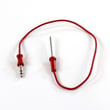
- Oven temperature sensor (example: frigidaire range oven temperature sensor 316490000)
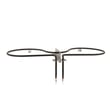
- Broil element
- Bake element
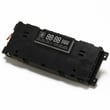
- Oven control board
- Terminal block and power connection parts
Where to find the model number on the range
On most Kenmore freestanding ranges, the model tag is typically found:
- On the frame behind the storage drawer or warming drawer
- Along the oven door frame area (visible when the door is open)
- On a side frame rail near the lower front
Why it matters
Using the full model number (all digits) prevents ordering the wrong part and helps ensure the correct installation instructions, wiring details, and safety requirements apply to your exact range.
Last updated: January 2026
Where can I find my Kenmore Elite oven model number?
On the Kenmore Elite electric range model 79097103012, the model number is typically printed on a rating label on the oven frame behind the door, or on the frame behind the lower storage or warming drawer. Use the label exactly as shown when ordering parts or checking wiring and installation requirements in the 79097103012 owner's manual.
Most common label locations to check
- Open the oven door and look along the door jamb (left or right side) and the front frame.
- Pull out the bottom storage drawer or warming drawer and check the frame behind it.
- Check the back panel near the power cord entry area (best done with the range pulled out safely).
- Look along the side panel near the lower rear area (some labels are placed there).
What the label usually includes (and what to copy)
Write down the information exactly as it appears so we can match the correct Kenmore parts and diagrams.
| Label item | What it’s used for |
|---|---|
| Model number (example: 79097103012) | Identifies the correct parts list and diagrams |
| Serial number | Helps confirm production run details |
| Electrical rating (volts/amps) | Helps confirm proper power supply and installation |
Why it matters
Kenmore Elite ranges can look similar across multiple model numbers, but parts like the oven control board, bake element, and wiring harness can vary by revision. Using the exact model number helps prevent ordering the wrong part and supports safe installation guidance from the 79097103012 installation guide.
Last updated: January 2026
How do I reset my Kenmore Elite electric oven?
To reset your Kenmore Elite electric range model 79097103012, we recommend doing a simple power reset first: turn the range off, cut power at the breaker for 1 to 5 minutes, then restore power and set the clock. This clears many control glitches.
Quick reset options (most common)
- Breaker reset (recommended): Switch the range breaker OFF, wait 1 to 5 minutes, then switch it ON.
- Unplug reset (if accessible): Unplug the power cord, wait 1 to 5 minutes, then plug back in.
- Control lock check: If the keypad seems unresponsive, check for a control lock feature in the 79097103012 owner's manual.
- After a reset: Re-enter time of day and re-test Bake and Broil.
If the oven still will not respond
A reset helps when the control is “stuck”, but it will not fix a failed sensor, element, or control.
Common symptoms and likely checks:
- Oven heats but temperature is wrong: test/inspect the frigidaire range oven temperature sensor 316490000.
- No bake heat: inspect the bake element for blisters or breaks.
- No broil heat: inspect the broil element for visible damage.
- Display works but heating will not start: verify the door is fully closed and no error code is active.
Safety and power notes (important)
Your installation instructions emphasize proper electrical connections and grounding, and to keep covers in place after servicing. Use the 79097103012 installation guide for wiring and access-cover guidance.
- Turn off power at the breaker before removing panels.
- Do not loosen factory-installed terminal block nuts.
- Reinstall the rear access cover before restoring power.
What a reset does (and does not do)
| Action | What it helps | What it will not fix |
|---|---|---|
| Breaker/unplug reset | Frozen display, keypad glitches, minor control errors | Burned-out element, failed sensor, damaged wiring |
| Checking control lock | “Dead” keypad caused by lock mode | Heating problems caused by failed parts |
Why it matters
A proper reset is the fastest way to rule out a temporary electronic control issue before you spend time testing parts like the oven temperature sensor, broil element, or control board.
Last updated: January 2026
Why is my Kenmore Elite oven not working?
If your Kenmore Elite electric range 79097103012 oven is not working, the most common causes are a power supply problem (tripped 2-pole breaker or loose cord connection), a failed heating element, or a sensor/control issue. Start with power, then test heat components.
Quick checks first (no disassembly)
- Confirm the range has power at the home panel; electric ranges typically need 240V from a 2-pole breaker.
- If the display is blank, reset the breaker fully OFF then ON.
- If the clock works but the oven will not heat, focus on the bake/broil circuit.
- If the oven is stuck after self-clean, a door lock problem can block operation.
Power cord and terminal block checks
The installation instructions for this model warn that loosening factory-installed terminal block nuts can cause electrical failure. With power OFF, inspect the rear access area for heat damage or loose connections; follow the wiring steps in the installation guide.
- Shut off the breaker before removing the rear cover.
- Look for melted insulation, discoloration, or a burnt odor.
- If connections are damaged, replace the terminal block.
Helpful part: universal/multiflex (frigidaire) range terminal block 5303935271
Parts to suspect when the oven will not heat
- Bake element failure (no bake heat)
- Broil element failure (no broil heat)
- Oven temperature sensor out of range
Helpful parts:
- Frigidaire range bake element 316563600
- Frigidaire range broil element 316203301
- Frigidaire range oven temperature sensor 316490000
Symptom guide
| Symptom | Most likely cause | What to do next |
|---|---|---|
| Display dead | Breaker, cord, terminal block | Check breaker, inspect terminal block |
| Cooktop works, oven won’t heat | Bake/broil element, sensor | Test elements, then sensor |
| Stuck after self-clean | Door lock/latch | Check lock movement and wiring |
Why it matters
Starting with power and terminal connections prevents repeat failures; a weak connection can stop the oven and overheat wiring. Then, testing the bake/broil elements and sensor pinpoints the failed part quickly.
Last updated: January 2026






