 Installation guide
 Owner’s manual
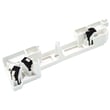


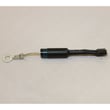
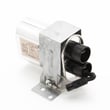
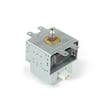

How to change over stove Kenmore microwave light bulb?
To change the over-the-range light on your Kenmore microwave/hood combo model 40185044010, unplug the microwave (or switch off the breaker), remove the light cover/lens, replace the bulb, then reinstall the cover and restore power. For your exact cover and bulb access steps, use the owner's manual.
- Turn power off at the breaker; the surface light circuit is still live when the door is closed.
- Let the bulb cool completely; halogen bulbs run hot.
- Use gloves or a clean paper towel when handling a halogen bulb.
- Protect the cooktop with a towel so screws or the lens do not scratch it.
- Use a step stool so you can work straight-on without pulling on the microwave.
- Cut power to the microwave.
- Locate the surface light lens/cover on the underside of the microwave.
- Remove the retaining screw(s) and lower the lens.
- Remove the old bulb and install the new one (do not overtighten).
- Reinstall the lens and screw(s).
- Restore power and test the light.
If your lens is cracked, cloudy, or will not stay secured, replace it with the microwave surface light lens DE67-40063A.
This model commonly uses a halogen surface light bulb. Match the replacement to the original bulb’s voltage and wattage printed on the base or listed in the manual.
| What to match | Where to find it | Why it matters |
|---|---|---|
| Voltage (V) | Printed on bulb base | Wrong voltage can fail immediately |
| Wattage (W) | Printed on bulb base/manual | Too high can overheat the lens |
| Base type | Compare to old bulb | Ensures it fits the socket |
A correct bulb and properly installed lens keep heat away from wiring and prevent light leakage and rattles under the microwave. A damaged lens can also let grease and steam reach the socket.
Last updated: February 2026
Where can I find my Kenmore microwave model number?
For your Kenmore microwave/hood combo, the model number is typically printed on a rating label you can see when you open the door. On model 40185044010, check the door frame area first, then nearby surfaces inside the opening. For diagrams and label locations, use the owner's manual.
Check these spots in order (they are the most common for over-the-range microwaves):
- Door frame (around the opening when the door is open)
- Behind the door on the front frame of the microwave
- Along the side of the control panel area (visible with the door open)
- Inside the cooking cavity on a side wall (less common)
- Back panel of the microwave/hood combo (harder to see once installed)
The rating label usually includes several identifiers. Copy the model number exactly as shown.
| Label item | What it’s used for | Example for your unit |
|---|---|---|
| Model number | Matching the correct parts list and diagrams | 40185044010 |
| Serial number | Identifying production run and date info | Varies |
| Electrical ratings | Verifying power requirements | Varies |
We use the model number to match the correct Kenmore parts diagrams and compatible replacement parts (for example, a door switch, vent grille, or turntable components). One digit off can pull parts for a different build.
- Wipe grease off the label gently with a damp cloth and mild dish soap
- Use a phone flashlight at an angle to reduce glare
- Take a close-up photo and zoom in to read small print
Last updated: February 2026
How to reset Kenmore microwave over the range?
To reset your Kenmore over-the-range microwave model 40185044010, we recommend doing a simple power reset first (unplug or switch the breaker off briefly), then restore power and reprogram any settings as needed. For model-specific control steps, use the 40185044010 owner's manual.
- Power reset: Unplug the microwave or turn the circuit breaker OFF, wait 60 seconds, then turn it back ON.
- Clear/Stop reset: Press CLEAR/OFF (or STOP/CLEAR) once to stop cooking; press again to clear the display.
- Control lock check: If the keypad seems unresponsive, turn off Control Lock (often a 3-second press on a specific key).
- Clock re-entry: After a power reset, set the clock again; some features will not run until the clock is set.
- Vent and light: Confirm the hood fan and surface light respond normally after reset.
These symptoms usually point to a door-safety or control issue rather than a “settings” problem.
- Open and close the door firmly; listen for a solid latch click
- Try a different cook cycle (for example, Time Cook instead of Sensor)
- If the door feels loose or won’t latch, inspect the latch area
- If it starts then stops, the door interlock circuit is a common cause
| Symptom | Common area | Example part for this model |
|---|---|---|
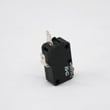
| No start, intermittent start | Door interlock circuit | Microwave door interlock switch 3405-001034 |
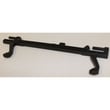
| Door won’t latch smoothly | Latch mechanism | Microwave latch body and switch assembly DE96-00414A |
| Door feels weak or doesn’t pull shut | Latch spring | Microwave door latch spring DE61-00048A |
A reset clears temporary control glitches, but it will not bypass door interlock safety circuits. If the microwave is failing to start consistently, addressing the door latch and switch system prevents repeat shutdowns and protects the control board.
Last updated: February 2026


