Installation guide
 Owner’s manual










How do I know if my GE dryer heating element is bad?
On the GE GFDS170GH0WW gas dryer, a “bad heating element” is usually not the cause of no-heat because gas models heat with a burner system. If the dryer tumbles but doesn’t heat, we focus on gas supply, airflow, and burner components, then confirm with basic electrical tests.
Quick checks first (most common no-heat causes)
- Make sure both gas shutoff valves are fully open (at the dryer and the main supply).
- Check the home’s breakers or fuses; a dryer can run but not heat if only one side trips.
- Clean the lint filter before every load and confirm strong airflow at the vent hood.
- Verify the cycle and settings; some options and cycles change heat behavior.
- If you smell gas: do not operate the dryer; follow the safety steps in the GFDS170GH0WW owner’s manual.
What to test on this model instead of a heating element
Because GFDS170GH0WW is a gas dryer, these parts are the typical heat-related suspects:
- Igniter (glows but burner never lights, or never glows)
- Gas valve assembly (valves not opening)
- Thermistor or temperature sensing issues
- Restricted venting causing overheating and shutdown
Common symptom-to-part mapping
| Symptom | What you’ll often see | Likely direction |
|---|---|---|
| Tumbles, no heat, igniter never glows | No glow at burner | Check power to igniter; inspect igniter |
| Igniter glows, then shuts off, no flame | Glow cycles, no ignition | Gas supply, gas valve, flame sensing circuit |
| Heats briefly, then stops | Short heat cycles | Vent restriction, sensor/thermistor |
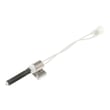
If you’re replacing a failed igniter, use the exact match for this model: igniter WE04X25996.
Why it matters
A gas dryer that tumbles without heat is often a supply, venting, or burner-ignition problem. Fixing airflow and confirming gas shutoffs first prevents repeat no-heat symptoms and helps protect the dryer from overheating conditions.
Last updated: February 2026
Where to find part number on GE dryer?
On your GE GFDS170GH0WW gas dryer, the model and serial label is located on the front of the dryer behind the door. Use the model number from that label when looking up the correct replacement parts and diagrams.
Where to look on the dryer
Check these common label locations first (starting with the most likely for this model):
- Open the dryer door and look on the front panel behind the door (label area near the opening)
- Check the door frame around the opening
- Look along the inside edge of the door
- If you cannot find it there, check the rear panel label (some installations reference a label on the back)
For the exact label location and how GE references it, use the GFDS170GH0WW owner’s manual.
What numbers you need (and what they mean)
On GE dryers, you will typically see multiple identifiers. Here is what to capture before ordering parts:
| What to write down | Example format | What we use it for |
|---|---|---|
| Model number | GFDS170GH0WW | Ensures parts match your exact dryer configuration |
| Serial number | Letters and numbers | Helps confirm production run details for some parts |
| Part number (on a part) | Often starts with WE... | Identifies a specific component you are replacing |
Tips for ordering the right part the first time
- Use the model number (not just the brand) when searching parts
- If you are replacing a moving-wear item, match it to the exact listing for your model (belt, pulley, bearing)
- Compare the old part’s markings to the listing when possible
- If the dryer is noisy or not tumbling, common wear parts include the dryer drum belt WE03X29897 and idler pulley WE12X83
- Keep the serial number handy if you call for service or support
Why it matters
GE often uses similar-looking parts across multiple dryer series; the model number GFDS170GH0WW is what prevents ordering a belt, igniter, or switch that fits a different configuration.
Last updated: February 2026
How to replace GE dryer sensor?
On the GE GFDS170GH0WW gas dryer, “sensor” usually means the moisture sensor bars (auto-dry sensing) or a temperature sensor such as a thermistor. Replacement steps depend on which sensor you mean; we use the GFDS170GH0WW owner’s manual to confirm access panels, screw locations, and safe power shutoff.
Before you start (safety and prep)
- Unplug the dryer; pressing Power does not disconnect power.
- Shut off the gas supply valve if you will open the front or burner area.
- Let the dryer cool completely.
- Take a photo of wire connections before removing anything.
- Use a nut driver and a small flat screwdriver for clips and connectors.
Identify which “sensor” you need to replace
Use this quick check to avoid replacing the wrong part.
| What you call it | What it affects | Common symptom | Typical location |
|---|---|---|---|
| Moisture sensor | Auto-dry cycles | Runs too long or stops too soon | Inside drum near lint filter housing (varies by design) |
| Thermistor (temp sensor) | Heat control | No heat, overheating, error code | Blower housing or heater/burner duct |
| Door switch (often mistaken for a sensor) | Starts and stops | Won’t start when door closes | Door opening/front panel area |
If your dryer will not start when the door is closed, the part most often involved is the dryer door switch WE4M415.
General replacement approach (most GE dryers)
These steps fit the GFDS170GH0WW layout in principle; follow the manual for exact panel removal order.
- Disconnect power (and gas if opening the burner area).
- Remove the top or front panel to access the component.
- Label and disconnect the wire harness from the sensor.
- Remove mounting screws or release the retaining clip.
- Install the new sensor, reconnect wires firmly, and reassemble.
- Run a timed dry test cycle to confirm heat and tumbling.
Why it matters
A failed moisture sensor or thermistor can cause long dry times, overheating, or inconsistent cycle completion. Correct diagnosis also prevents unnecessary replacement of drive parts like the belt, idler, or motor.
For error-code driven diagnosis, use GE gfd model series error codes.
Last updated: February 2026
Why is my GE dryer drying but not spinning?
If your GE GFDS170GH0WW gas dryer heats but the drum will not tumble, the most common cause is a broken or slipped drum belt or a failed idler pulley that cannot keep belt tension. Less often, a door switch or drive motor issue stops tumbling.
Quick checks we recommend first
- Unplug the dryer before inspecting anything internal.
- Open and close the door firmly; if the dryer stops tumbling when the door is moved, the door switch is a strong suspect.
- Try starting a cycle and listen:
- Motor hums but drum does not move: belt, idler, or a jammed drum is likely.
- No motor sound: door switch, control, or motor circuit is more likely.
- Do not keep running the dryer if the drum is not turning; it can overheat components and damage clothes.
Most likely parts for “heats but won’t spin” on this model
In the GFDS170GH0WW, the heat system and the drum drive system are separate. That is why you can have heat but no tumbling.
| Symptom | Most common cause | What you typically find |
|---|---|---|
| Drum won’t turn, motor runs/hums | Belt problem | Belt broken, off the drum, or shredded |
| Drum hard to turn by hand | Drum support drag | Worn glide, bearing, or felt seal causing binding |
| Starts only with door pressure | Door switch issue | Intermittent switch contact |
Parts that commonly fix it
- Dryer drum belt WE03X29897 (belt broken, stretched, or slipped)
- Idler pulley WE12X83 (pulley seized or wobbly, belt loses tension)
- Dryer door switch WE4M415 (dryer thinks the door is open)
- Dryer drive motor with pulley WE17X22217 (motor runs weak, stalls, or will not start)
Why it matters
A dryer that “dries” without tumbling is not drying normally; heat can build in one spot, clothes can scorch, and airflow can be reduced. Fixing the drive issue restores proper tumble speed and even drying.
Model-specific help
Use the GFDS170GH0WW owner’s manual for operating checks and care guidance (for example, keeping the lint filter and exhaust duct clean helps prevent overheating and long dry times).
Last updated: February 2026