Installation guide
 Owner’s manual
 Error Codes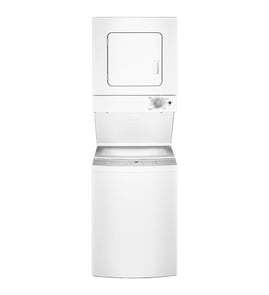








Is there a reset button on a GE stackable washer and dryer?
GE laundry centers like model GTUP240EM6WW do not use a dedicated reset button. The practical “reset” is a power reset: shut off power at the breaker (or unplug the unit), wait 2 to 5 minutes, then restore power and try a normal cycle again.
- Turn the laundry center off.
- Unplug the power cord; if you cannot access the plug, turn off the circuit breaker.
- Wait 2 to 5 minutes to let the control fully power down.
- Restore power.
- Select a simple cycle and start the washer or dryer to confirm operation.
Many “needs a reset” symptoms are actually a door/lid or start circuit issue.
- Make sure the dryer door is fully closed; a failed door switch can prevent starting.
- For the washer, confirm the lid is closing and locking properly.
- Verify the home breaker is on and the outlet has power.
- Avoid extension cords or adapter plugs; they can cause power and safety issues.
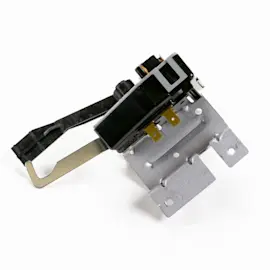
- If the dryer will not start but has power, the start switch is a common failure point.
| Symptom | What to check first | Related part (if needed) |
|---|---|---|
| Dryer will not start (no motor) | Door fully closed, door switch | Dryer door switch WE4M415 |
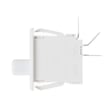
| Dryer runs only while holding start | Start switch | Dryer push-to-start switch WE4M416 |
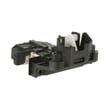
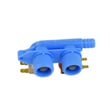
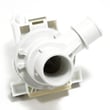
| Washer will not run or won’t spin | Lid locking and staying locked | Washer lid lock WH44X10288 |
A power reset clears a temporary control “glitch,” but it will not fix a failed switch, lid lock, or wiring problem. Checking the door/lid safety circuits first prevents unnecessary part replacement and gets your GE washer/dryer running faster.
For model-specific operating steps and safety notes, use the GTUP240EM6WW owner’s manual.
Last updated: February 2026
Where is the serial number on a GE Laundry Center?
On the GE laundry center model GTUP240EM6WW, the model and serial number label is typically on the dryer section, most often around the dryer door opening (door jamb) or just inside the front panel area of the dryer compartment. Use the exact label text when ordering parts.
- Dryer door jamb (open the dryer door and look along the frame)
- Inside the dryer opening near the front face
- Behind the lower front access panel area (if your unit has a service/access panel)
- Along the cabinet edge near the dryer door switch area
The serial number helps confirm production details; the model number is what we use to match diagrams and parts for your exact unit.
| What you see on the label | What it’s used for |
|---|---|
| Model number (GTUP240EM6WW) | Matching the correct parts list and diagrams |
| Serial number | Identifying the specific unit build/production run |
Using the label information prevents ordering a look-alike part that does not fit your GE stacked washer/dryer. This is especially important for electrical and safety-interlock parts.
- Check for a second label in the same dryer-door area
- Wipe the label gently with a damp cloth to improve readability
- Use the model number to start, then compare part photos and descriptions carefully
- Confirm installation and service access locations in the GTUP240EM6WW installation guide
Last updated: February 2026
Why is the drum not rotating on my GE dryer?
On the GE GTUP240EM6WW laundry center, a dryer drum that will not rotate is usually caused by a broken or slipped drive belt, a seized drum support (glides/bearings), a failed start circuit (door switch or push-to-start switch), or a weak drive motor. Start with the door switch and belt checks.
- Unplug the unit; confirm the drum turns by hand. If it is hard to turn, suspect drum support or something jammed.
- Close the dryer door firmly; if the door does not “click” shut, test the door switch.
- Press Start and listen:
- Motor hums but drum does not move: belt or drum support issue is likely.
- No sound at all: door switch, push-to-start switch, or control issue is more likely.
- Check for a burning rubber smell or thumping/squealing; those point to belt or drum support wear.
If your symptoms match, these model-compatible parts are common fixes:
- Dryer door switch WE4M415: if the switch does not close electrically, the motor will not run.
- Dryer push-to-start switch WE4M416: if it fails, the dryer may power on but not start the motor.
- Dryer drum glide bearing, upper WE03X37320: worn glides can bind the drum and prevent rotation.
| What you notice | Most likely cause | What to do next |
|---|---|---|
| Drum spins freely by hand, but will not run | Start circuit issue | Test door switch, then push-to-start switch |
| Drum is stiff or scraping | Drum support problem | Inspect glides/bearings for wear and debris |
| Motor runs but drum stays still | Belt or idler issue | Inspect belt path and idler arm/tension |
| Loud squeal or thump before failure | Support wear | Inspect glides and rear support components |
A non-rotating drum is not just a “no dry” problem; continued attempts to run the dryer can overheat the motor, damage wiring, and increase wear on drum supports. Fixing the root cause restores airflow and normal drying performance.
We recommend following the disassembly and electrical safety steps in the GTUP240EM6WW installation guide and using the wiring diagram location noted for service access. Always disconnect power before accessing internal components.
Last updated: February 2026