


Where is the filter on Whirlpool WDF130PAHS2?
On the Whirlpool WDF130PAHS2 dishwasher, the filter is located in the bottom of the tub, directly under the lower dish rack, around the sump area. You typically access it by pulling out the lower rack and twisting the filter assembly to unlock it.
How to find and remove the filter
- Turn the dishwasher off at the control panel; let the unit cool if it just ran.
- Pull the lower rack straight out to expose the bottom of the tub.
- Look for a round or oval filter assembly near the center or back-center of the tub floor.
- Twist the filter counterclockwise (most designs) and lift it up and out.
- Rinse the filter under warm water; use a soft brush to remove grease and debris.
What to check while you are there
A clogged filter is common, but these nearby items also affect cleaning and draining:
| What you see | What it usually means | What to do next |
|---|---|---|
| Food debris packed in the screen | Restricted wash water flow | Clean the filter and run a hot cycle |
| Standing water in the sump area | Possible drain restriction | Check the drain path and hose routing |
| Spray arm holes plugged | Poor spray coverage | Remove and rinse the spray arm |
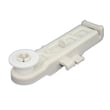
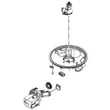
If the filter is cracked, warped, or will not lock back in place, replace it with the correct part for this model, such as the dishwasher filter WPW10463906 or the filter cup a W10872845 (depending on which piece is damaged).
Why it matters
The filter protects the circulation system and helps keep soil from redepositing on dishes. Keeping it clean helps prevent poor washing, odors, and drain problems.
For step-by-step troubleshooting if the dishwasher is not cleaning well after filter cleaning, use our dishwasher not cleaning dishes video.
Last updated: February 2026
What is the average lifespan of a whirlpool dishwasher?
A Whirlpool dishwasher typically lasts 9 to 12 years. For your Whirlpool WDF130PAHS2, regular cleaning, correct detergent use, and fixing small issues early (like draining or heating problems) are what most often determine whether it reaches the high end of that range.
What affects dishwasher lifespan most
- How often you run it (daily use wears pumps, valves, and racks faster)
- Water quality (hard water speeds up mineral buildup)
- Filter and spray arm cleanliness (clogs reduce cleaning and strain the wash system)
- Heating performance (poor heating can lead to longer cycles and residue)
- Drain performance (standing water accelerates odors and component wear)
Maintenance that helps you reach 9 to 12 years
- Clean the filter area regularly; replace a damaged filter with the correct part such as the dishwasher filter WPW10463906.
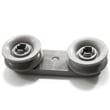
- Check the spray arm holes for debris; replace a cracked or warped arm like the dishwasher spray arm WPW10491331.
- Run a monthly cleaning cycle (dishwasher cleaner or a cleaning routine) to reduce grease and mineral buildup.
- Use rinse aid and the right amount of detergent for your water hardness.
- Address slow draining quickly; a failing pump such as the dishwasher drain pump W10876537 can shorten overall lifespan.
Common “end-of-life” symptoms vs. repairable issues
| Symptom | Often repairable? | Common part area involved |
|---|---|---|
| Not draining, water left in tub | Yes | Drain pump, drain hose, filter |
| Dishes not drying | Often | Heater/element, thermostat, rinse aid system |
| Poor cleaning, gritty residue | Often | Filter, spray arm, circulation system |
| Leaks at hoses | Yes | Hoses, clamps, grommets |
| Repeated control problems | Sometimes | Electronic control, console |
Why it matters
Knowing the typical lifespan helps you decide when routine maintenance is enough versus when a larger repair makes sense. On WDF130PAHS2, keeping the wash and drain paths clear (filter, spray arm, drain pump) is one of the most effective ways to protect the motor and heating system.
For troubleshooting that can prevent premature wear, use our how to clean and maintain your dishwasher guide.
Last updated: February 2026
What's the most common problem with a whirlpool dishwasher?
The most common Whirlpool dishwasher problem (including model WDF130PAHS2) is poor cleaning or poor draining caused by buildup and clogs in the filter area, spray arm, sump, or drain path. In many cases, cleaning the filter and checking for obstructions fixes it; otherwise a worn pump, hose, or spray arm is the next likely cause.
Most common symptoms and what they usually point to
- Dishes still dirty or gritty: clogged filter, blocked spray arm holes, low water flow
- Water left in the bottom: drain hose restriction, drain pump issue, sink/disposal blockage
- Bad odor: food debris trapped in filter cup or sump area
- Not filling well: water inlet valve problem or supply issue
- Not drying: heater circuit issue, rinse aid use, or cycle selection
Quick checks we recommend first (10 to 15 minutes)
- Remove and rinse the filter components; reinstall securely (a loose filter can recirculate debris).
- Inspect and rinse the spray arm; clear any blocked jets.
- Check the drain path: look for kinks or clogs in the drain hose and confirm the sink drain is clear.
- Run hot water at the sink before starting a cycle to improve wash performance.
- Use the right detergent amount and add rinse aid for better drying.
Parts that commonly solve cleaning or draining complaints
If cleaning and hose checks do not help, these model-matched parts are common fixes:
| Problem you see | Common part to check | What it does |
|---|---|---|
| Not draining / humming | Dishwasher drain pump W10876537 | Pushes water out through the drain hose |
| Weak wash / poor cleaning | Dishwasher spray arm WPW10491331 | Distributes wash water through spray jets |
| Not filling or fills slowly | Valve-water W11175771 | Opens to let water into the dishwasher |
| Odor, debris, gritty dishes | Dishwasher filter WPW10463906 | Traps food particles to protect the pump |
Why it matters
Poor cleaning and poor draining are usually connected: when the filter, spray arm, or drain path is restricted, water flow drops and debris stays in the tub. Restoring normal circulation and drainage protects the pump and improves results.
Helpful DIY guidance
- How to clean and maintain your dishwasher
- Dishwasher not draining video
- Dishwasher not cleaning dishes video
Last updated: February 2026
How to reset whirlpool dishwasher F2 E2?
To reset the F2 E2 error on your Whirlpool WDF130PAHS2 dishwasher, we recommend doing a full power reset (remove power for 5 minutes), then restarting a cycle. If the code returns, focus on the user interface and wiring connections because F2 E2 commonly points to a keypad or control communication issue.
Quick reset steps (power reset)
- Press Cancel/Drain once to stop the cycle.
- Turn OFF power at the breaker (preferred) or unplug the dishwasher.
- Wait 5 minutes.
- Restore power.
- Start a short cycle and watch for the code to reappear.
If F2 E2 comes back: what to check next
F2 E2 is typically related to the control panel (keypad) not communicating correctly with the electronic control.
- Make sure the door is fully latched; a weak latch can interrupt control signals.
- Check for stuck keys (buttons that feel jammed or do not “click” normally).
- Look for moisture or residue around the console area; let it dry completely.
- If the dishwasher beeps randomly or buttons act erratically, suspect the console/keypad.
- If the unit powers up but will not respond consistently, suspect the main control or harness.
Parts that are commonly involved
These parts are on the WDF130PAHS2 parts list and are often involved when you have control or response problems.
| Symptom you notice | Most likely area | Part on this model page |
|---|---|---|
| Buttons do not respond or act “stuck” | Console/keypad | Console assembly (includes insert) (black) W11090954 or console assembly (includes insert) (white) W11090955 |
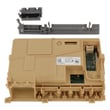
| Random beeping, cycle won’t start reliably | Main electronic control | Control, electronic W11367637 |
Why it matters
When the dishwasher cannot reliably read keypad inputs, it may stop mid-cycle, refuse to start, or drain unexpectedly. Resetting clears temporary glitches; repeated F2 E2 errors usually mean a control-panel or control-board issue that needs correction.
Last updated: February 2026