Owner’s manual
 Error Codes



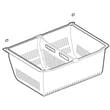

Are bottom mount fridges better?
A bottom-mount refrigerator like the Kenmore 79573109710 is better for many households because the fresh-food section sits at eye level, so you bend less during everyday use. The tradeoff is that you access the freezer more by bending, since it’s on the bottom.
When a bottom-mount fridge is the better choice
- You use the refrigerator compartment more often than the freezer
- You want fresh food and drinks easier to see and reach
- You prefer wider refrigerator shelving and easier organization
- You want fewer “bend down” trips during cooking and meal prep
- You like a pull-out freezer drawer for bulk frozen items
When another style may fit better
- You use the freezer more than the refrigerator (top-freezer can feel more convenient)
- You want the lowest upfront cost (top-freezer models are often simpler)
- You want the lightest doors and easiest moving (some bottom-mount units are heavier)
Quick comparison
| Feature | Bottom-mount (like 79573109710) | Top-freezer | Side-by-side |
|---|---|---|---|
| Fresh food access | Best (eye level) | Good | Good |
| Freezer access | Bending required | Best (higher) | Good (mid-level) |
| Organization | Strong for fresh food | Simple | Strong for narrow items |
| Door swing space | Similar across styles | Similar | Often less depth swing |
Why it matters
Most people open the refrigerator section far more than the freezer. With a bottom-mount design, we keep the most-used items (produce, leftovers, beverages) in the easiest-to-reach zone, which can make daily kitchen routines faster and more comfortable.
Model-specific tips for best results
Even the “best” layout only works well if the refrigerator is installed and set up correctly:
- Allow enough clearance for doors and airflow (your owner's manual covers spacing guidance)
- Keep shelves adjusted to your storage needs; adjustable shelving helps reduce door-open time
- If the unit was moved on its side, let it stand upright before powering on (the manual notes up to 24 hours)
Last updated: February 2026
Where is the model number located on a Kenmore refrigerator?
On Kenmore refrigerator model 79573109710, the model and serial number are printed on an identification label inside the fresh food (refrigerator) compartment. Look along the interior liner, typically on a side wall near the crisper area or upper shelf.
Where to look first
Check these common label locations inside the refrigerator compartment:
- Left interior wall (often near the crisper drawers)
- Right interior wall (near the front edge)
- Ceiling area inside the fresh food section (near the light housing)
- Behind or beside a crisper drawer (you may need to slide the drawer out)
Tips for finding and reading the tag
- Use a flashlight; the print can be small.
- Wipe condensation or smudges with a soft cloth so the numbers are readable.
- Write down both the model and serial number; you will use both for parts lookup and service history.
- Do not remove the model and serial number label.
What the label is used for (and why it matters)
We use the model and serial number to match the correct Kenmore parts diagrams and compatible replacement parts (like a water filter, ice maker assembly, or control board). Using the exact model number helps prevent ordering a part that looks right but does not fit.
Quick reference
| What you need | Where it’s found | Why you need it |
|---|---|---|
| Model number | Identification label on the interior liner of the refrigerator compartment | Ensures correct parts match |
| Serial number | Same identification label | Helps identify production details |
For additional model-specific details and diagrams, check the owner's manual.
Last updated: February 2026
How to tell if a Kenmore refrigerator compressor is bad?
If your Kenmore refrigerator model 79573109710 is warm in both the fresh food and freezer sections and you hear repeated clicking or short run cycles, the compressor or its start components are likely failing. Confirm basics first (power, airflow, condenser cleaning) before moving to compressor-related checks in the owner's manual.
Quick signs the compressor (or start device) is the problem
- Clicking every few minutes but the compressor does not stay running (often overload cycling)
- Fridge not cooling even though interior lights work and fans may run
- Compressor runs briefly then stops, and cooling never recovers
- Unusual loud buzzing/humming from the compressor area followed by a click
- Compressor runs “too much” with poor cooling (can also be airflow, dirty condenser, or door sealing)
Rule out common non-compressor causes first
The manual notes that modern refrigerators can run longer than older models, and it can take up to 24 hours to cool completely after plugging in or restoring power. It also notes the compressor can run 40% to 80% of the time at 70°F, and more in warmer rooms. Use these checks to avoid misdiagnosing a normal condition:
- Wait a full 24 hours after first start or a power outage
- Make sure doors close fully and are not being held open by bins or food
- Clean the condenser cover and vents with a vacuum (do not remove the condenser area panel)
- Verify the room temperature is within 55°F to 110°F
- If you have an ice maker or water dispenser issue, confirm water supply is 20 to 120 psi and the supply is on
What you can safely check at home
| What you notice | Most likely cause | What to do next |
|---|---|---|
| Click, then silence; repeats | Overload/start device tripping | Inspect start components; consider replacing compressor overload if applicable |
| Fans run, but no cooling | Sealed system or compressor not pumping | Professional sealed-system diagnosis is typically needed |
| High-pitched/pulsating sound while running | Normal high-efficiency compressor sound | Monitor temps; confirm cooling performance |
If you suspect the start/overload is cycling, a common related part is the refrigerator compressor overload protector 6750CL0001D.
Why it matters
A failing compressor can mimic other problems (dirty condenser, door seal leaks, airflow restrictions). Ruling out the basics first prevents unnecessary parts replacement and gets you to the correct repair faster.
Last updated: February 2026
What are the common problems with Kenmore 79573109710 refrigerators?
Common issues we see with Kenmore 79573109710 bottom-mount refrigerators include slow cooling after a move or power outage, temperature swings that freeze fresh food, ice maker overproduction, door sealing and alignment problems, and normal but surprising operating noises (clicking, rattling, whooshing, gurgling). Use the owner's manual troubleshooting tables to match symptoms to the fastest fix.
Most common symptoms and what usually causes them
- Not cold enough or takes a long time to cool: after installation, relocation, or power restoration, cooling can take up to 24 hours.
- Compressor seems to run “all the time”: modern refrigerators often run longer but use less energy; frequent door openings and adding warm food also extend run time.
- Food freezing in the refrigerator section: items placed near an air vent or a control set too cold can cause freezing.
- Ice maker makes too much ice: the shutoff (feeler) arm can be obstructed; the bin may need to be emptied and reinstalled.
- Doors won’t close, pop open, or are hard to open: dirty or sticky gaskets, misleveling, or a temporary vacuum after closing the door.
Quick checks we recommend before replacing parts
- Wait a full 24 hours after plugging in, moving, or restoring power before judging cooling.
- Adjust temperature one increment at a time, then allow time for temperatures to stabilize.
- Keep high-water-content foods away from air vents to prevent freezing.
- Clean door gaskets and the mating surfaces; then apply a thin coat of appliance polish or kitchen wax.
- If the door is hard to open right after closing, wait 1 minute for pressure to equalize.
When a part is commonly involved
If symptoms persist after the checks above, these parts are commonly involved on this model:
| Symptom | Common part to inspect | Example part on this model |
|---|---|---|
| No ice or inconsistent ice | Ice maker assembly | Refrigerator ice maker assembly AEQ73110210 |
| Water dispenser or ice maker not filling | Water inlet valve | Lg refrigerator water inlet valve AJU72992601 |
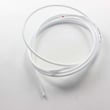
| Puddles or water under the unit | Drain path components | Refrigerator drain tube 5251JA3003D |
| Warm fridge/freezer, sealed-system concern | Compressor components | Refrigerator compressor TCA38091801 |
Why it matters
Catching the simple causes first (leveling, airflow, control settings, gasket condition, and the 24-hour cool-down window) prevents unnecessary part replacement and helps protect food safety and ice quality.
Last updated: February 2026
Why is the bottom of my Kenmore refrigerator leaking water?
Water at the bottom of your Kenmore 79573109710 bottom-mount refrigerator is caused by defrost water not draining (a clogged or frozen defrost drain) or a leak in the water supply system (filter, tubing, or inlet valve). We check the defrost drain first because it is the most common.
Quick checks (fastest way to pinpoint the source)
- Unplug the refrigerator before removing interior panels or working near wiring.
- Look for ice or standing water under the crisper drawers; this points to a clogged defrost drain.
- Check for water under the freezer drawer; defrost water can overflow when the drain is blocked.
- Inspect the filter area for drips, especially right after dispensing water.
- Pull the refrigerator out slightly and check the rear water line connection for slow leaks.
- Confirm the refrigerator is level so water runs to the drain pan.
Fix a clogged or frozen defrost drain
During defrost, water should run down the drain and into the drain pan (dripping into the drain pan during defrost is normal).
- Remove the crispers and dry up any pooled water.
- Melt any ice with warm (not boiling) water and towels.
- Flush the drain opening with warm water until it flows freely.
- If the drain tube is split, loose, or won’t clear, replace the refrigerator drain tube 5251JA3003D.
If the leak happens during ice or water use
Focus on the water system.
| What you notice | Most likely cause | Part to consider |
|---|---|---|
| Drips right after filter change | Filter not seated or O-ring issue | Genuine Kenmore refrigerator water filter 9980 AGF80300805 |
| Drips behind fridge near valve | Seeping or cracked valve/tubing connection | Lg refrigerator water inlet valve AJU72992601 |
Why it matters
A blocked defrost drain keeps refreezing and overflowing, which leads to recurring puddles, ice buildup, and temperature problems.
Use the manual for access steps
We follow the owner's manual for the correct disassembly steps, including water line disconnect procedures and panel removal.
Last updated: February 2026