 Installation guide
 Owner’s manual





What are the disadvantages of an inbuilt microwave?
An inbuilt (built-in) microwave can look cleaner and save counter space, but it typically costs more to install and service, has stricter fit and venting requirements, and can be less convenient to access and clean. For GE model JVM6175YK2FS, we recommend confirming clearances and mounting details in the JVM6175YK2FS installation guide.
Common disadvantages to plan for
- Higher total cost: You pay for the microwave plus trim, cabinet work, or mounting labor.
- More complicated installation: Cutout size, electrical supply, and venting path must match the kitchen layout.
- Harder access for cleaning: Units mounted higher can be awkward to wipe down and to remove the grease filters.
- More involved service: Built-in or over-the-range units can require removal from the cabinet or wall for repairs.
- Less flexibility later: Replacing it often means matching the same size and mounting pattern.
Built-in vs countertop: quick comparison
| Feature | Inbuilt (built-in / over-the-range) | Countertop |
|---|---|---|
| Space | Frees counter space | Uses counter space |
| Install | Often needs mounting and venting planning | Plug in and use |
| Replacement | Must match size and mounting | Easy to swap |
| Cleaning access | Can be harder if mounted high | Usually easier |
What we recommend for JVM6175YK2FS owners
- Verify the mounting method and required clearances before committing to cabinetry changes.
- Decide on venting (recirculating vs outside vent) early; it affects ducting and damper setup.
- If your current unit is noisy or the fan is weak, check the vent components before replacing the whole microwave; the ventilation WB26X26792 is a common service item on this model.
Why it matters
Most “disadvantages” come from planning and access. When the cutout, venting, and mounting are correct, an inbuilt microwave/hood combo like the GE JVM6175YK2FS is reliable and space-efficient, but it is less forgiving if the kitchen layout changes.
Last updated: January 2026
What is the average lifespan of a GE microwave?
A GE microwave typically lasts 7 to 8 years with normal household use and basic care. With lighter use and good ventilation and cleaning habits, many units run around 10 years before performance issues or key parts wear out. For model-specific care and operating guidance, use the JVM6175YK2FS owner’s manual.
Typical lifespan ranges (what we see most often)
Microwave lifespan depends mainly on daily run time, heat exposure from the cooktop below, and how clean the airflow path stays.
- Average household use: 7 to 8 years
- Light use (single person or couple): up to about 10 years
- Heavy use (multiple long heat cycles daily): often closer to 5 to 7 years
- Over-the-range models: can trend shorter if the venting and filters are neglected
Signs your microwave is nearing end of life
If your GE JVM6175YK2FS is showing these symptoms repeatedly, it usually points to a failing component rather than a simple setting issue.
- Food heats slowly or unevenly
- Loud humming, buzzing, or burning smell during heating
- Display or keypad becomes intermittent
- Door won’t close firmly or the unit won’t start unless you press the door
- Turntable stops rotating or is inconsistent
Common symptom-to-part examples
| Symptom | What it often involves | Example part for this model |
|---|---|---|
| Won’t start, door issues | Door interlock system | Micro-switch WB24X830 |
| Runs but does not heat | High-voltage circuit | Magnetron, capacitor, diode |
| Turntable not turning | Turntable drive | Turntable motor |
Why it matters
A microwave can appear “fine” but still be unsafe or unreliable when door interlocks or high-voltage heating components start failing. Catching early symptoms helps you decide whether a repair makes sense before a complete no-heat or no-start failure.
Maintenance that helps you reach the high end of the range
- Keep the cavity clean to prevent arcing and hot spots
- Run the hood fan when cooking on the range to reduce heat stress
- Don’t run the microwave empty
- Make sure the door closes squarely and latches smoothly
- Use cookware labeled microwave-safe
Last updated: January 2026
What are common problems with GE profile microwaves?
Common problems we see with GE Profile over-the-range microwaves (including the GE JVM6175YK2FS microwave/hood combo) include no heat, dead display/no power, door not latching or not starting, turntable issues, and loud buzzing or burning smells. Many of these symptoms trace back to door interlock parts, thermostats/thermal cut-offs, or high-voltage components.
Most common symptoms and what they usually point to
- Microwave runs but does not heat: often a high-voltage component issue (magnetron, capacitor, diode, transformer)
- No power or goes dead: thermal cut-off, thermostat, fuse, or wiring connection issue
- Starts then stops when door moves: door interlock switch, latch, or switch lever problem
- Turntable not rotating: turntable motor or tray support issue
- Fan runs all the time or is very loud: cooling fan motor or ventilation components
Quick checks you can do first (safe, no disassembly)
- Confirm the outlet has power (try a small lamp or another appliance).
- Make sure the door closes firmly and the latch feels solid (no sagging or “bounce”).
- Test with a cup of water for 60 seconds; note whether you hear normal humming versus loud buzzing.
- Check that the turntable tray and support are seated correctly.
- Clean the control panel and make sure no keys are stuck.
Parts that commonly fail on this model
If your symptom matches, these are common suspects for the GE JVM6175YK2FS:
| Symptom | Common part area | Example part for this model |
|---|---|---|
| Won’t start, door issues | Door interlock system | Micro-switch WB24X830 |
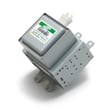
| Runs but no heat | High-voltage system | Microwave magnetron WB27X11079 |
| Dead/no power after use | Overheat protection | Microwave thermal cut-off WB24X29270 |
Why it matters
Microwave “no heat” and “intermittent start” problems can look similar, but the repair path is very different. Door interlock issues are common and can prevent safe operation; high-voltage failures affect heating performance and typically require advanced service.
Where to confirm the exact troubleshooting steps
We recommend following the model-specific diagnostics and safety notes in the JVM6175YK2FS owner’s manual, and use the JVM6175YK2FS installation guide to verify venting and mounting details that can affect overheating and airflow.
Last updated: January 2026


