 Error Codes





How long does a Jenn air oven last?
A Jenn-Air wall oven like model WW27430B typically lasts 15 to 20 years with normal household use and basic upkeep. The biggest factors are heat stress on components (elements and controls), how often you run self-clean, and whether door seals and hinges stay tight.
Typical lifespan and what affects it
Most wall ovens fall into a similar life range, but these items move the needle the most:
- Cooking frequency: daily high-heat use shortens element and control life.
- Self-clean usage: frequent self-clean cycles add extreme heat that can stress wiring and electronics.
- Ventilation and cabinet fit: poor airflow can overheat the control area.
- Door seal condition: heat leaks make the oven work harder and can cause uneven baking.
- Power quality: repeated breaker trips or voltage issues can damage controls.
Parts that commonly determine “repair vs replace” timing
If performance drops, these are common wear items we see on electric wall ovens:
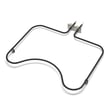
- Heating problems: broiler element WPW10310260, bake element, or a loose element connection.
- Temperature issues: oven sensor 12001656 drifting out of range.
- Door heat leaks: worn door gasket (door seal) or a weak hinge.
- No heat or erratic operation: control board, high-limit thermostat, or a failing receptacle.
Quick symptom-to-part guide
| Symptom | Most common checks | Often-involved parts |
|---|---|---|
| Takes too long to preheat | Element glow/heat, wiring connections | Bake/broil element, receptacle |
| Food overcooks or undercooks | Temperature accuracy | Oven sensor |
| Excess heat around door | Seal compression, hinge tension | Door seal, door hinge |
| Shuts off during baking | Overheat protection, airflow | High-limit thermostat, cooling/venting |
Why it matters
A wall oven can “seem old” but still cook well if heat stays in the cavity and temperature control stays accurate. Keeping the door sealed and the temperature sensor accurate reduces strain on the bake element, broiler element, and control board.
Last updated: February 2026
What are common problems with Jenn Air stoves?
Common problems we see with Jenn-Air cooking appliances include the oven not heating, uneven baking, broil not working, a door that will not close tightly, and control or clock issues. For the Jenn-Air WW27430B electric wall oven, these symptoms often trace back to a failed heating element, temperature sensing problem, door seal leak, or an electronic control fault.
Most common symptoms and what they usually mean
- Oven will not heat or heats slowly: failed bake element or a burned wire/terminal at the element connection
- Broil will not work: failed broiler element or a control issue
- Uneven baking or temperature swings: drifting oven sensor or heat loss around the door
- Self-clean stops early or oven overheats: high-limit thermostat opening due to overheating or airflow issues
- Display problems, wrong time, random beeping: control board/clock problem
Quick checks you can do first (safe, no tools)
- Confirm the oven is getting full power; reset the double breaker fully OFF, then ON.
- Make sure the door closes firmly and the gasket is not torn, flattened, or hanging loose.
- Try a simple temperature check using an oven thermometer; compare set temp vs. actual after preheat.
- If broil works but bake does not (or vice versa), focus on the non-working element circuit.
- If the oven overheats, stop using it and let it cool before further checks.
Parts that commonly fix these problems on model WW27430B
| Symptom | Likely part to check | What it affects |
|---|---|---|
| No bake heat | Bake element 71001636 | Primary heat for baking |
| No broil heat | Broiler element WPW10310260 | Top heat for broiling |
| Temps off | Oven sensor 12001656 | Temperature feedback to control |
| Heat leaking at door | Door seal WP71001970 | Keeps heat in, improves baking consistency |
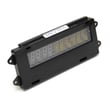
| Dead/erratic display | Range oven control board and clock WP71001872 | Power and logic for oven functions |
Why it matters
When an oven cannot regulate heat, cooking results suffer and components can overheat. Catching a weak element, failing sensor, or worn door seal early helps protect the control board, wiring, and insulation.
Last updated: February 2026
How to reset jenn air wall oven?
To reset your Jenn-Air WW27430B electric wall oven, turn the oven off, cut power at the circuit breaker for 1 minute, restore power, then start a Bake cycle and watch for 1 minute to confirm the error does not return.
Quick reset steps (power reset)
- Press Cancel/Off to stop any active cycle.
- Turn OFF the wall oven circuit breaker(s) for 1 full minute.
- Turn the breaker(s) ON.
- Set a Bake cycle (for example, 350°F).
- Monitor the display for 1 minute to confirm normal operation.
If the reset does not clear the problem
A reset clears many temporary control glitches, but repeated errors usually point to a failing component or connection.
Common next checks:
- If the oven will not heat or heats erratically, check the oven sensor 12001656.
- If the display is blank, unresponsive, or keeps resetting, the range oven control board and clock WP71001872 is a common suspect.
- If the oven overheats or shuts down during use, inspect wiring and consider the high-limit thermostat.
- If the breaker trips again, stop using the oven and have the power supply and oven wiring checked.
What the reset actually does
| Reset type | What it affects | When to use it |
|---|---|---|
| Cancel/Off | Stops the current cooking cycle | Stuck cycle, minor keypad issues |
| Breaker power reset (1 minute) | Reboots the electronic control | Error codes, frozen display, odd behavior |
Why it matters
A proper 1-minute breaker reset fully discharges the control and can restore normal operation after a power surge or control lockup. If the same error returns right away, focusing on the temperature sensor, control board, or wiring speeds up troubleshooting.
Last updated: February 2026
How to calibrate a Jenn Air wall oven?
To calibrate the temperature on your Jenn-Air WW27430B wall oven, we adjust the oven control’s temperature offset so the displayed set temperature matches actual baking results. This is a control setting change (not a part replacement) and is best confirmed with an oven thermometer test.
Before you change the calibration
- Place an oven thermometer in the center of the oven rack.
- Preheat to 350°F and let it cycle for 20 to 30 minutes.
- Record the average temperature over a few cycles (not the first spike).
- If the average is consistently off, adjust the offset in small steps.
- If temperatures swing wildly, check for a failing sensor or heating element.
Typical calibration steps (common Jenn-Air style controls)
Many Jenn-Air wall ovens use a bake-key hold to enter calibration, then an offset adjustment:
- Press Bake (or Upper Bake on double ovens).
- Set a high temperature (often 500°F to 550°F).
- Press and hold Bake for about 5 seconds to enter offset mode.
- Use the Autoset/Temp pads to raise or lower the offset.
- Stop pressing keys for several seconds to save.
How much should I adjust?
Most ovens allow an offset in small increments (often 5°F steps). Use this as a practical guide:
| Measured average vs set temp | What to do | Example offset |
|---|---|---|
| Oven runs low | Increase offset | +10°F to +20°F |
| Oven runs high | Decrease offset | -10°F to -20°F |
| Off by more than ~30°F | Diagnose parts first | Do not keep increasing offset |
When calibration will not fix it (common causes)
If the oven will not hold temperature, calibration will not correct a hardware problem. These parts are common suspects:
- Temperature sensing issues: oven sensor 12001656
- Weak or broken heating: bake element (lower heat) or broil element (top assist)
- Overheating shutdowns: high-limit thermostat
- Control problems: electronic control board
Why it matters
Correct calibration helps prevent underbaked centers, overbrowned tops, and long cook times. It also keeps recipes consistent across bake cycles and reduces unnecessary part replacements.
Last updated: February 2026





