 Installation guide
 Owner’s manual
 Error Codes
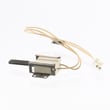





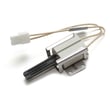
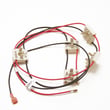
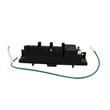



What model is my Kenmore gas range?
Your Kenmore gas range model number is printed on a rating label attached to the appliance. On Kenmore model 79072713212, the label is typically on the oven frame behind the door (door jamb) or on the back panel near the vent area; some units place it behind the lower storage drawer.
- Open the oven door and check the frame around the opening (left or right door jamb).
- Pull out the bottom storage drawer and look on the frame behind it.
- Check the back of the range near the vent or rear panel.
- Look along the side frame near the front edge (visible when the door is open).
Most Kenmore ranges use a small sticker or metal tag that includes:
- Model number (example: 79072713212)
- Serial number
- Gas type (natural gas or LP) and sometimes BTU information
- Electrical rating information
| If you see this | Use it for |
|---|---|
| Model number | Ordering parts and matching diagrams |
| Serial number | Determining production run details and some service bulletins |
| Gas type (NG/LP) | Confirming correct regulator and burner setup |
Using the exact model number (all digits, no spaces) ensures we match the correct Kenmore gas range parts, wiring layout, and installation requirements. This prevents ordering the wrong igniter, burner components, or control parts.
- Take a photo with your phone and zoom in.
- Wipe gently with a damp cloth; avoid abrasive cleaners that can remove printing.
- If the label is heat-stained, try viewing it at an angle with a flashlight.
For label locations and identification details specific to this range, use the 79072713212 owner’s manual and the 79072713212 installation guide.
Last updated: January 2026
How to use warm and hold?
On the Kenmore 79072713212 gas range, Warm & Hold (Keep Warm) is used to keep cooked food warm after baking. In many cooking cycles, Keep Warm can turn on automatically when timed baking ends; pressing Stop cancels warming and any active oven operation. See the 79072713212 owner's manual for the exact key sequence on your control panel.
Use these common steps for Kenmore ranges like model 79072713212:
- Remove items that should not be warmed (plastic, paper, foil touching surfaces).
- Close the oven door.
- Press Warm & Hold (or Keep Warm).
- If prompted, set a temperature or time (some models use a preset warm temperature).
- Press Start.
- Press Stop to end Warm & Hold.
Warm & Hold is often tied to timed cooking features.
| What you did | What Warm & Hold does | What to do if you do not want it |
|---|---|---|
| Timed bake ends | May switch to Keep Warm automatically | Press Stop at the end of baking |
| Regular bake (no timer) | Usually does not auto-start | Start Warm & Hold manually |
| Cancel during warming | Stops warming immediately | None; cycle is canceled |
- Confirm the oven is not in Self Clean or Sabbath mode.
- Make sure the door is fully closed.
- Try a simple reset: press Stop, wait 30 seconds, then try again.
- If the control beeps but will not start, verify other oven functions (Bake/Broil) work.
- If the oven will not heat at all, ignition components may need attention (for example, a weak igniter can prevent heating during any oven mode).
Warm & Hold helps maintain serving temperature without continuing to cook as aggressively as Bake. Using it correctly also prevents over-drying foods and reduces the chance of leaving the oven running longer than intended.
Last updated: January 2026
Who makes Kenmore 79072713212?
Kenmore model 79072713212 is made for Kenmore by Frigidaire (Electrolux/Frigidaire family). The key clue is the 790 prefix in the model number, which identifies the original manufacturer for this Kenmore gas range.
Kenmore appliances are built by different manufacturers; the model number prefix points to who built the unit.
- Find the full model number on the range’s rating label (often on the oven frame behind the door, or on a side frame).
- Look at the first three digits: 790.
- For Kenmore ranges, 790 is associated with Frigidaire manufacturing.
- Use the full model number when ordering parts to avoid fit issues.
Knowing the manufacturer helps match the correct style of components (igniters, sensors, valves) and the right troubleshooting steps for your ignition system and oven controls.
- Improves accuracy when selecting replacement parts
- Helps you follow the correct wiring and gas ignition design
- Reduces returns caused by look-alike parts
If you are troubleshooting ignition or heating problems on Kenmore 79072713212, these are common part categories that often come up:
| Symptom | Common part category | Example part for this model |
|---|---|---|
| Oven will not heat, no ignition | Oven igniter | Tappan range oven burner igniter 316489403 |
| Oven temperature inaccurate | Oven temperature sensor | Frigidaire range oven temperature sensor 316490000 |
| No spark at surface burners | Spark module or igniter switch | Range spark module 5304508269 |
For label location, diagrams, and model-specific guidance, use the 79072713212 owner's manual.
Last updated: January 2026
How to reset Kenmore gas range?
To reset a Kenmore gas range model 79072713212, we recommend doing a power reset: turn the range off, cut power at the breaker for 1 to 5 minutes, then restore power and set the clock. This clears many control glitches and restores normal operation.
- Turn all surface burner knobs to OFF.
- If the oven is running, press Cancel/Off on the control panel.
- Switch the range circuit breaker OFF (or unplug the cord if accessible).
- Wait 1 to 5 minutes.
- Restore power; set the clock and reprogram any cooking settings.
- Test Bake and Broil for normal ignition and temperature control.
A reset fixes software-like glitches; it will not fix a failed igniter, sensor, or gas valve. Check these common symptoms:
| Symptom | Most likely cause | What to do next |
|---|---|---|
| No display, no beeps | No power supply issue | Check breaker, outlet, and cord connection; confirm other kitchen outlets work |
| Oven clicks but will not light | Weak or failed igniter | Inspect the igniter glow; replace if it does not glow bright/hot (common fix: tappan range oven burner igniter 316489403) |
| Oven heats poorly or swings temp | Temperature sensing issue | Consider testing the sensor circuit (common part: frigidaire range oven temperature sensor 316490000) |
| Surface burners spark nonstop | Switch/harness or spark module issue | Dry/clean around knobs; if persistent, inspect wiring and ignition components |
A proper reset restores the electronic control to a known good state, which helps after a power flicker, error tone, or unresponsive keypad. If the problem returns immediately, the issue is usually a component (igniter, sensor, spark system) rather than the control needing another reset.
For control panel features, clock setting, and any model-specific reset behavior, follow the steps in the 79072713212 owner’s manual. If you recently installed the range or moved it, confirm the power and gas hookup requirements in the 79072713212 installation guide.
Last updated: January 2026




