 Owner’s manual




How much does it cost to replace the display board on a LG microwave?
For LG model LMV2031BD, the exact cost to replace the display board cannot be identified from the model-specific information we have because pricing depends on the exact board used and who performs the repair. In most cases, expect $50 to $150 for the part, plus labor if you hire service.
What usually makes up the total cost
- Part price (the display/control board itself)
- Labor (service call plus installation time)
- Shipping and taxes (if ordering the part)
- Any related parts (mounting hardware, harness, or a control panel overlay if required)
Typical price ranges (what most customers see)
| Cost item | Typical range | Notes |
|---|---|---|
| Display board part | $50 to $150 | Varies by revision and supplier |
| Professional labor | $100 to $250+ | Depends on local rates and access (over-the-range units can cost more) |
| Total installed | $150 to $400+ | Part + labor + service call |
Model-specific tips for LMV2031BD
- Use the full model number from the label inside the door frame when matching parts.
- Confirm whether your issue is truly the display board; symptoms like a dead display can also be caused by a blown fuse or door switch problem.
- For operating and control-panel basics (including display behavior), reference the LMV2031BD owner’s manual.
Why it matters
Microwave electronic parts are often non-returnable once installed or opened. Verifying the correct diagnosis and matching the exact model (LMV2031BD) helps avoid buying the wrong control component.
Last updated: January 2026
Are all microwaves 30 inches wide?
No. Microwaves are not all 30 inches wide; widths vary by type and installation style. For the LG LMV2031BD microwave/hood combo, the owner’s manual lists an outer width of about 29 7/8 inches, which is typical for many over-the-range models. See the LMV2031BD owner’s manual.
Common microwave width ranges (what we see most often)
- Over-the-range (microwave/hood combos): commonly near 30 inches wide to align with standard 30-inch ranges
- Built-in microwaves: often designed around 24-inch, 27-inch, or 30-inch cabinet openings (varies by trim kit and cabinet)
- Countertop microwaves: can range from compact to extra-large, with many widths well under 30 inches
- Drawer microwaves: vary by cutout requirements and brand
How to measure microwave width correctly
Measure the exterior of the unit, not the cabinet opening.
- Measure left-to-right across the widest point (often the door or trim)
- Confirm height and depth too; depth can change if you include the handle
- For over-the-range units, also confirm cabinet clearance and venting space
| Measurement | What it tells you | Why it matters |
|---|---|---|
| Exterior width | Overall fit between cabinets | Prevents installation surprises |
| Exterior height | Clearance under upper cabinet | Avoids door and mounting conflicts |
| Exterior depth | How far it projects over the range | Impacts usability and venting |
| Interior capacity (cu. ft.) | Cooking space inside | Helps compare “size” beyond width |
Why it matters
A “30-inch microwave” usually means it’s designed to visually match a 30-inch cooking area, but the actual exterior width can be slightly under (like the LMV2031BD). Getting the exterior measurements right helps you avoid cabinet interference and venting issues.
Last updated: January 2026
Is LG a good brand for a microwave?
LG is a solid, widely trusted brand for microwaves, and the LG LMV2031BD microwave/hood combo is built with practical features like sensor cooking, multiple vent speeds, and a cooktop light. Like any brand, long-term satisfaction depends on proper use, cleaning, and timely replacement of wear items.
What you can expect from the LG LMV2031BD
From the model’s documented features, this microwave/hood combo is designed for everyday cooking convenience and ventilation over a range. For operating details and feature use, follow the LMV2031BD owner’s manual.
Common strengths customers look for in LG microwaves include:
- Even, consistent heating when using the right cookware and settings
- Useful sensor options (reheat, cook, popcorn) that reduce guesswork
- Quiet-to-moderate venting performance depending on speed setting
- Modern control layouts and convenience features (timer, add time)
- Good fit and finish for over-the-range installations
Typical drawbacks to watch for (any brand)
These are the issues we most often see across over-the-range microwaves, including LG units:
- Grease buildup restricting airflow and causing louder vent operation
- Door alignment or latch wear leading to intermittent starting
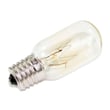
- Dim or failed cooktop light over time
- Turntable issues (tray not seated, support worn, motor problems)
- Keypad or control sensitivity complaints if hands are wet or greasy
Quick maintenance that protects performance
A little upkeep goes a long way for heating performance and ventilation:
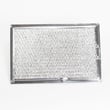
- Clean the grease filters regularly (more often if you fry or sauté a lot)
- Keep the door seals and latch area clean and free of residue
- Avoid running the microwave empty
- Use microwave-safe containers and avoid metal contact in the cavity
- Replace the charcoal filter on schedule if you recirculate (non-vented)
| Maintenance item | What it affects | Common symptom if neglected |
|---|---|---|
| Grease filters | Vent airflow | Noisy vent, weak suction |
| Charcoal filter | Odor control (recirculating) | Lingering cooking smells |
| Door/latch area | Safe operation | Won’t start or stops when door moves |
| Cooktop light | Visibility | Dim or no light |
Why it matters
A microwave can be a “good brand” on paper, but real-world reliability comes from airflow (cooling), clean door sealing surfaces, and using the correct settings. Those basics help prevent nuisance problems and keep cooking results consistent.
Last updated: January 2026
Why did my LG microwave just stop working?
If your LG LMV2031BD microwave/hood combo suddenly stopped working, the most common causes are a loss of power to the unit (outlet, breaker, or cord connection), a blown internal fuse, or a door-interlock problem that prevents the control from powering up.
Quick checks you can do first (no disassembly)
- Confirm the outlet works by plugging in a lamp or phone charger.
- Check your home breaker; reset it fully OFF then back ON.
- If the display is blank, press Energy Saving once; this model can turn the display off.
- Make sure the door closes firmly and is not sagging or obstructed.
- If the unit went dead right after starting a cook cycle, suspect an internal fuse or safety device.
What typically fails when it goes completely dead
On LMV2031BD, a “dead” microwave (no display, no response) is usually tied to one of these areas:
| Symptom | Most likely area | What it means |
|---|---|---|
| No display, no beeps | Power supply path | Outlet, cord, noise filter, or internal fuse issue |
| Works sometimes, dies when door moves | Door interlock system | Switches or latch parts not making consistent contact |
| Dies during or right after cooking | Protection devices | Fuse or thermostat opened due to heat or a short |
Parts that are commonly involved (model-specific examples)
Microwaves contain high voltage components; we recommend having a qualified technician handle internal testing and replacement.
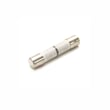
- Microwave fuse EAF36358316: protects the microwave if there is a short or overload.
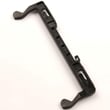
- Microwave door latch housing and interlock switch assembly 3501W1A019S: the door safety system that must prove the door is closed before the unit will run.
- Microwave thermostat 6930W1A003J: can open if overheating occurs.
Why it matters
A microwave that “just stopped” is often protecting you. Door interlocks and fuses are designed to shut the unit down when they detect unsafe conditions, preventing operation with an open door or during an electrical fault.
Reference for safe operation
For safety precautions and operating basics specific to this model, use the LMV2031BD owner’s manual.
Last updated: January 2026
Can a LG microwave be repaired?
Yes, an LG microwave can often be repaired, but for LG model LMV2031BD we recommend using a qualified service technician for any internal repairs because the unit contains high-voltage components and safety interlocks. Use the LMV2031BD owner’s manual for safe operating and basic care guidance.
What we recommend for LG LMV2031BD repairs
Microwave/hood combos like the LMV2031BD combine cooking, venting, and lighting systems; many issues are repairable with the right diagnosis.
- Stop using the microwave if the door is bent, won’t close, or the latch feels loose
- Unplug power (or switch off the breaker) before any inspection
- Do not remove the outer cover unless you are trained; stored high voltage can remain even when unplugged
- Start with simple checks: outlet power, control lock, and settings
- Use model-specific parts when a component is confirmed failed
Common repairable problems (and likely parts)
If your LMV2031BD has one of these symptoms, these are common components involved:
| Symptom | Common cause | Example compatible part for this model |
|---|---|---|
| Microwave runs but does not heat | High-voltage system issue | Microwave magnetron 6324W1A001L |
| Dead display or no power | Blown fuse or door switch issue | Microwave fuse EAF36358316 |
| Won’t start, door error behavior | Door latch or interlock problem | Microwave door latch housing and interlock switch assembly 3501W1A019S |
Safe first steps before scheduling service
These checks are safe and can prevent unnecessary repairs:
- Verify the outlet works (test with a lamp or small appliance)
- Make sure the door closes firmly and the latch clicks
- Try clearing the control (STOP/Clear) and re-setting the clock
- Avoid running the unit empty; it can damage internal components
Why it matters
Microwaves use high voltage to generate heat, and the door interlock system is a critical safety feature. Getting the diagnosis right protects your home and helps ensure the repair restores safe operation.
Last updated: January 2026
Is it worth repairing an LG microwave?
For the LG LMV2031BD microwave/hood combo, it’s usually worth repairing only when the fix is low-cost and limited to common wear items (like a fuse, door latch parts, or venting filters). If the failure involves high-voltage heating components, replacement is often the better value.
Quick decision guide (LMV2031BD)
- Repair makes sense when the microwave is otherwise in good condition and the issue is simple (no heat is not always “major”).
- Replace makes sense when the repair involves multiple parts, repeated failures, or high-voltage components.
- If the door doesn’t close or latch correctly, stop using it until it’s corrected.
- If the unit is tripping the breaker or blowing fuses repeatedly, treat it as an electrical fault.
- Use the safety and operating guidance in the LMV2031BD owner’s manual before troubleshooting.
Typical “repair vs replace” scenarios
| Symptom | More likely a repair | More likely a replace |
|---|---|---|
| Dead display, won’t start | Blown fuse or door interlock issue | Repeated fuse blowing after repair |
| Runs but doesn’t heat | Sometimes a simple electrical part | Often a high-voltage heating failure |
| Loud buzzing, burning smell | Stop and inspect immediately | High-voltage or internal damage |
| Vent fan weak/noisy | Filter or blower related | Multiple vent components failing |
Parts that commonly affect cost and complexity
These are examples of parts used on this model that can shift the repair decision:
- Microwave fuse EAF36358316: if the unit is completely dead.
- Microwave door latch housing and interlock switch assembly 3501W1A019S: if it won’t start when the door closes.
- Microwave magnetron 6324W1A001L: if it runs but doesn’t heat (higher complexity and cost).
- LG microwave charcoal filter 5230W1A003A: if odors linger in recirculating vent setups.
Why it matters
Microwave/hood combos like the LMV2031BD combine cooking and ventilation; a “simple” symptom can involve door safety interlocks, the control circuit, or the high-voltage heating system. Choosing the right path helps you avoid repeat breakdowns and unnecessary parts.
Last updated: January 2026
Can you reset a LG microwave?
Yes. For the LG LMV2031BD microwave/hood combo, the most reliable “reset” is a power reset: unplug the microwave (or switch the breaker off) for about 1 minute, then restore power and set the clock again using the steps in the LMV2031BD owner’s manual.
Quick reset options for LMV2031BD
- Power reset (best for glitches): Unplug for 60 seconds, then plug back in.
- Stop/Clear reset (best for a bad entry): Touch STOP/Clear once to cancel cooking and clear the current setting.
- Control lock reset (if buttons do not respond): Touch and hold STOP/Clear for about 4 seconds until “LOCKED” disappears.
- Energy Saving display off: Touch Energy Saving to toggle the display off/on.
What to expect after a reset
After a power interruption, this model typically prompts you to set the time of day.
| Reset type | What it fixes | What it does not fix |
|---|---|---|
| Power reset | Frozen display, odd behavior after a surge | Heating problems caused by failed components |
| STOP/Clear | Wrong cook time, cancels a cycle | Child lock, power loss issues |
| Child lock toggle | Keypad appears “dead” | Display or heating failures |
If it still will not heat after resetting
If the microwave runs but does not heat, a reset usually will not solve it. At that point, we focus on component-level troubleshooting (high voltage system and safety circuits). Common parts involved include:
- Microwave magnetron 6324W1A001L
- Door interlock switch assemblies and related latch parts
- Fuses and thermostats
For a deeper symptom-based walkthrough, use why is my microwave not heating.
Why it matters
Resetting clears temporary control issues and restores normal operation after a power event. It also helps you quickly separate a simple control problem from a true heating or door-safety problem.
Last updated: January 2026


