 Installation guide
 Owner’s manual
 Error Codes
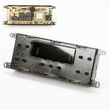

How do I reset my Kenmore electric range?
To reset your Kenmore Elite electric range model 79099503991, we recommend doing a power reset: turn the range off, then shut off power at the breaker for a few minutes and restore power. This clears many control glitches and lets you reset the clock afterward (see the owner's manual).
Quick reset steps (power reset)
- Turn all surface element knobs to OFF.
- Turn OFF the range circuit breaker (or remove the fuse) supplying the range.
- Wait 3 to 5 minutes.
- Turn the breaker ON.
- Set the clock again (the clock typically needs resetting after power is restored).
If the display is still acting up
A reset helps when the control is “frozen,” beeping unexpectedly, or not responding to keypad presses. If symptoms return quickly, focus on power supply and heat-sensing components.
- Confirm the range is on a dedicated 240V circuit and the breaker is fully seated.
- If you recently had a power outage or surge, repeat the power reset once.
- If the oven temperature seems erratic after the reset, inspect the oven temperature sensor circuit; the sensor probe 316217002 is a common part involved in temperature feedback.
- If the range is completely dead or power is intermittent, check the power cord connection area; a loose or overheated connection at the terminal block 5304409888 can cause resets or no power.
What a reset does (and does not) do
| Action | What it fixes | What it will not fix |
|---|---|---|
| Power reset at breaker | Temporary control board glitches, stuck keys, odd display behavior | Failed heating element, broken wiring, failed sensor, loose terminal connections |
| Turning knobs to OFF | Stops active heating and clears timed cooking left running | Electrical faults or component failures |
Why it matters
Resetting the range the right way protects the electronic oven control and helps you avoid repeated nuisance shutdowns. It also ensures all controls are returned to OFF, which is an important safety step after any timed or unattended operation.
Last updated: February 2026
Is Kenmore Elite high end?
Yes. Kenmore Elite is Kenmore’s higher-end line; it is positioned above standard Kenmore models and typically adds upgraded cooking features, stronger performance, and a more premium look and feel. For your Kenmore Elite electric range model 79099503991, the owner's manual highlights advanced oven functions such as convection cooking (on equipped models).
What “high end” usually means for Kenmore Elite ranges
Kenmore Elite models are generally built to offer more capability than entry-level ranges, especially in the oven and control features.
Common “Elite” upgrades include:
- More cooking modes (for example, convection bake/roast on equipped models)
- More precise temperature control and better heat distribution
- Higher-quality fit and finish (handles, glass, control panel styling)
- Convenience features (specialty settings, expanded control options)
How to judge if your specific range is “high end” for your kitchen
We recommend comparing features you actually use, not just the label.
| What to compare | What to look for | Why it matters |
|---|---|---|
| Oven cooking system | Convection fan operation and settings | More even baking and browning across racks |
| Temperature accuracy | Stable temps, fewer hot spots | Better results for baking and roasting |
| Controls and usability | Clear pad functions, reliable response | Faster, simpler day-to-day cooking |
| Serviceability | Common parts are available | Easier, more cost-effective repairs |
Why it matters
“High end” often comes down to cooking results and long-term ownership. Features like convection can reduce cook times and improve evenness; having common replacement parts available can also help you keep the range performing like it should.
If you are evaluating repair or upkeep, common performance-related parts for this model include the sensor probe 316217002 (helps regulate oven temperature feedback) and the bake element 318255201 (primary heat source for baking).
Last updated: February 2026
Where is the model number on a Kenmore Elite stove?
For Kenmore Elite electric range model 79099503991, the model and serial number label is on the oven front frame, visible when you open the large oven door. On many units, the identification plate can also be seen along the side frame near the drawer opening. See the owner's manual for the exact label location callout.
Where to look on model 79099503991
Check these common spots in this order:
- Open the main oven door and look along the front frame (the face frame around the oven opening)
- Look on the left side of the range frame with the oven door open
- Pull out the bottom drawer and look on the inside of the drawer area, along the side of the frame
- If the label is hard to read, use a flashlight and wipe dust or grease off the plate
Quick location guide
| What you open | Most likely label spot | What you will see |
|---|---|---|
| Large oven door | Oven front frame behind the door | Model and serial number plate |
| Bottom drawer | Inside drawer opening, side of frame | Identification plate |
Why it matters
We use the full model number and serial number to match the correct Kenmore Elite range parts (for example, the correct bake element, oven temperature sensor, or oven light components) and to avoid ordering a similar looking part that will not fit.
Tip if you are ordering parts
Write down the full model number and serial number exactly as shown on the plate before you shop for parts like the bulb 316538904 or receptacle 316116400.
Last updated: February 2026
Why is my Kenmore electric range not heating up?
If your Kenmore Elite electric range 79099503991 is not heating, the most common causes are a power supply problem, a failed bake or broil element, or a control or sensor issue. Start with the power check, then test the heating circuits and components using the steps in the owner's manual.
Quick checks first (no tools)
- Confirm the range cord is fully seated and the outlet is working.
- Reset the house breaker (ranges typically use a 240V double-pole breaker).
- If the control is beeping and showing an F1, F3, or F9 code, press CLEAR to stop the beeping; if the code returns, the control has detected a fault.
- Make sure you are using the correct mode (Bake vs. Broil) and a normal temperature setting.
- If the issue started after installation or moving the range, recheck the electrical connection steps in the installation guide.
What usually failed when the oven will not heat
In this model, no-heat symptoms typically point to one of these parts or circuits.
| Symptom | Most likely cause | What to check |
|---|---|---|
| Oven will not heat in Bake, but Broil works | Bake circuit problem | Inspect and continuity-test the bake element 318255201 |
| Oven will not heat in Broil, but Bake works | Broil circuit problem | Inspect and continuity-test the oven broiler element 318255605 |
| Oven heats but temperature is way off | Temperature sensing problem | Check wiring and resistance behavior of the sensor probe 316217002 |
| Entire range seems dead or intermittent | Power connection issue | Inspect cord, outlet, and the terminal block 5304409888 for heat damage |
Safe troubleshooting steps (basic DIY)
- Disconnect power at the breaker before removing panels or touching wiring.
- Look for visible damage: blisters, cracks, or separated spots on the bake or broil element.
- Test element continuity with a multimeter; a failed element reads open (no continuity).
- Check the sensor circuit if the oven starts but will not maintain temperature.
- Inspect the terminal block area for melted plastic, discoloration, or loose connections (a common cause of no-heat or intermittent heat).
Why it matters
An electric range can appear “on” while still lacking the correct 240V supply needed for heating. When power is correct, the next most common no-heat causes are an open heating element or a fault detected by the electronic oven control.
Last updated: February 2026






