Installation guide
 Owner’s manual



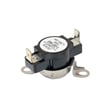

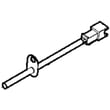
How to fix E64 error on Electrolux dryer?
On the Electrolux EFME527UTT1 dryer, an E64 error points to a heating circuit problem; we fix it by resetting power, checking the heater wiring connections for damage or looseness, and testing the safety thermostats and temperature sensor so the control can heat safely again.
Quick checks first (fastest wins)
- Unplug the dryer (or switch off the breaker) for 2 minutes, then restore power and retry a timed dry cycle.
- Confirm the dryer is on the correct electrical supply and the terminal block connections are tight (loose connections can trigger heat faults).
- Make sure the lint screen is clean and the exhaust path is not restricted; overheating can trip safety devices.
- If the code returns immediately, stop the cycle and move to component checks.
What usually causes E64 on this model
E64 is most often caused by an open or failed safety device in the heater circuit, a wiring issue, or a temperature-sensing problem.
| Likely cause | What you may notice | What to check/replace |
|---|---|---|
| Loose/burned wire at heater or thermostat | Code appears quickly, no heat | Inspect harness, terminals, and connectors for heat damage |
| High-limit safety device tripped/failed | No heat, may run but not warm | Test/replace dryer high-limit thermostat 3204267 |
| Thermal limiter open | No heat, may have overheated previously | Test/replace dryer inlet thermal limiter 137032600 |
| Temperature sensor issue | Heat is erratic, code during cycle | Test/replace dryer thermistor 5304513591 |
Safe troubleshooting steps (power off)
We follow the wiring and safety guidance in the EFME527UTT1 installation guide before touching any internal wiring.
- Disconnect power before servicing.
- Label wires before disconnecting so they go back to the correct terminals.
- Inspect the terminal block area for loose screws or overheated wiring.
- Use a multimeter to check continuity of the high-limit thermostat and thermal limiter; replace any part that reads open.
Why it matters
E64 is a safety-related heat fault. Fixing airflow restrictions and replacing failed limiters or thermostats prevents repeat overheating, protects the heater circuit, and restores normal drying performance.
For code definitions and related Electrolux dryer faults, use Electrolux iq-touch dryer error codes.
Last updated: February 2026
Why is my Electrolux dryer not working?
If your Electrolux EFME527UTT1 dryer isn’t working, the most common causes are a power issue (loose plug, tripped breaker, blown fuse), the door not fully closed, a control setting such as Delay Start, or a safety device such as a thermal limiter that has tripped. Use the checks below, then follow the steps in the EFME527UTT1 use & care guide.
Quick checks we recommend first
- Confirm the power cord is fully seated in the outlet.
- Reset the circuit breaker; replace any blown fuses (many dryers use two fuses for the dryer circuit).
- Make sure the door is fully closed; the dryer will not run with the door open.
- Turn off Delay Start and try a normal timed cycle.
- Press Start with a bare fingertip if your console is touch-style.
If it still won’t start: likely causes and what to do
| Symptom | What it usually points to | What we do next |
|---|---|---|
| No lights, no response | No power to dryer | Check breaker/fuses, outlet, cord fit |
| Lights on, won’t run | Door switch or control not seeing “Start” | Re-close door, try Start again, inspect door switch |
| Starts then stops | Overheat condition or airflow restriction | Clean lint path and venting, let motor cool |
| Runs but acts “stuck” in a loop | Demo mode enabled | Reset to factory defaults per the guide |
Parts that commonly affect “won’t start” complaints
If the basic checks don’t restore operation, these parts are common suspects on dryers like the EFME527UTT1:
- Door switch (a failed switch can prevent the motor from running): dryer door switch 134813663
- Thermal limiter (a tripped limiter can stop operation and typically needs replacement): dryer inlet thermal limiter 137032600
- Main control board (if inputs are good but the dryer won’t run): main board
Why it matters
A dryer that won’t run is often protecting itself. Power problems and airflow restrictions can mimic a failed motor or control, so confirming power, door closure, and venting first prevents unnecessary parts replacement and repeat shutdowns.
Last updated: February 2026
How do I find the model number on my EFME527UTT1?
Your Electrolux dryer’s model number is printed on the appliance ID label; once you locate that label, match the full model number exactly (for example, EFME527UTT1) before ordering parts or using troubleshooting steps in the EFME527UTT1 owner's manual.
Where to look on the dryer
On front-load Electrolux dryers like EFME527UTT1, the ID label is typically found in one of these spots:
- Open the dryer door and check the door opening (door jamb area)
- Look along the inside edge of the front panel near the door latch area
- Check the inside of the door itself (near the hinge side)
- If you have a pedestal, check that it is not blocking your view of the label area
What to write down (and why)
Record the full model number and serial number exactly as shown on the label. We recommend saving it with your purchase date for quick reference.
| Item to record | Example format | Why it matters |
|---|---|---|
| Model number | EFME527UTT1 | Ensures correct diagrams and part fit |
| Serial number | Letters and numbers | Helps identify production details for service |
| Purchase date | Month/Year | Useful for maintenance history and warranty paperwork |
Tips to avoid ordering the wrong part
Even one character off can pull up the wrong parts list. Before you buy, we recommend:
- Copy the model number directly from the label (do not guess from the control panel)
- Include all letters and numbers, in the same order
- Use the model number to confirm common wear items like the white-westinghouse dryer drum belt 134719300 match your exact unit
Why it matters
Electrolux uses model series and revisions; the correct model number is what ties your dryer to the right wiring, heating, and drum-drive components so repairs go smoothly.
Last updated: March 2026