Owner’s manual
 Error Codes



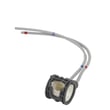
How to remove ice maker from GE bottom freezer fridge?
To remove the ice maker on a GE GNE29GMKBES bottom-mount refrigerator, we first turn the ice maker off at the control, then remove the ice bucket so you can access the mounting screws and wiring. Follow the step-by-step removal details in the owner's manual.
Before you start (safety and prep)
- Turn the ice maker off using the ICE MAKER button on the control (this model uses the ICE MAKER button).
- Remove ice from the bucket to prevent spills.
- If you will be disconnecting the water supply or leaving the unit off, turn the ice maker off first.
- Avoid touching moving ejector parts or the heater area on the ice maker.
- Use a towel to catch any melting ice or drips.
Ice bucket removal (common first step)
Depending on your configuration, remove the bucket first:
- Door ice bucket (dispenser models): open the ice box door inside the left door, then pull the bucket up and out.
- Freezer drawer ice bucket (non-dispenser models): open the freezer drawer, pull the upper basket forward, then lift out the bucket from the left side.
Ice maker removal steps (typical GE bottom-freezer method)
These steps match how GE bottom-freezer ice makers are commonly mounted once the bucket is out:
- Turn the ice maker off.
- Remove the ice bucket.
- Locate and remove the mounting screws (often 1/4-inch or 5/16-inch hex-head screws).
- Slide the ice maker forward and lift it off the mounting tabs/bracket.
- Disconnect the wire harness plug.
Quick checklist
| Step | What you’re doing | Why it matters |
|---|---|---|
| Power/control off | Disable ice maker | Prevents cycling while you work |
| Bucket out | Clear access | Avoids broken plastic and spills |
| Screws out | Free the assembly | Prevents bending the bracket |
| Harness unplugged | Separate wiring | Prevents connector damage |
Why it matters
Removing the ice maker the right way prevents broken bucket guides, damaged harness connectors, and repeat ice or water issues after reassembly.
Last updated: February 2026
How to level GE bottom freezer fridge?
To level your GE GNE29GMKBES bottom-mount refrigerator, adjust the front leveling legs until the cabinet sits firmly on the floor and does not wobble. Turn the legs clockwise to raise the refrigerator and counterclockwise to lower it; proper leveling also helps the doors align and seal correctly.
What you’ll need
- Flat-head screwdriver (commonly used for leveling legs)
- A helper (to steady the refrigerator while you adjust)
- A small level (optional, but helpful)
- Work gloves (optional)
Step-by-step: level the refrigerator cabinet
- Pull the refrigerator forward enough to access the front leveling legs.
- Place your hand on a top corner and gently rock the refrigerator.
- Adjust the leveling legs until the refrigerator feels solid and stable.
- Re-check for wobble after each small adjustment.
Adjustment direction (cabinet leveling legs):
- Turn clockwise: raises the refrigerator
- Turn counterclockwise: lowers the refrigerator
Leveling vs. door alignment (what to adjust)
If the cabinet is stable but the doors look uneven, use the door adjustment points described in the owner's manual.
| Symptom | What to adjust | Typical tool |
|---|---|---|
| Refrigerator rocks or wobbles | Front leveling legs | Flat-head screwdriver |
| Doors not even after cabinet is level | Door height adjustment point (center hinge/cam system) | 1/4-in Allen wrench or driver (varies by step) |
| Freezer door height looks off | Freezer door height adjuster cam | T-27 driver and 3/8-in hex socket (per instructions) |
Why it matters
A refrigerator that is not firmly leveled can wobble, shift during use, and make door alignment harder. When doors are not aligned, warm air leaks in more easily, which can lead to temperature swings, frost, and longer compressor run times.
Quick checks after leveling
- Confirm all leveling legs are firmly touching the floor
- Open and close the fresh food doors and freezer drawer to confirm smooth operation
- Check that door gaskets seal evenly all the way around
Last updated: February 2026
Why is ice forming in the bottom of my GE freezer?
Ice in the bottom of the freezer on your GE GNE29GMKBES usually happens when warm, moist air leaks in (most often from a door gasket issue) or when defrost water cannot drain and refreezes on the freezer floor. Use the GNE29GMKBES owner's manual to confirm the correct drawer and door alignment steps for your exact configuration.
Most common causes (and what to check first)
- Door not sealing: Look for gaps, rips, or hardened areas on the freezer gasket; also check for food packages preventing full closure.
- Drawer not fully closing: A mis-seated basket or rail can keep the drawer slightly open.
- Drain path restricted: Defrost water backs up, then freezes into a sheet at the bottom.
- High humidity or frequent openings: More moisture enters and later freezes.
- Ice maker fill or dispenser drip (if equipped): Small leaks can migrate and freeze in the lowest area.
Quick troubleshooting steps
- Inspect the seal: Close the freezer on a sheet of paper; you should feel steady resistance when pulling it out.
- Level and align: Make sure the refrigerator is level and the freezer drawer closes smoothly without bouncing back.
- Clear the bottom: Remove the lower basket and look for ice blocking the drain area; melt ice with warm towels (never use sharp tools).
- Check for airflow blockage: Avoid packing items tightly against vents and the back wall.
- Monitor after 24 hours: After clearing ice and improving the seal, watch for new ice forming in the same spot.
Parts that commonly solve repeat ice buildup
| Symptom you notice | Likely issue | Part to consider |
|---|---|---|
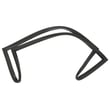
| Gasket looks torn, warped, or won’t seal | Air leak at freezer door | Refrigerator freezer door gasket WR14X36194 |
| Frost returns quickly after you clear it | Defrost system not clearing moisture | Refrigerator defrost bi-metal thermostat WR50X10108 or refrigerator defrost heater WR51X10132 |
Why it matters
When moist air keeps entering or defrost water cannot drain away, the freezer has to run longer to maintain temperature. That can lead to heavier frost, sticking drawers, and inconsistent ice maker performance.
For step-by-step drawer removal and re-install tips that help the drawer close tightly, follow the procedures in the GNE29GMKBES owner's manual.
Last updated: February 2026
How much does it cost to replace a control board on a GE refrigerator?
For a GE GNE29GMKBES bottom-mount refrigerator, replacing the main control board typically costs about $300 to $600 total. The part is often the biggest cost; for this model, the refrigerator main board assembly is commonly around the low $300 range, plus labor if you hire service.
Typical cost breakdown
Costs vary by region and access to the board, but this is a realistic range for this style of GE refrigerator:
- Control board part: usually $200 to $350
- Labor (service call + installation): usually $150 to $300
- Total installed: usually $300 to $600
- DIY install: usually part cost only (plus basic tools)
| Scenario | What you pay for | Typical total |
|---|---|---|
| DIY replacement | Board only | $200 to $350 |
| Pro replacement | Board + labor | $300 to $600 |
| Diagnosis only | Service call/diagnostic | $100 to $200 |
What to check before buying a board
A control board is not always the cause of “no cool,” “warm fridge,” or “dead display.” We recommend checking these common, lower-cost causes first:
- Confirm the refrigerator has steady power (no tripped breaker, outlet is working)
- Check for a door left ajar and temperature setpoints that were changed accidentally
- Listen for the evaporator fan; a failed fan can mimic a board problem
- Look for frost buildup on the evaporator cover (defrost issue)
- If temperatures are erratic, a bad sensor can send the wrong readings to the board
If you’re troubleshooting symptoms or codes, use GE refrigerator error codes to narrow the failure to the board, sensor, fan, or defrost circuit.
Parts that are commonly involved on this model
If diagnostics point to the electronics, these are model-matched parts we commonly see tied to control and temperature complaints:
- Refrigerator main board assembly WR55X46805
- Refrigerator temperature sensor WR55X10025
- Refrigerator evaporator fan motor and blade WR60X26866
Why it matters
The control board is the “traffic controller” for cooling, defrost, fans, and temperature sensing. Replacing it when the real issue is a sensor, fan motor, or defrost component can add cost without fixing the root problem.
For board location, access steps, and safety notes (power off before service), follow the owner's manual.
Last updated: February 2026