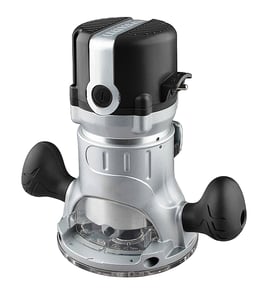

Does Craftsman make a corded router?
Yes. Craftsman makes corded routers, including older and current corded models; they plug into a standard outlet and deliver steady power for routing, edge profiling, and router-table work. For your Craftsman model 25457 router table, you can match a corded router by base style and mounting pattern.
What to look for in a corded Craftsman router
When you are choosing a corded router to use with a router table like 25457, these features matter most:
- Base compatibility: fixed base vs. plunge base; many tables accept fixed bases more easily
- Mounting hole pattern: the router base must align with the table insert plate holes (or use an adapter plate)
- Power range: most corded routers used in tables are 8 to 15 amps
- Speed control: variable speed helps when using larger bits
- Collet size: 1/4-inch is common; 1/2-inch supports larger bits and heavier cuts
Quick comparison: corded vs. cordless routers
| Feature | Corded router | Cordless router |
|---|---|---|
| Runtime | Continuous | Limited by battery |
| Best use | Router table, long cuts, larger bits | Quick trim work, portability |
| Typical power | Higher | Moderate |
| Weight/handling | Heavier | Often lighter, but battery adds weight |
Why it matters for the 25457 router table
A router table setup benefits from consistent torque and runtime. A corded router is the most reliable choice for repeated passes, larger diameter bits, and longer sessions because you do not have to stop for battery swaps.
Helpful next step
If you are not sure you are reading the model tag correctly before shopping for a compatible router or accessories, use our guide: how to find your appliance model number (and what it means for parts).
Last updated: February 2026
How to replace a Craftsman router bit?
To replace a router bit on your Craftsman 25457 router table, unplug the router, lock the spindle (or hold the shaft with the correct wrench), loosen the collet nut, swap the bit, then re-tighten the collet securely before restoring power.
Step-by-step: changing the bit safely
- Unplug the router (or remove the battery if it’s cordless).
- Raise the bit above the table for easier access.
- Engage the spindle lock (if equipped) or use the two-wrench method (one on the shaft, one on the collet nut).
- Turn the collet nut counterclockwise to loosen; remove the old bit.
- Insert the new bit shank fully, then pull it back out about 1/16 to 1/8 inch before tightening.
- Tighten the collet nut firmly (snug plus a bit more); do not overtighten.
Correct bit fit and setup checks
A router bit should seat cleanly in the collet and run true. These quick checks prevent slipping and vibration.
| What to check | What “good” looks like | What to do if it’s not right |
|---|---|---|
| Shank size | Matches the collet (commonly 1/4 in or 1/2 in) | Use the correct collet for the shank size |
| Shank condition | Clean, smooth, not gouged | Clean with solvent; replace damaged bits |
| Collet grip | Bit does not twist or pull out by hand | Clean/replace collet; re-tighten properly |
Why it matters
A properly installed bit reduces chatter, improves cut quality, and prevents the bit from slipping in the collet, which can damage the workpiece and the router table.
Helpful DIY reference
For general safety practices before working on power tools, follow the guidance in are diy appliance repairs safe.
Last updated: February 2026
How do I find the model number on my 25457?
The model number for your Craftsman router table is typically printed on a rating label or ID plate attached to the base, frame, or underside of the table. Once you find it, match it exactly (including any dashes or extra digits) when searching parts for model 25457.
Where to look on a Craftsman router table
Check these common spots first (use a flashlight and wipe off dust):
- Underside of the router table top, near the front edge
- On the stand or cabinet frame, inside a leg or side panel
- Near the switch box or power cord entry point
- On the mounting plate area where the router attaches
- On a metal plate or sticker close to adjustment knobs or the fence rail
What the label looks like (and what to write down)
Most labels include more than one identifier. Record everything so you can get the right diagrams and replacement parts.
| Label item | What it means | Example format |
|---|---|---|
| Model number | Main identifier used for parts lookup | 25457 |
| Serial number | Production identifier | Letters and numbers |
| Type/stock number | Sometimes used on power tools | Short code |
Tips to avoid a parts mismatch
Using the exact model information matters because Craftsman tools can have multiple versions that use different screws, switches, fences, or mounting hardware.
- Copy the model number exactly as printed
- If the label is worn, take a clear photo and zoom in
- Search using the model number first, then confirm with the diagrams
- If you find multiple numbers, prioritize the one labeled “MODEL”
Why it matters
The model number is how we match your router table to the correct parts breakdown and diagrams; that is what prevents ordering a similar-looking part that does not fit.
For more help identifying the correct model number format and where to find it on equipment, use [how to find your appliance model number (and what it means for parts)].
Last updated: March 2026