 Installation guide
 Owner’s manual
 Error Codes



Where can I find my Kenmore electric range model number?
For your Kenmore electric range model 79045669100, the model and serial number plate is located along the side of the oven door opening; open the oven door and look on the frame area at the side. This label is the best reference to use when ordering parts or checking specifications in the owner's manual.
Where to look on the range
Check these common label locations on ranges like the Kenmore 79045669100:
- Along the side of the oven door opening (with the oven door open)
- On the front frame near the door hinge area
- Behind the lower storage drawer area (if your model has one)
- On the back panel near the power cord access area
What to write down (and why)
When you find the plate, record these items:
- Model number (for example, 79045669100)
- Serial number
- Lot number or letter (often printed near the model and serial)
Why it matters
Using the exact model number ensures you get the correct Kenmore range parts (like a bake element, broil element, or oven temperature sensor) and the right instructions for installation and troubleshooting.
Quick checklist: label tips
| Tip | What to do |
|---|---|
| Hard to read label | Use a flashlight and take a photo, then zoom in |
| Door must be open | Check the side trim of the oven frame, not the door itself |
| Ordering parts | Match the model number exactly before selecting parts |
Last updated: February 2026
Where is the thermal fuse located on a Kenmore oven?
On a Kenmore electric range like model 79045669100, the thermal fuse (if your version uses one) is typically mounted on the back of the oven cavity or rear panel area, close to the bake and broil wiring terminals. Access usually requires removing the rear cover panel.
Where to look on model 79045669100
In most Kenmore 790-series electric ranges, the thermal fuse is placed where it can sense overheating from the oven cavity and protect the wiring and controls.
- Unplug the range or switch OFF the circuit breaker before removing any panels.
- Pull the range forward to access the back.
- Remove the rear access panel screws; lift the panel off (some panels hang on tabs or hooks).
- Look near the bake element and broil element terminal connections and nearby harness routing.
- Identify a small, flat fuse or limiter with two wires on spade terminals.
For panel locations, wiring access, and safe disassembly steps, follow the installation guide.
Quick identification tips
A thermal fuse is often confused with other safety and temperature parts.
| Part type | What it does | Common location |
|---|---|---|
| Thermal fuse / thermal limiter | Opens the circuit if overheating occurs | Rear panel, oven back, near wiring harness |
| Oven temperature sensor | Tells the control the oven temperature | Inside oven cavity, usually upper rear wall |
| Terminal block | Main power connection point | Lower rear where the power cord connects |
If you are troubleshooting temperature problems (not an overheat shutdown), the oven sensor is a common suspect; see the probe 316217002.
Why it matters
Finding the correct part matters because a blown thermal fuse can make the oven completely stop heating, while a failed sensor can cause incorrect temperatures or error codes. Replacing the wrong component wastes time and can leave an overheating condition uncorrected.
Last updated: February 2026
How do you reset a Kenmore electric stove?
To reset your Kenmore electric range model 79045669100, shut off power at the breaker (or unplug the range if accessible) for about 1 minute, then restore power. This clears many control glitches and is the same first step used before checking bake, broil, and clock functions.
Quick reset steps (recommended)
- Turn all surface and oven controls to OFF.
- Switch the range circuit breaker OFF (or unplug the cord if you can reach it safely).
- Wait 60 seconds.
- Switch the breaker ON (or plug back in).
- Set Bake to 350°F and confirm the lower bake element begins heating.
- Set Broil and confirm the upper broil element begins heating.
For model-specific control behavior and function checks, follow the steps in the owner's manual.
If the range still acts up after a reset
A reset fixes temporary electronic issues; it will not correct a failed heating circuit, sensor, or wiring problem. These checks narrow it down:
- Oven not heating evenly or temps seem off: test the oven temperature sensor and wiring; a failing sensor can cause erratic heating.
- No bake heat but broil works (or vice versa): suspect a failed element.
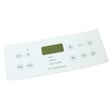
- Display works but buttons do not respond: the control overlay or control panel may be the issue.
- Burning smell or intermittent power: inspect the power cord connection area and terminal block for heat damage.
Common parts related to “won’t heat” symptoms
| Symptom | What to check | Example part for this model |
|---|---|---|
| Oven temperature inaccurate | Oven temperature sensor | Probe 316217002 |
| No broil heat | Broil element | Oven broiler element 318255605 |
| No bake heat | Bake element | Oven bake element 318255006 |
Why it matters
Resetting power is the fastest way to clear a stuck electronic oven control and restore normal operation. If the problem returns quickly, it usually points to a component issue (sensor, element, control, or power connection) rather than a one-time glitch.
Last updated: February 2026
What causes a Kenmore oven to stop working?
On a Kenmore 79045669100 electric range, an oven that “stops working” is usually caused by a power supply problem (tripped breaker, loose cord connection), a failed heating component (bake or broil element), or a control or sensor issue that prevents the oven from heating or operating normally. See the owner's manual for model-specific checks.
Quick checks we recommend first
- Confirm the range has power; reset the household circuit breaker fully OFF, then ON.
- Verify the oven is actually set to a cooking mode (Bake or Broil) and a temperature is selected.
- If the display works but there is no heat, test Bake and Broil separately.
- Look for uneven heating, long preheat times, or no red glow from elements.
- If the oven light is out, replace the bulb so you can see element operation (use bulb 316538904).
What “normal operation” looks like on this model
During a basic functional check:
| Function | What you should observe | What a problem suggests |
|---|---|---|
| Bake at 350°F | Lower element turns red during preheat | Failed bake element, control issue, or power problem |
| Broil | Upper element turns red | Failed broil element or control issue |
| Self-clean (if equipped) | Upper element heats during preheat; lower element heats after temp is reached | Element, door lock, or control problem |
If the oven never heats and the range is otherwise dead, focus on the incoming power connection and terminal block area (use installation guide for electrical requirements and setup).
Parts that commonly fix “no heat” symptoms
These are frequent culprits on electric ranges like the Kenmore 79045669100:
- Oven temperature sensor (use probe 316217002) when temperatures are inaccurate or the oven shuts down.
- Broil element (use oven broiler element 318255605) when Broil does not heat.
- Bake element (use oven bake element 318255006) when Bake does not heat.
- Terminal block (use terminal block 5304409888) if the range loses power or has intermittent power from a loose/burned connection.
Why it matters
An oven that is not heating can be a simple setting or power issue, but it can also indicate a failing element or an unsafe electrical connection. Restoring proper voltage and confirming element operation helps prevent repeat failures and improves cooking performance.
Last updated: February 2026




