 Installation guide
 Owner’s manual
 Error Codes





How to replace the control panel on a GE oven?
On the GE PT7050SF5SS electric wall oven, “control panel” repairs usually mean servicing the user interface or the electronic oven control behind the front panel. The safe, correct approach is to follow the disassembly and access steps in the installation guide and then verify operation using the owner's manual.
Safety and access basics (PT7050SF5SS)
- Shut off power at the circuit breaker; confirm the display is off.
- Let the oven cool completely before working near the door and trim.
- Protect the cabinet and door glass; use a padded surface for removed parts.
- Keep screws sorted by location; wall ovens use different lengths.
- If the oven must be pulled forward, support its weight to avoid cabinet damage.
What “control panel replacement” typically involves
Most GE wall ovens require access from the front trim area and, in many cases, partial removal of the oven from the cutout to reach the control components and harness connections.
- Disconnect power at the breaker.
- Remove any trim pieces needed to access mounting screws.
- If required, slide the oven forward enough to safely reach the control area (follow the mounting and removal steps in the guide).
- Photograph connectors and routing before disconnecting anything.
- Transfer wiring connections to the replacement component one connector at a time.
- Reassemble, restore power, then test bake, broil, convection, and the oven light.
Quick checks before replacing control parts
A “dead” or “acting up” control panel is often caused by a different failure. Use these checks first:
- Oven temperature is inaccurate: test the sensor circuit and inspect the sensor wiring.
- Random beeping or error codes during heating: check for overheating and cooling fan operation.
- Convection not working: verify the fan motor runs and airflow is unobstructed.
- Door locked or won’t unlock: inspect the latch mechanism.
| Symptom you see | Common cause area | Example part on this model |
|---|---|---|
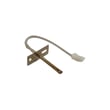
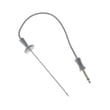
| Bakes too hot or too cool | Temperature sensing | Wall oven temperature sensor WB21X10165 |
| Overheats or cooling fan issues | Cooling fan controls | Wall oven cooling fan sensor board WB27T11463 |
| Convection fan not running | Convection fan drive | Wall oven convection fan motor WB26X44167 |
Why it matters
Wall oven control components share wiring with safety devices and high-voltage circuits. Correct access, connector placement, and wire routing prevent repeat failures like intermittent display, nuisance error codes, and heating problems.
Last updated: February 2026
What are the parts of an electric oven?
An electric wall oven like the GE PT7050SF5SS is built around heating components (bake and broil), temperature sensing and controls, airflow cooling, and door and lighting parts. Knowing the main parts helps you troubleshoot symptoms like no heat, uneven baking, or a door that will not seal.
Main electric oven parts (what they do)
- Bake element: primary heat source for baking and most cooking modes.
- Broil element: high, top heat for broiling and browning.
- Temperature sensor: tells the control how hot the oven is so it can regulate heat.
- Convection fan system: circulates hot air for more even cooking (fan motor, blade, capacitor).
- Cooling fan system: protects electronics and cabinetry by moving heat out of the oven area.
- Door system: hinges, handle, glass panels, and door seal (gasket) to keep heat in.
- Oven light: bulb or lamp assembly to illuminate the cavity.
- Racks and rack supports: hold cookware; may use lubricant to reduce sticking.
Common PT7050SF5SS parts you can replace
Here are examples of model-matched parts that commonly solve everyday problems:
| Symptom | Likely part to check | Example part for PT7050SF5SS |
|---|---|---|
| Oven temperature seems off | Temperature sensor | Wall oven temperature sensor WB21X10165 |
| Oven will not heat in bake | Bake element | Wall oven bake element WB44X21667 |
| Weak or no broil | Broil element | Wall oven broil element WB44X48669 |
| Door leaks heat, long preheat | Door seal | Wall oven door seal WB35X32825 |
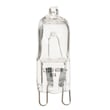
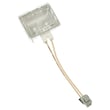
| Oven light out | Light bulb or lamp | Wall oven light bulb WB25T10102 or halogen lamp WB25X31221 |
Why it matters
When one part fails, the oven can still power on but cook poorly. For example, a drifting sensor can cause underbaking, and a worn door seal can make preheat times longer and temperatures less stable.
Quick safety and care notes
- Turn off power at the breaker before servicing internal parts.
- Do not use commercial oven cleaners or oven liners in or around the oven.
- Do not scrub or move the door gasket; it is essential for a good seal.
- For installation and wiring requirements (hard-wired to a junction box), follow the installation guide.
- For cleaning and maintenance details, follow the owner's manual.
Last updated: February 2026
What does 5F mean on GE PT7050SF5SS oven?
On the GE PT7050SF5SS wall oven, a 5F (sometimes shown as SF/5F) code points to a temperature-sensing problem, most often a shorted oven temperature sensor circuit. A power reset can clear a one-time glitch; if the code returns, the sensor or its wiring typically needs attention.
Quick checks we recommend first
- Turn off power at the breaker for 5 minutes, then restore power and retest.
- If the code returns immediately, stop using the oven until you inspect the sensor circuit.
- Check for a loose plug connection at the sensor and at the control wiring harness.
- Look for pinched, burned, or brittle wires near the rear oven wall and along the harness routing.
- If the oven recently ran Self Clean, let it cool fully and retest (heat can expose weak connections).
Parts that commonly fix a recurring 5F
If the reset does not hold and wiring looks intact, the most common repair is replacing the oven temperature sensor.
| Symptom | Most likely cause | What to check/replace |
|---|---|---|
| 5F returns after reset | Sensor circuit shorted or sensor failed | Inspect wiring; replace wall oven temperature sensor WB21X10165 |
| 5F appears during or after high heat | Weak connection expands with heat | Reseat connectors; check harness routing |
Why it matters
The control relies on the sensor signal to regulate bake and broil temperatures. When the sensor circuit is shorted or reading incorrectly, the oven can shut down, heat unpredictably, or lock out cooking modes to prevent overheating.
Where to find model-specific guidance
Use the owner's manual for your PT7050SF5SS to locate the model/serial label and review troubleshooting and control features before servicing.
Last updated: February 2026





