








Can I fix a D80 error myself?
Yes. On an LG DLG3501W dryer, a D80 message is usually a venting restriction (about 80% blocked), and you can often fix it yourself by cleaning the lint path and correcting the exhaust duct setup. If airflow stays weak after cleaning, a blower or sensor issue is likely.
- Unplug the dryer; for gas models, also turn off the gas supply before moving the unit.
- Clean the lint screen and wash off any fabric-softener film; let it dry completely.
- Pull the dryer out and disconnect the vent; remove lint buildup from the duct and wall outlet.
- Check the outside vent hood; make sure the flap opens freely and isn’t blocked by lint, snow, or a bird guard.
- Run a short timed-dry cycle with the vent disconnected (briefly) to compare airflow; strong airflow here points to a house-vent restriction.
| What you notice | Most common cause | What usually fixes it |
|---|---|---|
| Clothes take too long to dry and D80 appears | Crushed, kinked, or long vent run | Shorten/straighten duct; use rigid or semi-rigid metal |
| Lint around the dryer or weak exhaust outside | Lint buildup in duct or vent hood | Full vent cleaning from dryer to exterior |
| D80 persists even with a clean, short vent | Airflow inside dryer is restricted | Inspect blower housing and lint ducting; replace worn parts if needed |
If the vent is confirmed clear and D80 keeps returning, these model-relevant parts are common suspects:
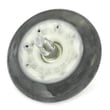
- A damaged blower wheel can’t move enough air: dryer blower wheel 5835EL1002A
- A temperature-sensing problem can trigger airflow-related warnings: dryer thermistor AGM30045804
- Overheating from poor airflow can trip safety controls: dryer high-limit thermostat 6931EL3003C
Restricted venting makes the dryer run hotter and longer, which increases energy use and can shorten the life of key components like the blower wheel, thermostats, and control board.
Last updated: February 2026
How do I reset the flow sensor on my LG dryer?
On LG dryer model DLG3501W, the Flow Sense (airflow) indicator resets after you correct the vent restriction and power-cycle the dryer. We recommend cleaning the lint path and venting first, then unplugging the dryer for 5 minutes and restoring power to clear the airflow warning.
- Turn the dryer off.
- Clean the lint screen and the lint screen housing area; a damaged housing can leak lint into the cabinet (see LG dryer lint screen housing MCK49049101).
- Inspect and clean the vent duct behind the dryer, the wall duct, and the outside vent hood.
- Unplug the dryer (or switch the breaker off) for 5 minutes.
- Restore power and run a Timed Dry cycle for 5 to 10 minutes to confirm airflow is normal.
Flow Sense is usually reporting restricted airflow, not a “bad sensor.” Focus on the full air path.
Common causes to check:
- Crushed, kinked, or overly long vent duct
- Lint buildup at elbows or inside the wall duct
- Outside vent hood stuck closed or clogged
- Blower area packed with lint; a damaged wheel can reduce airflow (see dryer blower wheel 5835EL1002A)
- Moisture sensor bars coated with residue (can confuse auto cycles); clean gently and inspect the sensor (see dryer moisture sensor 6500EL3001A)
| What you notice | Most likely issue | What to do first |
|---|---|---|
| Flow Sense warning plus long dry times | Vent restriction | Clean venting end-to-end |
| Weak airflow at outside hood | Blocked duct/hood | Clear hood and wall duct |
| Rattling plus poor airflow | Blower wheel problem | Inspect blower wheel and housing |
| Auto cycles end too soon or act erratic | Sensor contamination/wiring | Clean sensor bars; check harness |
Restricted airflow makes clothes take longer to dry and can overheat internal components such as thermostats and the high-limit safety. Keeping the lint path and venting clear protects performance and helps prevent repeat Flow Sense warnings.
For code meanings and what they point to, use our LG dryer error codes reference.
Last updated: February 2026
What is the life of an LG dryer?
Most LG dryers, including model DLG3501W, typically last 10 to 15 years with normal household use. Consistent airflow maintenance (lint screen and venting) and fixing wear items early usually makes the biggest difference in real-world lifespan.
- Vent restriction (crushed duct, long runs, clogged exterior hood) that overheats the dryer
- Lint buildup in the lint screen area and blower housing
- Overloading that strains the drum support system and belt
- Worn drum drive parts that cause slipping, squealing, or thumping
- Heat control issues (cycling problems) that overheat components
- Clean the lint screen every load; also clean the housing area if lint is bypassing the screen (see LG dryer lint screen housing MCK49049101).
- Inspect and clean the full vent path (dryer outlet to exterior hood) at least yearly.
- Keep loads to a reasonable size; heavy loads accelerate belt and roller wear.
- If you hear squealing or thumping, service the drum support system promptly.
- If drying times increase, address airflow first before replacing parts.
| Symptom | Likely wear area | Example part for DLG3501W |
|---|---|---|
| Drum not turning, burning rubber smell | Belt drive | LG dryer drum belt 4400EL2001F |
| Squealing, rumbling, thumping | Drum support/idler | Dryer Drum Support Roller Assembly 4581EL2002H; LG Dryer Idler Pulley 4561EL3002A |
| Overheating, shuts off mid-cycle | Thermostats/airflow | Dryer High-limit Thermostat 6931EL3003C |
A dryer that runs hot or struggles to move air wears out faster and can damage expensive assemblies (motor, control board, drum). Keeping airflow strong is the simplest way to protect the heater system, drum support rollers, and belt.
For help diagnosing symptoms (especially if the display shows a code), use our LG dryer error codes guide.
Last updated: February 2026
What is the most common problem with LG dryers?
For LG dryers like model DLG3501W, the most common problem we see is poor drying performance: the dryer takes too long, does not heat enough, or shuts down on a heat-related error. In many cases, restricted airflow (lint buildup or a clogged vent) is the root cause, and it can also lead to thermostat or sensor issues.
- Long dry times: vent restriction, lint buildup, blower airflow problem
- No heat or weak heat: burner/ignition or temperature-sensing problem (gas models), or safety thermostat opening from overheating
- Stops mid-cycle: overheating from poor airflow, or control sensing abnormal temperature
- Drum not tumbling: belt or idler pulley problem
- No start: door switch or control issue
- Clean the lint screen and confirm the lint screen housing is sealing well.
- Check airflow at the outside vent hood; it should be strong and steady.
- Inspect the vent path for kinks, crushed flex duct, or heavy lint.
- If you get an error code, match it to the code list before replacing parts.
If airflow is good and the problem persists, these are common wear or heat-sensing parts on DLG3501W:
| Symptom | Common suspect | Example part for this model |
|---|---|---|
| Drum will not tumble | Belt or idler pulley | LG dryer drum belt 4400EL2001F |
| Squealing, thumping, rumbling | Support rollers | Dryer drum support roller assembly 4581EL2002H |
| Overheating or heat cycling oddly | High-limit thermostat | Dryer high-limit thermostat 6931EL3003C |
| Temperature error behavior | Thermistor | Dryer thermistor AGM30045804 |
LG dryers often report heat and airflow problems through error codes. We use the code to narrow the failure to airflow, a sensor, or a control decision.
- For general code lookups: LG dryer error codes
- For heat and airflow related codes on some LG platforms: LG steam dryer error codes
Poor airflow is the number one driver of long dry times and overheating. Fixing venting first protects key components (thermistors, thermostats, control board) and often restores normal drying without unnecessary part replacement.
Last updated: February 2026
Why does my LG dryer keep saying check filter?
On LG dryer model DLG3501W, the “Check filter” message is a routine reminder to clean the lint screen before a cycle. It does not mean the dryer has detected a failure; it typically clears once you start the drying cycle after cleaning the lint area.
- Remove the lint screen and peel off lint; wash and fully dry the screen if it has residue.
- Check the lint screen opening for buildup and vacuum it out.
- Reinstall the screen fully so it seats flat.
- Start a cycle; the reminder usually turns off after the cycle begins.
- If drying is slow, inspect the vent path for restrictions.
If the reminder is paired with poor drying, overheating, or a burning smell, the issue is usually airflow, not the display.
Common airflow-related causes:
- Crushed or kinked vent hose behind the dryer
- Clogged wall vent or exterior hood flap stuck closed
- Heavy lint buildup inside the lint duct or blower housing
- Lint screen not fitting correctly (warped or damaged)
If lint is getting past the screen or the screen area is damaged, these model-matched parts are often involved:
| Symptom | What it points to | Example part for DLG3501W |
|---|---|---|
| Lint around the filter opening | Loose or damaged housing | LG dryer lint screen housing MCK49049101 |
| Screen doesn’t guide in smoothly | Worn guide or misalignment | LG dryer lint screen guide MEA49050001 |
| Long dry times with normal heat | Weak airflow at blower | Dryer blower wheel 5835EL1002A |
A clean lint screen and clear venting help your LG dryer dry faster, protect heating components (like thermostats), and reduce nuisance messages tied to restricted airflow.
Last updated: February 2026








