Installation guide
 Owner’s manual
 Error Codes











Where is the model number on my Kenmore electric stove?
On Kenmore electric range model 79094199311, the model and serial number label (serial plate) is on the left side of the warmer drawer frame. Pull the warmer drawer open fully and look along the left side of the frame for the plate. See the 79094199311 owner's manual for the exact label location illustration.
How to find it fast
- Make sure the range is cool and stable before you pull the drawer out.
- Open the warmer drawer all the way.
- Look on the left side of the warmer drawer frame for the serial plate.
- Write down both the model number and serial number.
- Keep the information with your purchase receipt for future parts lookup.
Other common label locations (if the drawer label is missing)
If the serial plate is damaged, painted over, or removed, many electric ranges also place an ID label in one of these spots:
| Location | What to check | When it helps |
|---|---|---|
| Oven door frame area | Door jamb or frame edge | Quick visual check |
| Storage drawer area | Frame rails and side panels | If there is no warmer drawer |
| Back panel | Near the power cord entry | If the front label is unreadable |
Why it matters
We use the full model number to match the correct Kenmore parts diagrams and compatible replacements (for example, an oven temperature sensor, bake element, or control board). One digit off can lead to ordering the wrong part.
Last updated: January 2026
Why does my Kenmore stove keep beeping and displaying a F1 symbol?
On Kenmore electric range model 79094199311, an F1 code with repeated beeping usually points to a problem in the oven’s electronic control system, most often a stuck key on the touch panel or a failing oven control board. A power reset is the first step; if F1 returns, a control repair is typically needed.
Quick checks to stop the beeping
- Turn the range off, then reset power at the circuit breaker for 1 minute.
- If the beeping stops but returns when you press keys, a stuck or shorted keypad is likely.
- If the beeping returns without touching anything, the control board circuit is likely failing.
- If the oven was just used on high heat (bake/broil/self-clean), let it cool completely and retry.
- Review your model’s error code and control information in the 79094199311 owner's manual.
What usually causes F1 on this model type
F1 is commonly triggered by one of these conditions:
| Likely cause | What you’ll notice | Typical fix |
|---|---|---|
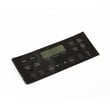
| Stuck/shorted keypad (touch panel) | F1 appears when pressing keys, random beeps | Replace the touch panel or control panel assembly (varies by version) |
| Failing oven control board (ERC) | F1 returns even when untouched | Replace the oven control board |
| Heat-related control fault | Happens after broil or self-clean, then repeats | Cooling and reset; replace control if it repeats |
If you’re seeing other codes along with F1, use the Kenmore 790 self-cleaning range error codes reference to match the symptom to the correct circuit.
Parts that are commonly involved
If troubleshooting points to the oven temperature sensing circuit (for example, temperature swings, overheating, or preheat issues along with beeping), the sensor is a common check item.
- Frigidaire range oven temperature sensor 316490000: helps the control regulate oven temperature
- Wiring connections between the sensor and control board: look for loose plugs or heat damage
- Oven control board: manages bake, broil, convection, and error detection
Why it matters
When the control detects an unsafe or invalid input (keypad short) or an internal control fault, it beeps to get your attention and may disable heating. Fixing the root cause prevents nuisance alarms and helps avoid temperature control problems.
Last updated: January 2026
How do I reset my Kenmore electric range?
To reset your Kenmore electric range model 79094199311, turn the range off and restore power with a full power reset (breaker off, then back on). This clears many control glitches; if the problem returns, focus on the specific symptom (error code, no heat, locked door).
The quickest reset method (power reset)
- Turn all surface element knobs to OFF.
- Switch the range circuit breaker OFF.
- Wait 2 to 5 minutes.
- Switch the breaker ON.
- Set the clock and test Bake and Broil.
For control and feature steps specific to your range, use the 79094199311 owner's manual.
If the range is hardwired or you are working near wiring
A reset is often done at the breaker, but if you are troubleshooting power connections, follow the wiring and grounding instructions in the 79094199311 installation guide.
- Shut off power at the breaker before removing any rear access cover.
- Do not loosen factory-installed terminal block nuts; loose connections can cause power loss.
- Confirm the power cord strain relief is installed correctly.
- Reinstall the rear access cover before restoring power.
What a reset fixes (and what it usually does not)
| Symptom | Reset may help | More likely cause |
|---|---|---|
| Display frozen or unresponsive | Yes | Control glitch or keypad issue |
| Oven not heating after a power flicker | Yes | Bake/broil circuit or sensor issue |
| “Hot surface” light stays on | Sometimes | Stuck surface element control or indicator circuit |
| Repeated error codes | Sometimes | Sensor, wiring, or control board problem |
If you’re seeing an error code, use Kenmore 790 self-cleaning range error codes to match the code to the most common causes.
When to check parts instead of resetting
If the oven temperature is inaccurate or you get recurring temperature-related errors, the oven temperature sensor is a common starting point on this model: frigidaire range oven temperature sensor 316490000.
Why it matters
A proper reset restores normal control operation after a power interruption, but repeated failures usually point to a heat-sensing, wiring, or control issue that needs diagnosis.
Last updated: January 2026