 Error Codes





Where is the model number on a GE wall oven?
On a GE electric wall oven like model JK5000SF6SS, the model number is typically printed on a rating label around the oven door opening. Check the frame (front trim) you see when you open the door, then check the door edge if you do not see it right away.
Most common places to look
- Open the oven door and look along the front frame around the opening (often on the left or right side)
- Check the bottom edge of the oven door (door edge label)
- Look along the side edge of the oven door (hinge side and handle side)
- Check the lower front frame area near the door latch/strike
- If it is a double wall oven, check both upper and lower door openings
What the label looks like
The rating label usually includes:
- Model number (for example, JK5000SF6SS)
- Serial number
- Electrical ratings (volts/amps)
- Manufacturer information
Why it matters
We use the exact model number to match GE wall oven parts correctly, especially electrical parts where fit and wiring matter (control board, temperature sensor, cooling fan, and door lock components).
Quick parts examples for JK5000SF6SS
| What you are fixing | Part to check first | What it affects |
|---|---|---|
| Oven temperature seems off | Wall oven temperature sensor WB21X10165 | Temperature accuracy and preheat behavior |
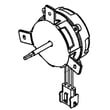
| Oven runs hot and cooling seems abnormal | Wall oven cooling fan assembly WB26X31060 | Cabinet cooling and heat management |
| Self-clean will not lock/unlock | Wall oven door lock assembly WB10X23814 | Door locking during self-clean |
Last updated: February 2026
Why did my GE oven stop working?
If your GE JK5000SF6SS electric wall oven stopped working completely, the most common causes are a power supply problem (tripped breaker), a failed control or safety device, or an overheating condition that opened a limit. Start with the electrical supply checks, then move to simple component tests.
Quick checks first (no parts removed)
- Confirm the oven display is on; if it is blank, focus on power supply.
- Reset the breaker fully: switch OFF, then ON (a half-tripped breaker can look ON).
- If the oven is hardwired, check the junction box for a loose connection (power OFF first).
- If the display works but the oven will not heat, try Bake and Broil separately.
- If the oven stopped after self-clean, suspect door lock or an overheat/limit condition.
What to test next (common failure points)
When power is confirmed but the oven will not heat or behaves erratically, these parts are frequent culprits:
- Temperature sensing issues: a bad sensor can prevent normal heating or cause shutdowns; see wall oven temperature sensor WB21X10165.
- Overheating protection: a tripped or failed limit can cut power to heating circuits; see range high-limit thermostat WB24X46906.
- Cooling problems: if the cooling fan does not run, the oven can overheat and shut down; see wall oven cooling fan assembly WB26X31060 and wall oven cooling fan sensor board WB27T11463.
- Control failure: if the display is on but functions are dead or inconsistent, the electronic control can be involved; see wall oven control board WB27X29605.
- Wiring/connection damage: heat can loosen or damage connectors; see main wire harness WB18X24030.
Symptom-to-likely-cause guide
| What you notice | Most likely direction | Parts often involved |
|---|---|---|
| No display, no lights, no response | Power supply or wiring | Breaker, junction box, harness |
| Display on, no heat in Bake or Broil | Control, limit, wiring | Thermostat, control board |
| Shuts off during use, cabinet gets very hot | Cooling issue or overheat protection | Cooling fan, sensor board, limit |
| Works sometimes, temps seem wrong | Sensor or connection issue | Temperature sensor, harness |
Why it matters
An electric wall oven like the GE JK5000SF6SS needs correct line voltage and active cooling to protect the control and wiring. Fixing a weak connection, failed cooling fan, or bad sensor early helps prevent repeat shutdowns and more expensive control damage.
Last updated: February 2026
How to reset a GE electric oven?
To reset your GE JK5000SF6SS electric wall oven, we recommend starting with a control reset (Cancel/Clear) and then doing a power reset at the breaker. This clears many temporary control glitches, stuck keys, and some error-code conditions.
Reset options (try in order)
- Control reset: Press and hold Cancel/Clear for 3 to 5 seconds.
- Breaker reset (hard reset): Turn the oven’s circuit breaker OFF for 60 seconds, then turn it ON.
- If the display is blank after reset: Confirm the breaker is fully ON (some are half-tripped) and that the oven has power.
- If the oven is locked: Try holding Cancel/Clear again after power is restored.
- If an error returns immediately: Treat it as an active fault, not a one-time glitch.
What to check if the reset does not fix it
A reset helps controls; it will not correct a failed sensor, overheating condition, or wiring issue. These checks narrow it down:
- If baking temperatures are inaccurate or you see temperature-related errors, inspect the wall oven temperature sensor WB21X10165.
- If the oven overheats or shuts down after heating, check cooling airflow and the wall oven cooling fan assembly WB26X31060.
- If the cooling fan runs erratically, a control input issue can involve the wall oven cooling fan sensor board WB27T11463.
- If the oven trips on high heat, a safety device such as the range high-limit thermostat WB24X46906 can be involved.
- If you suspect a loose connection, inspect the main wire harness WB18X24030 for heat damage or poor terminals.
Quick symptom guide
| Symptom after reset | Most likely direction | Common next step |
|---|---|---|
| Works normally for a while, then errors again | Heat-related component or airflow | Check cooling fan operation and vents |
| Error returns immediately on power-up | Sensor, wiring, or control issue | Inspect sensor and harness connections |
| No heat but display works | Heating circuit or control output | Check elements, wiring, and control board |
| Trips breaker during preheat | Shorted component or wiring | Inspect harness and heating components |
Why it matters
Resetting is the fastest way to clear a temporary electronic lockup, but repeated errors point to a part that is failing under heat. Catching that early helps prevent no-heat problems, overheating, and nuisance breaker trips.
Last updated: February 2026





