Owner’s manual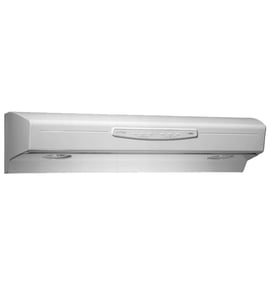
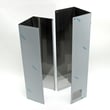


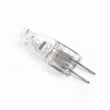

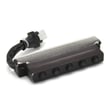

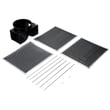
Does KitchenAid sell replacement parts?
Yes. KitchenAid sells replacement parts, and for your KitchenAid KXW2330YSS0 range hood we also carry model-matched parts so you can restore lighting, ventilation, and controls with the correct fit and electrical ratings. Use the KXW2330YSS0 owner’s manual to confirm the exact part type and installation details.
What replacement parts are commonly needed for this hood
For the KXW2330YSS0, the most common replacements fall into a few categories:
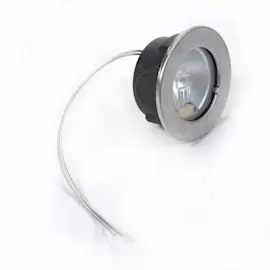
- Lighting: a failed hood light bulb or flickering lamp
- Airflow: a grease filter that is clogged or damaged
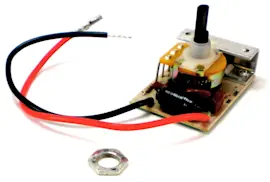
- Controls: a switch assembly that will not change speeds or turn lights on
- Venting: a damper that sticks or rattles
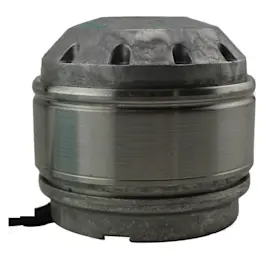
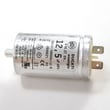
- Motor start/run: a weak capacitor that can cause humming or slow start
Examples of parts we stock for KXW2330YSS0
These are model-specific parts that customers frequently replace:
| What you’re fixing | Part name | Part ID |
|---|---|---|
| Hood light not working | Range hood light bulb | WP8186678 or WPW10298151 |
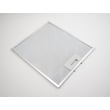
| Poor smoke/odor capture | Filter | W10169961A |
| Fan or light controls not responding | Range hood switch assembly | W10351825 |
| Vent flap noise or backdraft | Range hood damper | WPW10313841 |
| Motor struggles to start | Range hood blower motor capacitor | W10256657 |
Why it matters
Using the correct KitchenAid replacement part for the KXW2330YSS0 helps ensure proper airflow (CFM performance), safe electrical operation, and a clean fit with the hood’s wiring and mounting points.
Quick tips before you order
- Match the model number exactly: KXW2330YSS0
- Compare the old part’s markings to the replacement part ID
- Shut off power at the breaker before servicing the hood
- Clean or replace filters regularly to protect the blower and reduce noise
- Follow the wiring diagram and steps in the KXW2330YSS0 owner’s manual
Last updated: February 2026
What is the warranty on the KitchenAid vent hood?
KitchenAid vent hoods such as model KXW2330YSS0 typically include a one-year full warranty from the date of purchase that covers labor and vent-hood parts that are defective in materials or workmanship (filters are excluded). For the exact terms that apply to your unit, match the wording in your KXW2330YSS0 owner's manual.
What the 1-year warranty usually covers
In the first year after purchase, warranty coverage commonly applies to:
- Labor for warranty repairs performed under the warranty terms
- Replacement parts for covered failures (controls, lighting circuits, blower components)
- Defects in materials or workmanship that cause the hood to malfunction
- Normal household use (not commercial or improper installation)
What is commonly excluded
Even during the first year, these items are often not covered:
- Filters (grease filters and charcoal filters)
- Cosmetic issues from normal wear (scratches, discoloration)
- Damage from improper installation, incorrect venting, or power issues
- Service calls for cleaning, maintenance, or “how-to” questions
Quick reference: covered vs. not covered
| Item | Typically covered in year 1? | Notes |
|---|---|---|
| Blower and controls | Yes | If defective in materials/workmanship |
| Light system | Yes | Bulbs themselves may be treated as consumables |
| Filters | No | Consider replacing as maintenance |
| Installation or venting corrections | No | Not a defect in the product |
Why it matters
Knowing what is excluded (especially filters) helps you avoid delays when you need service. If your hood has weak airflow or lingering odors, maintenance items like the grease filter or charcoal filter are the first things we check before assuming a motor or switch problem.
Last updated: February 2026
How do I know what model range hood I have?
To identify your range hood model, we look for the model and serial label on the hood itself. On KitchenAid hoods like model KXW2330YSS0, the label is commonly on the top of the hood, on the underside, or behind the filters; match that model number exactly when ordering parts.
Where to find the model number label
Check these common spots (power off the hood first):
- On the top of the hood canopy (often visible from inside a cabinet)
- On the underside of the hood near the lights or controls
- Behind or above the grease filters (remove filters to look for the label)
- Inside the blower area cover (if accessible on your design)
- On the wiring cover plate (less common)
For diagrams and model label locations specific to your hood, use the KXW2330YSS0 owner’s manual.
What to write down (and why)
Record the information exactly as shown on the label.
| Label item | Example | Why it matters |
|---|---|---|
| Model number | KXW2330YSS0 | Ensures correct fit for filters, bulbs, switches, and vent parts |
| Serial number | Varies | Helps confirm production series when parts changed over time |
| Electrical rating | Varies | Helps match electrical parts safely (switches, transformer, capacitor) |
Quick tips to avoid ordering the wrong part
- Use the full model number, including any ending digits or letters
- Don’t use the hood size alone (30 inch or 36 inch); multiple models share the same size
- If your label is greasy or faded, wipe gently and take a clear photo before cleaning further
- Match part type to your setup: vented (damper) vs recirculating (charcoal filter kit)
Why it matters
KitchenAid range hoods can look similar across series, but parts like a light bulb, filter, damper, or switch assembly can vary by model. Using the exact model number from the label is the fastest way to get the right replacement the first time.
Last updated: February 2026
What are the parts of a range hood called?
A KitchenAid range hood like model KXW2330YSS0 is typically made up of the hood canopy (body), filters, blower system, ducting or recirculation components, lighting, and the control switches. These names are the common terms you will see in parts lists and in the KXW2330YSS0 owner's manual.
Common range hood part names (and what they do)
- Hood canopy: the main metal body that captures smoke and grease
- Filters: trap grease (and odors if using charcoal filters)
- Blower system: moves air; includes the blower wheel/fan and motor
- Damper: helps prevent backdraft when venting outside
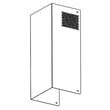
- Duct cover (flue cover): decorative cover that hides ductwork
- Control panel or switch assembly: fan speed and light controls
- Lights and transformer: illuminate the cooktop and power low-voltage lighting (on some designs)
Parts you will commonly replace on KXW2330YSS0
These are some of the most frequently serviced items for this KitchenAid professional hood:
| Part name (common term) | What it affects | Example part for this model |
|---|---|---|
| Light bulb | Dim or dead hood lights | Range hood light bulb WP8186678 |
| Grease filter | Poor grease capture, rattling, airflow restriction | Filter W10169961A |
| Switch assembly | Fan or lights not responding | Range hood switch assembly W10351825 |
| Damper | Backdraft, noise, weak exhaust | Range hood damper WPW10313841 |
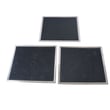
| Recirculation kit | Needed for ductless setup | Range hood recirculation kit W11430940 |
Why the names matter when ordering parts
Range hood parts are often listed by function (filter, damper, switch) rather than by where they sit on the hood. Using the correct term helps you match the right component to symptoms like weak ventilation, noisy operation, or lights that will not turn on.
Quick tip: vented vs. recirculating terminology
| Setup | Air goes | Parts you will see mentioned |
|---|---|---|
| Vented (ducted) | Outside | Ducting, damper, duct cover/flue cover |
| Recirculating (ductless) | Back into kitchen | Recirculation kit, charcoal filter kit |
Last updated: February 2026
How to replace range hood buttons?
On the KitchenAid KXW2330YSS0 range hood, the “buttons” are typically part of the switch/button control assembly; replacement usually involves shutting off power, removing the control panel cover, transferring the wire connectors one at a time, and reinstalling the assembly so the fan and light controls work correctly. See the KXW2330YSS0 owner’s manual for access and panel removal details.
Before you start (safety and prep)
- Turn off power at the breaker (range hoods are hardwired or plugged in; treat both as live until verified).
- Let the lights cool completely before working near the lamp area.
- Protect the cooktop with a towel or cardboard to prevent scratches.
- Use a small container for screws so nothing drops into the blower area.
- Take a quick photo of the wiring before disconnecting anything.
Basic replacement steps (most common approach)
- Disconnect power at the breaker.
- Remove the filters to access the underside fasteners (if your hood design requires it).
- Remove the control panel cover or access panel (screws are usually along the underside or inside the filter area).
- Locate the button/switch module and remove its mounting screws.
- Move wires one at a time from the old assembly to the matching terminal on the new assembly.
- Reinstall the assembly, reattach the cover, reinstall filters, then restore power and test.
Which part usually fixes “bad buttons” on this model?
In most cases, unresponsive or stuck buttons are corrected by replacing the full switch module: range hood switch assembly W10351825.
| Symptom | Most likely cause | What we replace first |
|---|---|---|
| Buttons do nothing, fan and lights dead | No power, loose connection, failed control | Verify power, then switch assembly |
| Fan works but some speeds do not | Failed speed contacts or control | Switch assembly |
| Lights do not respond but fan does | Lamp circuit issue, switch issue, bulb | Bulb, then switch assembly |
Why it matters
A worn or heat-damaged switch can cause intermittent fan speeds or lighting, which reduces ventilation performance and can lead to overheating of the control area. Replacing the correct control part restores reliable operation.
Last updated: February 2026
Why is my KitchenAid hood fan not motor hum but not working?
If your KitchenAid range hood model KXW2330YSS0 hums but the fan will not spin, the blower is getting power but cannot start. The most common causes are a jammed blower wheel, a failed run capacitor, or a weak motor. Use the wiring diagram and access steps in the KXW2330YSS0 owner's manual to diagnose safely.
Quick checks that fix many “hums but won’t run” problems
- Turn off power at the breaker before touching wiring.
- Remove the filters and check for grease buildup or debris rubbing the blower wheel.
- Spin the blower wheel by hand; it should rotate freely without scraping.
- Confirm the damper flap moves freely and is not stuck closed (a stuck damper can load the blower at startup).
- Restore power and try each fan speed; a bad switch can fail on one speed but not others.
Most likely parts to test or replace
A humming motor that will not start often points to a start/run capacitor or a blower assembly issue.
| Symptom | Most likely cause | What we do next |
|---|---|---|
| Hums, wheel hard to turn by hand | Grease, obstruction, bent wheel | Clean and straighten; verify free spin |
| Hums, wheel spins freely by hand | Weak capacitor or failing motor | Test capacitor; replace if out of spec |
| Runs only if you “help start” the wheel | Capacitor failing | Replace range hood blower motor capacitor W10256657 |
| Loud hum plus poor airflow | Damper stuck or duct restriction | Inspect/replace range hood damper WPW10313841 and check ducting |
How we recommend testing the capacitor (safe, practical approach)
- Shut off power at the breaker.
- Discharge the capacitor (follow the safety steps in the manual).
- Label and remove wires, then test capacitance with a multimeter that has a capacitance setting.
- Replace the capacitor if the reading is outside its rated range or if it shows physical damage (bulging, leaking).
Why it matters
A motor that only hums can overheat quickly. Fixing the drag (obstruction/damper) or replacing a weak capacitor protects the blower motor and restores proper ventilation performance.
Last updated: February 2026