 Installation guide
 Owner’s manual
 Error Codes



Why does my GE dryer keep saying clean lint filter?
On GE model GTD65EBPL0DG, the Clean Lint Filter message is a timed reminder, not a sensor that detects whether the screen is actually clean. It typically stays on briefly after a cycle ends, so the alert alone does not mean the dryer has a problem.
What to do first (quick checks)
- Pull the lint screen out, remove lint, and reinstall it fully seated.
- Wash the screen in warm, soapy water if you use dryer sheets; a waxy film can restrict airflow.
- Vacuum lint from the lint filter housing if drying performance has changed.
- Confirm the exhaust vent is not crushed, kinked, or clogged.
- If the dryer will not start, check for Control Lock being enabled (controls won’t respond when locked).
When the message matters (airflow and drying issues)
Even though the light is a reminder, lint buildup can still cause real symptoms like long dry times or overheating. The manual recommends cleaning the lint filter before each use and having the interior and exhaust duct cleaned periodically by qualified service personnel. See the cleaning steps in the GTD65EBPL0DG owner’s manual.
Common symptom-to-cause guide
| What you notice | Most common cause | What we recommend |
|---|---|---|
| Long dry times | Restricted venting or coated lint screen | Clean screen with soap and water; inspect vent |
| Lint on clothes | Lint screen full or airflow restricted | Clean screen; vacuum housing |
| Controls won’t respond | Control Lock enabled | Hold the correct buttons to unlock (per manual) |
Parts that can help if airflow is still poor
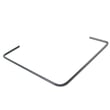
If the lint screen is damaged, warped, or won’t fit tightly, replacing it restores proper airflow and lint capture.
Why it matters
Good airflow keeps drying times normal, helps prevent overheating, and reduces lint buildup inside the dryer and exhaust duct.
Last updated: February 2026
What is the lifespan of a GE dryer?
A GE dryer typically lasts 10 years. With consistent care on your GE GTD65EBPL0DG (especially lint and vent maintenance), it’s common to get 12 to 15 years of service before wear items like the belt, glides, or thermostats start needing attention.
What affects dryer lifespan most
- Airflow and venting: restricted venting makes the dryer run hotter and longer
- Lint control: a clogged screen or lint path strains the heater and motor
- Load habits: frequent overloading accelerates drum support and belt wear
- Installation quality: crushed or long vent runs increase cycle time and heat
- Preventive part replacement: catching wear early prevents bigger failures
Maintenance that extends life (high impact)
Use the care and venting guidance in the GTD65EBPL0DG owner’s manual and follow these basics:
- Clean the lint screen every load; wash it with mild soap occasionally to remove residue
- Check the outside vent hood for strong airflow while running
- Clean the vent duct at least yearly (more often with pets or heavy use)
- Keep the dryer level to reduce vibration and drum wear
- Stop using the dryer if you notice burning smells or repeated overheating
Common “wear parts” you may replace over time
These are normal-life items that often determine whether a dryer feels “worn out”:
| Symptom | Likely wear area | Example part for GTD65EBPL0DG |
|---|---|---|
| Squealing, scraping, thumping | Drum support and friction surfaces | Dryer drum glide bearing, upper WE03X37320 |
| Drum not turning, motor runs | Belt and idler system | Dryer drum belt WE03X29897 |
| Long dry times, overheating | Airflow restriction or temperature sensing | Dryer thermistor WE4M448 |
Why it matters
A dryer that takes longer to dry is not just inconvenient; it runs hotter and longer, which shortens the life of the heating system, motor, and controls. Keeping airflow strong is the simplest way to protect the whole machine.
Last updated: February 2026
What is the most common problem with a GE dryer?
For the GE GTD65EBPL0DG dryer, the most common problems we see are no heat, won’t start, or long dry times. In many cases, the root cause is simple: a tripped breaker or blown fuse, a full lint filter, or restricted venting that reduces airflow and overheats the dryer. See the GTD65EBPL0DG owner’s manual for the model’s troubleshooting chart and venting rules.
Most common symptoms and what usually causes them
- Dryer won’t start: unplugged cord, tripped breaker, blown fuse, or a door switch issue
- Dryer tumbles but doesn’t heat: one breaker tripped (electric dryers often use two), heat setting selection, or a heating circuit problem
- Clothes take too long to dry: lint filter full, vent/duct kinked or blocked, outside damper stuck, load too large or poorly sorted
- Overheating or repeated shutdowns: restricted exhaust airflow (venting problems are a top driver)
Quick checks we recommend first (fast, no parts)
- Confirm the plug is fully seated and the dryer has power.
- Reset both breakers (or replace both fuses) if you have an electric setup.
- Clean the lint filter before every load.
- Inspect the vent path for kinks, crushed ducting, or lint buildup; confirm the outside damper opens easily.
- Match cycle and dryness level to the load; heavy items need different settings than light items.
Common fixes and related parts (when symptoms point to a failure)
| Symptom | Likely area | Example part for this model |
|---|---|---|
| Won’t start (door must be closed) | Door switch | Dryer door switch WE04X28977 |
| No heat or poor heat control | Heating circuit sensing | Dryer heating element control thermistor WE4M398 |
| Long dry times even after cleaning | Airflow path inside dryer | Dryer lint screen WE03X23881 |
Why it matters
Airflow problems do more than slow drying; they can cause overheating that trips safety devices and makes the dryer act like it has a “no heat” or “won’t start” problem. Following the venting guidance in the installation guide helps prevent repeat failures.
Last updated: February 2026
What does "easy care" mean on a dryer?
On the GE GTD65EBPL0DG dryer, Easy Care is a cycle choice intended for wrinkle-resistant or “permanent press” fabrics; it uses gentler drying conditions than a high-heat cotton/normal cycle to help reduce wrinkling and fabric stress. For the exact cycle behavior and options, follow the GTD65EBPL0DG owner’s manual.
How to choose Easy Care vs. other cycles
Use the fabric care label first, then match the dryer cycle and heat.
- Choose Easy Care / Permanent Press for synthetics, blends, and wrinkle-resistant items.
- Choose Cottons / Normal for sturdy cotton towels, jeans, and heavy cotton loads.
- Use Low heat / Gentle for delicates.
- Use Air / No heat for items that should not be heated.
- Avoid overloading; it wastes energy and increases wrinkling.
What “Easy Care” is trying to prevent
Wrinkles often come from overdrying and letting clothes sit after the cycle ends. Easy Care helps by using a more fabric-friendly approach.
| If you notice… | Try this setting/action | Why it helps |
|---|---|---|
| Wrinkles in shirts and pants | Easy Care (Permanent Press) | Gentler drying reduces set-in wrinkles |
| Clothes feel overdried | Shorter time or a “Less Dry/Damp Dry” target | Leaves slight moisture so fibers relax |
| Wrinkles after cycle ends | Remove and fold or hang right away | Prevents creases from sitting in a hot drum |
Why it matters
Picking the right cycle protects clothing and improves results. Easy Care is especially useful for blends and wrinkle-resistant fabrics because it helps limit heat stress, reduces wrinkling, and can cut down on ironing.
Quick checks if results still seem off
If Easy Care is leaving items too damp or still wrinkled, these basics usually fix it:
- Clean the lint filter before each use; airflow controls drying performance.
- Sort by fabric type and load size (do not mix a sheet with small items).
- Do not add fabric softener sheets after the load is already warm.
- If drying only 1 to 2 items, add a few similar items for better tumbling.
- If drying time is long, check for restricted venting and lint buildup.
Last updated: February 2026
How to factory reset a GE dryer?
A true “factory reset” is not a standard feature on the GE GTD65EBPL0DG dryer. For most control glitches, we reset it by power-cycling the dryer (turn it off, wait 1 minute, then turn it back on) and confirming Control Lock is turned off per the GTD65EBPL0DG owner’s manual.
Quick reset steps (most effective)
- Press Power to turn the dryer off.
- Unplug the dryer (or switch the breaker off) for 1 minute.
- Restore power.
- Press Power, then start a cycle.
- If buttons do not respond, turn Control Lock off (steps below).
If the controls are locked (Control Lock)
On this model, Control Lock can prevent selections from being made. To toggle it:
- Press and hold Extended Tumble and - (minus) for 3 seconds.
- Watch for the control lock icon to flash, then turn on (locked) or off (unlocked).
What “reset” fixes vs what it won’t
| Symptom | Reset/power-cycle helps? | What to check next |
|---|---|---|
| Display frozen, cycle won’t start | Yes | Door fully closed; outlet/breaker |
| Dryer tumbles but no heat | Sometimes | House has two fuses/breakers; venting |
| Long dry times | Sometimes | Lint filter and vent restriction |
| No response to buttons | Yes | Control Lock; power supply |
Why it matters
Power-cycling clears temporary control logic issues, and unlocking Control Lock restores normal button operation. If the dryer still will not start or heat after these steps, the next checks are usually power supply, door switch operation, and airflow restrictions.
For model-specific operating details and control features, use the GTD65EBPL0DG owner’s manual.
Last updated: February 2026
Does GE dryer have a thermal fuse?
Yes. GE dryers such as model GTD65EBPL0DG use an overheat safety device (commonly called a thermal fuse or safety thermostat) that opens if the dryer overheats, which can prevent the dryer from starting or heating until the failed part is replaced. See the GTD65EBPL0DG owner's manual for model-specific troubleshooting steps.
What it does and what you’ll notice
A thermal fuse is a one-time safety cutoff; it opens when temperatures get unsafe, usually because airflow is restricted.
Common symptoms include:
- Dryer will not start at all
- Dryer tumbles but does not heat (electric models can lose one leg of power or open a safety device)
- Dryer shuts off mid-cycle
- Burning smell or unusually hot cabinet (stop using the dryer)
Most common causes (fix these first)
Overheating is usually an airflow problem, not a “bad dryer.” We recommend checking these items before replacing parts:
- Clean the lint screen and confirm it seats correctly
- Inspect the vent hose for kinks, crushing, or long runs
- Clear lint buildup in the lint chute and blower housing
- Verify the outside vent hood opens freely
- Confirm the dryer is installed with proper venting materials (no plastic or foil duct)
For venting and installation requirements, follow the GTD65EBPL0DG installation guide.
Parts that are often involved on this model
On GTD65EBPL0DG, overheating and no-heat complaints commonly involve safety thermostats and temperature sensors.
| Part | What it affects | When to consider it |
|---|---|---|
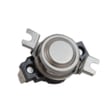
| Dryer safety thermostat WE04X25198 | Cuts heat/power when overheating | Dryer overheats or stops heating unexpectedly |
| Dryer high-limit thermostat WE04X26138 | Limits heater temperature | Heater cycles off too soon or trips on high heat |
| Dryer heating element control thermistor WE4M398 | Senses temperature for heat control | Erratic heat, poor drying, temperature-related faults |
Why it matters
A blown thermal fuse or tripped safety thermostat is a warning that the dryer got too hot. Restoring safe airflow helps prevent repeat failures, improves drying time, and reduces strain on the heater assembly and motor.
Last updated: February 2026
Where to find part number on GE dryer?
On your GE GTD65EBPL0DG dryer, the model and serial label is located on the front of the dryer behind the door. Once you have that label info, you can match the correct replacement part (like a belt, door switch, or lint screen) to your exact dryer.
Where to look on the dryer
Check these common label locations first (starting with the most likely for this model):
- Open the dryer door and look on the front panel behind the door (main location for GTD65EBPL0DG)
- Check the door opening frame around the opening
- Look along the inside edge of the door itself
- If you still do not see it, check the rear panel for an additional rating label
What numbers matter for ordering parts
For GE dryers, we use the label details to ensure the right fit.
- Model number: identifies the exact dryer design (example: GTD65EBPL0DG)
- Serial number: identifies production run details (helps with revisions)
- Part number: the manufacturer’s number for the replacement part (example: WE12X21574)
- Part ID: the Sears PartsDirect identifier used on our part pages (example: WE03X29897)
Quick example: part number vs. part ID
| What you see | Example | What it’s used for |
|---|---|---|
| Model number | GTD65EBPL0DG | Confirms the correct parts list |
| Part number | WE12X21574 | Manufacturer’s replacement number |
| Part ID | WE03X29897 | Our catalog identifier for the part page |
If you are replacing a worn belt on this model, the listing you want to match is the dryer drum belt WE03X29897.
Why it matters
GE often uses similar-looking parts across multiple dryer series. Using the model and serial label behind the door prevents ordering a heater assembly, thermistor, or door switch that looks right but does not mount or wire correctly.
For diagrams and the exact label location callout, use the GTD65EBPL0DG owner’s manual.
Last updated: February 2026






