 Owner’s manual




How do you reset the heating on a GE dryer?
To reset heating-related operation on your GE GFT14ESSL0WW dryer, power-cycle the dryer and then verify the full electrical supply. This model’s troubleshooting guidance for “dryer doesn’t heat” starts with checking that both fuses or both breakers are supplying power.
Reset steps (safe, quick)
- Press Power to wake the control panel if it appears “asleep.”
- Unplug the dryer for 1 minute (or switch the dryer breaker off).
- Restore power.
- Start a timed dry cycle and select a heat setting.
- If the dryer was paused, press Start/Pause to resume.
No-heat checks that fix most cases
Electric dryers can tumble with only half the power available; that causes “runs but no heat.”
- Check the home electrical panel for a tripped breaker.
- Reset both dryer breakers (or replace both fuses if applicable).
- Clean the lint filter.
- Clean the condenser and clear the front air intake area.
- Confirm the cycle and temperature settings are appropriate for the load.
What to look for (symptom guide)
| What you see | What it usually means | What to do first |
|---|---|---|
| Drum tumbles, no heat | One breaker tripped or one fuse blown | Reset both breakers or replace both fuses |
| Long dry times | Airflow restriction (lint, condenser, intake) | Clean lint filter, condenser, and intake |
| Damp on sensor cycles | Moisture sensor needs cleaning | Wipe sensor with a moist cloth |
When a part is likely involved
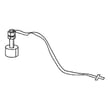
If power is correct and airflow is clean but there is still no heat, the heating circuit needs diagnosis. On this model, the heating system includes components such as the GE heater assembly WE11X26400 and temperature-sensing parts like the outlet therm WE04X26348. Use the wiring and troubleshooting steps in the GFT14ESSL0WW owner’s manual to pinpoint the failed component.
Why it matters
Checking power and airflow first restores heat in the most common no-heat situations and prevents replacing good parts.
Last updated: February 2026
Where is my thermal fuse located on my GE dryer?
On the GE GFT14ESSL0WW, you will not find a separate, serviceable “thermal fuse” in the same way many vented dryers use one on a blower housing. This model relies on temperature-sensing and high-limit safety devices in the heater and airflow path; use the wiring diagram and component locations in the GFT14ESSL0WW manual to identify the correct safety device.
What to look for on this model
Instead of a traditional thermal fuse, you will typically be checking heat-safety components such as an outlet temperature sensor and high-limit protection.
- Unplug the dryer or switch off the breaker before removing any panels.
- Follow the manual’s access steps to reach the heater and airflow components.
- Look for small, flat sensors mounted to an air duct, heater housing, or condenser airflow channel.
- Identify parts by wire colors and connector style, then match them to the wiring diagram.
- Take a photo of all wire positions before disconnecting anything.
Common “no heat” causes that mimic a blown thermal fuse
The manual troubleshooting for this dryer includes power supply issues that can make the drum tumble with no heat.
| Symptom | Most common cause | What to check first |
|---|---|---|
| Tumbles but no heat | House fuse blown or breaker tripped | Reset both breakers or replace both fuses |
| Long dry times | Restricted airflow through lint filter or condenser area | Clean lint filter, condenser, and air intake |
| Stops early or inconsistent heat | Temperature sensor or control issue | Check sensor connections and error indications |
A part on this model that’s often involved
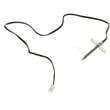
If you are diagnosing temperature sensing in the exhaust or outlet air path, the outlet therm WE04X26348 is one of the temperature-related components used on this dryer.
Why it matters
Replacing the wrong “fuse-like” part wastes time and can leave an overheating or airflow problem unresolved. Correct identification using the wiring diagram helps you test the right component and fix the root cause (lint buildup, dirty condenser, blocked air intake).
Last updated: February 2026
What is the average lifespan of GFT14ESSL0WW?
A GE dryer like model GFT14ESSL0WW typically lasts 13 years with normal household use and routine maintenance. Keeping airflow clear, cleaning lint regularly, and addressing unusual noises or heat issues early helps you reach that expected service life.
What affects lifespan most
- Vent and lint buildup (overheats the heater and thermostats)
- Load size and cycle choice (frequent heavy loads increase wear)
- Heat and moisture management (especially on condenser-style designs)
- Wear parts condition (belt, bearings, door switch)
- Installation environment (stable temperature and proper clearances)
Maintenance that extends life
Use the schedule in the owner's manual and follow these best practices:
- Clean the lint filter every load.
- Keep the condenser and airflow paths clean (if equipped).
- Avoid overloading; it strains the motor and drum support.
- Listen for squealing or thumping and correct it early.
- Keep the dryer in an area above 50°F for proper control operation.
Common wear items and what they do
| Symptom | Likely wear area | Example part for this model |
|---|---|---|
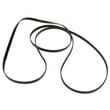
| Drum will not turn, burning rubber smell | Drive belt | Belt WE12X26360 |
| Loud rumble or scraping | Drum support/bearing | Rear bearing WE03X26413 |
| Dryer will not start when door is shut | Door interlock circuit | Dryer door switch WE01X26341 |
| Overheating or poor temperature control | Thermostat/temperature sensing | Outlet therm WE04X26348 |
Why it matters
Knowing the typical 13-year lifespan helps you decide whether to maintain and repair (often cost-effective for wear parts like a belt or bearing) or plan for replacement if multiple major components fail at once.
Last updated: March 2026





