 Owner’s manual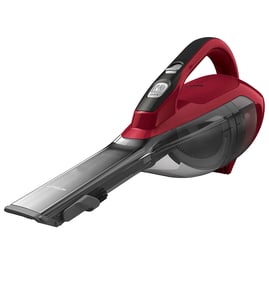

How old is the Dyson V6-SV06 cordless vacuum?
The Dyson V6-SV06 is part of the Dyson V6 cordless platform, which dates to the mid-2010s; the exact age of your specific vacuum depends on its manufacture date and when it was purchased. You can confirm your unit’s age by checking the serial number and rating plate location shown in the owner's manual.
How to determine the age of your specific V6-SV06
Use these quick checks to pin down how old your vacuum cleaner is:
- Find the serial number on the rating plate (on the main body behind the clear bin).
- Check your purchase receipt; the purchase date is the most accurate “age” for everyday use.
- If you do not have proof of purchase, use the serial number to estimate manufacture timing.
- Compare battery runtime today vs. when new; reduced runtime is a normal sign of battery age.
- Note any replaced wear items (filter, brush bar, clear bin); those do not change the vacuum’s original age.
What “age” means for warranty and repairs
Dyson’s limited warranty is 2 years from the date of purchase for normal domestic use. If you do not have proof of purchase, warranty coverage typically starts 90 days after the date of manufacture (based on Dyson’s records).
| What you’re trying to answer | Best date to use | Where to find it |
|---|---|---|
| How old is my vacuum in real life? | Purchase date | Receipt, order confirmation |
| How old is the unit itself? | Manufacture timing | Serial number / rating plate |
| Is it likely still under warranty? | Purchase date (or manufacture + 90 days) | Receipt plus serial number |
Why it matters
Knowing the age helps us troubleshoot smarter. For a Dyson cordless vacuum, battery performance, filter condition, and brush bar wear are strongly tied to age and usage, and they often explain symptoms like weak suction or short run time.
Last updated: February 2026
What is the life expectancy of the Dyson V6-SV06 battery?
For the Dyson V6-SV06 handheld vacuum, the battery typically lasts 2 to 4 years with normal home use. Heavy daily cleaning, frequent MAX mode use, and charging habits can shorten that lifespan as lithium-ion cells naturally lose capacity over time (reduced run time is the usual first symptom).
What affects battery life the most
- MAX mode frequency: higher current draw speeds wear and heat buildup.
- Heat exposure: hot operation or hot storage accelerates capacity loss.
- Charge timing after use: letting the pack cool before charging helps.
- Deep discharges: repeatedly running until fully dead can shorten life.
- Airflow restrictions: blockages and dirty filters make the vacuum run hotter.
Charging and storage tips that extend life
Dyson’s guidance for this model focuses on temperature and cooldown. We recommend following the battery section in the owner's manual.
- Store and charge above 37.4°F (3°C); the vacuum can shut off if the battery is too cold.
- After a full discharge, wait a few minutes before recharging so the battery can cool.
- Avoid operating with the battery pressed flush against a surface; better airflow helps it run cooler.
- Keep filters clean and clear blockages to reduce heat and load.
Quick “is it time to replace?” checklist
| What you notice | What it usually means | What to do next |
|---|---|---|
| Run time is much shorter than before | Normal battery aging | Confirm filters are clean; then plan battery replacement |
| Vacuum shuts off during use | Over-temp, restriction, or weak battery | Let it cool, clear blockages, re-test |
| Won’t run unless just charged | Battery capacity is very low | Replace the battery |
Why it matters
A worn battery reduces run time and can cause nuisance shutoffs. Keeping the Dyson V6-SV06 running cooler (good airflow, cooldown before charging, proper storage temperature) slows capacity loss and helps maintain consistent suction.
Last updated: February 2026
What is a Dyson V6-SV06?
The Dyson V6-SV06 is a Dyson V6-series handheld vacuum cleaner model intended for household, dry-location cleaning. It’s a cordless, portable vacuum designed to be used with Dyson tools and accessories as described in the owner's manual.
What this model is used for
We see the V6-SV06 most often used as a quick-clean vacuum for small messes and tight spaces.
- Spot cleaning on hard floors and low-pile rugs (dry debris only)
- Stairs, upholstery, and car interiors with attachments
- Picking up dust, crumbs, and pet hair
- Short, frequent cleanups rather than whole-house deep cleaning
Key safety and use basics (from the manual)
For the Dyson V6-SV06, the operating manual focuses on safe, correct use to reduce fire, shock, and injury risk.
- Use in dry locations only; do not use outdoors or on wet surfaces
- Do not pick up water or liquids
- Do not pick up burning objects (ash, embers, cigarettes)
- Keep hands away from the brush bar when running
- Do not store or charge near heat sources or open flames
Quick “what it is” vs “what it is not”
| Item | Dyson V6-SV06 handheld vacuum | Not intended for |
|---|---|---|
| Environment | Indoor, dry locations | Wet surfaces, outdoor wet use |
| Pickup | Dry dust and debris | Liquids, rubble, ash, drywall dust |
| Use type | Household cleaning | Commercial or rental use |
Why it matters
Knowing the exact model (V6-SV06) helps us match the right vacuum parts and maintenance steps, and it helps prevent damage caused by using the machine outside its intended use (for example, vacuuming liquids or hot debris).
Last updated: February 2026
Is the Dyson V6-SV06 cordless any good?
Yes. The Dyson V6-SV06 cordless handheld vacuum is a strong choice when you want lightweight, quick cleanups with solid suction for everyday messes. Its main tradeoffs are shorter run time and a smaller bin compared with newer, larger cordless models; using and maintaining it per the owner's manual helps it perform at its best.
What it does well (and where it falls short)
Strengths
- Light, nimble handling for stairs, cars, and spot cleaning
- Cordless convenience for fast pickups
- Good everyday suction when airflow is clear and the filter is maintained
Common limitations
- Shorter battery run time than many newer cordless vacuums
- Smaller dust bin means more frequent emptying
- Performance drops quickly if the filter is dirty or there is a blockage
Quick checklist to keep performance strong
- Use the vacuum in dry locations only; do not use outdoors or on wet surfaces.
- Keep airflow clear; remove clogs in the wand, inlet, and tools.
- Let the battery cool a few minutes before recharging after a full discharge.
- Avoid running the battery flush against a surface; it helps the unit run cooler.
- Store and charge above 37.4°F (3°C); the vacuum can switch off below that temperature to protect the battery.
Battery and use expectations (typical)
| What you notice | Most common cause | What to do |
|---|---|---|
| Short run time | Battery aging, heat, or frequent max-power use | Cool before charging; keep airflow clear; follow charging guidance in the manual |
| Vacuum shuts off in cold area | Battery protection below 37.4°F (3°C) | Warm the unit; store/charge in a warmer space |
| Weak suction | Clog or dirty filter | Clear blockages; clean/maintain filter as directed |
Why it matters
Cordless vacuums like the Dyson V6-SV06 rely on unrestricted airflow and healthy battery temperature to deliver consistent suction. Simple habits (proper storage temperature, cooling before charging, and keeping passages clear) make a noticeable difference in run time and cleaning results.
Last updated: February 2026


