 Owner’s manual





How to change the belt on a Kenmore vacuum?
To change the belt on your Kenmore Elite upright vacuum model 11631150311, we remove the power nozzle base plate, slip the old belt off the motor shaft and brush roll, install the new belt, then reassemble and confirm the brush roll spins freely. Use the 11631150311 owner’s manual for the exact screw and cover locations.
- Unplug the vacuum before starting (never service it while plugged in).
- Let the motor cool if you were just vacuuming.
- Work on a flat surface with good lighting.
- Keep screws and clips in a small cup so nothing gets lost.
- Unplug the vacuum and lay it back to access the underside.
- Remove the bottom plate (usually several screws or quarter-turn fasteners).
- Lift out the brush roll (agitator) and slide the belt off.
- Loop the new belt around the motor shaft first, then around the brush roll.
- Reinstall the brush roll; rotate it by hand to make sure it turns smoothly and the belt tracks straight.
- Reinstall the bottom plate and tighten fasteners evenly.
- Stand the vacuum up, plug in, and test on carpet for normal brush action.
- Brush roll is jammed with hair or thread.
- Bottom plate is not seated correctly and rubs the brush.
- Belt is twisted during installation.
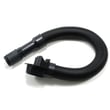
- Something is blocking airflow; check the hose for clogs (a damaged hose can also reduce pickup). If needed, replace the vacuum hose KC84PDWFZV07.
| Item | Purpose |
|---|---|
| Phillips screwdriver | Removes base plate screws (common on uprights) |
| Scissors or seam ripper | Cuts hair/thread off the brush roll |
| New belt (correct fit) | Restores brush roll drive |
A worn or stretched belt reduces brush roll speed, which lowers carpet cleaning performance and can make the vacuum sound different. Replacing the belt restores agitation and helps prevent overheating from a stalled brush roll.
Last updated: January 2026
What model is my Kenmore vacuum?
Your Kenmore vacuum’s model is printed on the model and serial number plate on the machine; for this Kenmore Elite upright vacuum, the model number format looks like 116.31150311 (often shown without the dot as 11631150311). Use the exact model number from that plate when ordering parts or requesting service details.
Look for the Model and Serial Number Plate on the vacuum body (not on attachments). Common places to check:
- Back of the main vacuum housing near the power cord wrap
- Lower rear area near the base/nozzle
- Inside the dust compartment or behind a cover panel
- On the underside of the vacuum (tip it back safely and look underneath)
If you have the paperwork, the model number is also recorded in the 11631150311 owner’s manual.
Kenmore model numbers are easy to misread. Use these tips:
- Copy the full number exactly as printed (include all digits)
- If you see a dot (example: 116.31150311), record it both ways; parts lookup typically uses 11631150311
- Write down the serial number too; it helps confirm production details
- Take a clear photo of the plate before the label wears
| What you see | What to enter for parts lookup | Why |
|---|---|---|
| 116.31150311 | 11631150311 | Dots are often omitted in online lookup |
| 11631150311 | 11631150311 | Exact match for this model page |
The model number determines the correct fit for key items like the hose, filters, and electrical components. Even small model-number differences can change which vacuum hose or vacuum exhaust filter fits.
If you are replacing a damaged hose on this model, match it to the correct part listing such as the vacuum hose KC84PDWFZV07.
Last updated: January 2026
What is the suction power of the Kenmore Elite vacuum?
The Kenmore Elite upright vacuum model 11631150311 does not list a specific suction-power rating (watts, kPa, or air watts) in the available Use & Care information; we focus on restoring full airflow performance through proper assembly, filters, and clog removal. For model-specific operating details, use the 11631150311 use & care guide.
Because upright vacuums are often not rated the same way across brands, the most reliable way to judge suction on the Kenmore Elite 11631150311 is airflow performance at the hose and floor nozzle.
- Strong pull at the hose but weak at the nozzle usually points to a nozzle or brush path restriction.
- Weak at both hose and nozzle usually points to a clog, a leak, or a restricted filter.
- A sudden drop after a few minutes can indicate the motor protection system reacting to restricted airflow.
Unplug the vacuum before checking for clogs or opening covers.
- Check the hose for blockages and cracks; replace if it is split or collapsing (see vacuum hose KC84PDWFZV07).
- Inspect the dust compartment area for a poor seal or debris buildup.
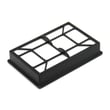
- Replace a dirty or restricted exhaust filter (see vacuum exhaust filter KC38KDWCZV07).
- Confirm the hose is seated firmly in its holders and connections.
- If suction stops, let the vacuum cool unplugged so the thermal protector can reset.
| Symptom | Most common cause | What to do first |
|---|---|---|
| Low suction everywhere | Clog or restricted filter | Check hose path; replace exhaust filter |
| Good hose suction, poor floor pickup | Nozzle airflow restriction | Clear nozzle and brush path |
| Vacuum shuts off during use | Thermal protector tripped | Unplug and cool; then recheck for clogs |
Suction “power” is only useful if airflow is unobstructed. A partially clogged hose, a leaking connection, or a loaded filter can make a high-performing vacuum clean like a weak one, and it can also trigger the thermal protector.
Last updated: January 2026
Why is my Kenmore vacuum not suctioning?
On Kenmore Elite vacuum cleaner model 11631150311, loss of suction is almost always caused by restricted airflow: a full dust bag, clogged filter, or a blockage in the hose or clean-out path. Restoring airflow (bag, filters, clogs) brings suction back.
- Unplug the vacuum before any inspection.
- Replace the dust bag if it is full or packed.
- Check and replace clogged filters (especially the exhaust HEPA-style cartridge).
- Inspect the hose and clean-out port for a blockage.
- If suction changes pitch, the by-pass valve may be opening due to low airflow.
- Dust bag first: A full bag is the most common restriction. Install a new bag and re-test.
- Filters next: If suction is still weak, remove and inspect the exhaust filter cartridge; replace it if dirty or clogged.
- Remove clogs: Check the clean-out port and extension hose for debris. The manual’s “Removing clogs” section walks through hose removal and clearing the path.
- Listen for the by-pass valve: This model uses a by-pass valve to prevent overheating; it can open when airflow is restricted (full bag, clogged filters, or a clog).
| What you notice | Likely cause | What to do |
|---|---|---|
| Weak pickup everywhere | Full bag or clogged filter | Replace bag; replace exhaust filter |
| Good suction at base, weak at hose | Hose blockage or leak | Inspect/clear hose; check connections |
| Loud change in sound, hot smell | Airflow restriction triggering by-pass valve | Clear clogs; replace bag and filters |
If you need a model-specific diagram and the exact access points, use the 11631150311 use & care guide. If the hose is split, crushed, or leaking air, replace the vacuum hose KC84PDWFZV07. If the exhaust filter is clogged, replace the vacuum exhaust filter KC38KDWCZV07.
Suction loss is an airflow problem. When airflow drops, cleaning performance falls and the vacuum can run hotter; this model’s by-pass valve may open to protect the motor, which is a strong clue you need to clear restrictions.
Last updated: January 2026


