Owner’s manual
 Error Codes


How to reset GE Icemaker?
On the GE GSS23HSHBCSS, the practical “reset” is turning the icemaker power switch OFF, clearing any stuck cubes, then turning the switch back ON so it can restart its harvest cycle. Use the access steps in the owner's manual to reach the switch safely.
Quick reset steps (most effective)
- Open the freezer and access the ice bin area.
- Set the icemaker power switch to OFF.
- If cubes are stuck in the icemaker, remove them.
- Wait about 30 seconds.
- Set the icemaker power switch back to ON.
- Discard the first few batches of ice after restarting to help clear the water line.
How to reach the icemaker power switch on dispenser models
Your model can use an ice bin setup that requires moving the bin (and sometimes a shelf) to reach the switch.
- If your bin tilts out: tilt the bin out to access ice and the power switch; return the bin fully before closing the door.
- If your bin pulls forward: pull the bin forward; if there is a shelf above it, pull the shelf straight out to reach the switch.
- If you remove the ice bin: switch OFF first because the bin is heavy when full.
If “resetting” does not fix it
These are the most common reasons a GE icemaker stops making ice even after cycling power:
- Freezer too warm; allow about 24 hours for full cool-down after changes.
- Ice cubes piled up in the bin; level cubes by hand so the shutoff arm can move freely.
- Feeler arm blocked; make sure nothing interferes with its sweep.
- Low water pressure; the icemaker may cycle multiple times to make one batch.
- Clogged water filter; replace the filter if cubes are small/hollow or water flow is weak.
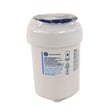
If you suspect a restricted filter, the correct replacement for this model is the GE refrigerator water filter MWFP.
What to expect after a reset
| Situation | What’s normal | What to do |
|---|---|---|
| Just restarted icemaker | First batches may be odd or have air | Discard first few batches |
| Empty ice bucket | Ice level rebuild takes time | Use ice periodically as it refills |
| Low water pressure home | Longer fill/harvest behavior | Confirm shutoff valve is fully open |
Why it matters
Resetting by switching OFF and ON clears simple “stuck” conditions (jammed cubes, bin shutoff issues) without replacing parts. If the problem is water supply or filtration, addressing that restores normal cube size and production.
Last updated: February 2026
What is the most common problem with a GE refrigerator?
The most common issue we see with GE refrigerators like model GSS23HSHBCSS is a cooling complaint (fresh food too warm, freezer not holding temperature). In many cases, the root cause is restricted airflow or heat not being removed efficiently, so the refrigerator runs longer and temperatures drift. For model-specific operating checks and settings, use the GSS23HSHBCSS owner's manual.
Most common causes behind “not cooling”
- Dirty condenser coil causing poor heat release
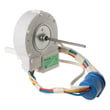
- Evaporator fan not running or running intermittently (air is not circulating)
- Frost buildup from a defrost system problem
- Air damper stuck or blocked vents from overpacked shelves
- Temperature sensing or control issue (sensor or main board)
Quick checks you can do first
- Confirm doors close fully and nothing is holding them open.
- Make sure vents inside both compartments are not blocked by food.
- Set controls to the recommended mid-range setting and give it 24 hours to stabilize.
- Clean dust from the condenser area (unplug first).
- Listen for the evaporator fan when the compressor is running (a steady fan sound from the freezer area is typical).
Parts that commonly solve cooling-related symptoms (when diagnosed)
| Symptom | Common suspect | Example part for GSS23HSHBCSS |
|---|---|---|
| Warm refrigerator, freezer OK or marginal | Evaporator fan not moving air | Refrigerator evaporator fan motor WR60X10307 |
| Temperatures swing, unit runs oddly | Temperature sensing issue | GE profile refrigerator temperature sensor WR55X10025 |
| Frost buildup, warming over time | Defrost control components | Refrigerator defrost bi-metal thermostat WR50X10065 |
Why it matters
Cooling problems usually get worse, not better. Catching airflow restrictions early can prevent food spoilage and reduce strain on the compressor and sealed system.
Last updated: February 2026
How do I find the model number on my GSS23HSHBCSS?
For the GE GSS23HSHBCSS side-by-side refrigerator, the model number and serial number are printed on a label inside the fresh food (refrigerator) compartment; it’s located at the top on the right side. Use those numbers when ordering parts or checking service information.
Where to look (exact location)
Check these spots in order:
- Open the refrigerator door (fresh food side)
- Look along the inside walls near the top
- Find the label at the top right inside the refrigerator compartment
- Copy both the Model # and Serial #
- Keep the numbers with your records (they’re also used for warranty and troubleshooting)
What the label typically includes
| Label item | What it’s used for | Example format |
|---|---|---|
| Model number | Matching parts and diagrams | GSS23HSHBCSS |
| Serial number | Identifying production run and service details | Letters and numbers |
Why it matters
We use the model number to ensure parts fit your exact GE refrigerator configuration (controls, ice maker, dispenser, and wiring can vary by revision). The serial number helps narrow down version-specific changes when you’re diagnosing a problem.
Tips for ordering the right part
- Match the model number character-for-character (including any letters)
- Use the model number first, then confirm the part number
- If you’re replacing a water filter, match the filter type listed for your model (for example, GE refrigerator water filter MWFP)
- Keep a photo of the label on your phone for quick reference
For more label details and model identification notes, check the owner's manual.
Last updated: March 2026