 Owner’s manual
 Error Codes



Are electric wall ovens 110 or 220?
Most electric wall ovens, including Kenmore model 91147489991, are wired for 240 volts (often called 220/230/240V) on a dedicated circuit, not a standard 120V (110V) household outlet. This model’s manual also references operation on 208 volts, which is common in some homes and can affect broil performance (cook time and rack position). See the 91147489991 owner's manual.
What voltage should I expect at the breaker?
Most 27-inch built-in electric wall ovens use a 2-pole breaker and a 3-wire or 4-wire connection (depending on your home wiring and local code). Typical expectations:
- 240V supply in most single-family homes
- 208V supply in some condos/apartments with 3-phase service
- Dedicated circuit (oven should not share with countertop outlets)
- Hardwired connection is common for wall ovens (not a plug-in 120V cord)
Quick comparison: 120V vs 240V vs 208V
| Supply type | Where it’s common | What you’ll notice | What to do |
|---|---|---|---|
| 120V (110V) | Small appliances, microwaves | Not suitable for most wall ovens | Use the correct 240V circuit |
| 240V (220V) | Most U.S. homes | Normal bake and broil performance | Standard setup for wall ovens |
| 208V | Some multi-unit buildings | Broil may be slower; may need higher rack or longer time | Adjust cooking technique per manual |
Why 208V matters for this Kenmore oven
Our guidance for 91147489991 comes straight from the manual: if the oven is connected to 208 volts, you may need to use a higher rack position and/or broil foods longer to get the same browning results.
Before you install or troubleshoot power
- Turn off power at the main circuit breaker before touching wiring
- Confirm the home supply with a multimeter (L1 to L2 should read about 208V or 240V)
- If the oven seems weak on broil, verify you are not on an undersupplied circuit
- If you’re servicing internal components, use the manual’s safety steps (for example, it specifies disconnecting power at the breaker before replacing the oven light bulb)
Why it matters: Using the correct voltage protects the control, heating elements, and wiring, and it ensures the oven reaches and maintains proper cooking temperatures.
Last updated: February 2026
How do I know what model Kenmore oven I have?
For Kenmore wall ovens like model 91147489991, the model number is printed on the appliance ID label on the front frame behind the oven door. Open the door and look around the frame (often along the side or top edge) for the model and serial number.
Where to look on a Kenmore wall oven
On the Kenmore 27-inch electric wall oven family covered by the 91147489991 owner's manual, the model and serial numbers are located on the front frame behind the oven door.
- Open the oven door fully
- Inspect the front frame (the metal frame the door closes against)
- Check the left and right side rails first, then the top edge
- Look for a rating plate or sticker with MODEL and SERIAL
- Write the number down exactly as shown (including dots or dashes if present)
What the model number helps you do
The model number is the fastest way to match the correct Kenmore wall oven parts and documentation.
| What you need | Why it matters | Example |
|---|---|---|
| Model number | Ensures parts fit and wiring matches | 91147489991 |
| Serial number | Helps identify production details for service | Varies by unit |
| Product type | Confirms size and configuration | 27" electric wall oven |
Tips if the label is hard to read
Heat and cleaning chemicals can fade labels over time. These steps help you capture the number accurately.
- Wipe the frame gently with a damp cloth and mild dish soap; dry completely
- Use a flashlight at an angle to make faint printing stand out
- Take a close-up photo and zoom in
- Copy characters carefully (for example, 0 vs O, 1 vs I)
Why it matters
Kenmore wall ovens often share similar styling across multiple model numbers; using the exact model number prevents ordering the wrong oven rack, sensor, or door parts.
Last updated: February 2026
How do I reset my Kenmore oven control board?
To reset the control on your Kenmore model 91147489991 wall oven, press CLEAR/OFF to stop the current function, then turn power to the oven OFF for about 1 hour and restore power. After power is back, reset the clock and re-enter your cooking settings (see the 91147489991 owner's manual).
Quick reset options (use the one that matches your symptom)
- Stuck setting or wrong entry: Press CLEAR/OFF once to clear the display and cancel the function.
- Flashing “F” error code: Press CLEAR/OFF, wait about 1 hour, then try setting BAKE or BROIL again.
- After a power outage: Reset the clock; any cooking function in progress must be set again.
Step-by-step: power reset (recommended for “F” codes)
- Press CLEAR/OFF.
- Turn the oven’s power OFF at the breaker (or remove the fuse).
- Wait about 1 hour (this lets the control fully reset and cool).
- Restore power.
- Set the clock: press CLOCK, use HOUR/MIN UP/DOWN, then press START.
What to do if the code comes back
If the display flashes “F” plus a number/letter again after the reset, write down the exact code and plan for service. In many cases, the issue is in the control circuit or an oven sensor connection.
| What you see | What it usually means | What we do first |
|---|---|---|
| Display flashes time | Power failure occurred | Set the clock, re-enter settings |
| “F” plus a code | Control detected a fault | CLEAR/OFF, power off 1 hour, retry |
| “ERR” after setting temp | Invalid temperature entry | CLEAR/OFF, re-enter temperature |
Why it matters
A proper reset clears a locked-up touchpad state and forces the oven control to restart its safety checks. Resetting the clock also restores delayed and timed functions so baking and broiling operate normally.
Last updated: February 2026
What are the parts of an electric oven?
An electric oven like the Kenmore 91147489991 is built around heating elements, temperature sensing, airflow and safety controls, plus the door, racks, and lighting that make it usable day to day. Your 91147489991 owner's manual also covers key components you interact with, such as racks, the vent, the light, and the control panel.
Core parts you will find in most electric wall ovens
- Bake heating system: the bake element (often hidden under the oven floor on some designs) provides most cooking heat.
- Broil heating system: the top broil element provides high, direct heat for browning.
- Oven temperature sensor: senses cavity temperature and helps the control cycle the elements on and off.
- Control panel and display: sets temperature, time, and cooking modes; may show error codes.
- Oven racks: support cookware; many racks include stop locks to reduce tipping when pulled out.
- Oven vent: routes hot air and moisture out; it should never be blocked.
- Oven light and lens/cover: illuminates the cavity for viewing food.
- Safety devices: thermal fuse and limit switch help protect the oven if it overheats.
Common replaceable parts for Kenmore 91147489991
| Part type | What it does | Example part for this model |
|---|---|---|
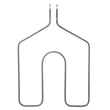
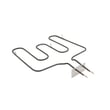
| Broil element | Top heat for broiling and browning | G.e. range broil element WB44K5009 |
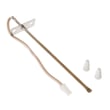
| Thermal fuse | Opens the circuit if overheating occurs | Wall oven thermal fuse WB24K5085 |
| Cooling fan limit switch | Helps manage cooling fan operation and temperature limits | Wall oven cooling fan limit switch WB24K5033 |
| Oven rack | Holds pans; slides in rack guides | Oven rack WB48T10093 |
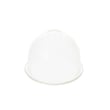
| Light lens | Protects the bulb and spreads light | Wall oven light lens WB36X192 |
Why it matters
Knowing the major oven parts helps you troubleshoot symptoms faster. For example, uneven baking often points to the bake heating system or sensor, while no heat at all can involve a safety device (thermal fuse) or a control issue.
Quick safety reminders when identifying parts
- Place racks while the oven is cool when possible.
- Keep potholders away from hot elements when moving racks.
- Never block the oven vent opening.
- Disconnect power at the breaker before servicing or replacing the oven light.
- Use the correct bulb type (commonly a 40-watt appliance bulb) and let it cool before handling.
Last updated: February 2026
What causes a Kenmore oven to stop working?
When a Kenmore oven like model 91147489991 stops working, the most common causes are a loss of power to the oven, a control fault (often shown as an “F” code), or an overheat safety device opening. Start by checking the home breaker, then follow the troubleshooting steps in the 91147489991 owner's manual.
Quick checks we recommend first
- Reset the circuit breaker (or replace the fuse) supplying the wall oven.
- Confirm the oven is not in a special clock or blackout mode (this can prevent operation).
- If the display flashes “F” plus a number/letter, press CLEAR/OFF, let the oven cool for 1 hour, then try Bake or Clean again.
- If the “F” code returns after the cool-down and restart, service is needed.
- If the oven overheated recently, allow extra cool-down time before retrying.
Common part-related causes (electric wall ovens)
If power is good but heating or operation is inconsistent, these parts are common suspects:
| Symptom | Likely area | Example part to check on this model |
|---|---|---|
| Oven dead or shuts off after overheating | Overheat protection | Wall oven thermal fuse WB24K5085 |
| Oven runs hot, fan issues, or heat-related shutdown | Cooling circuit safety | Wall oven cooling fan limit switch WB24K5033 |
| No broil heat (bake may still work) | Broil heating circuit | G.e. range broil element WB44K5009 |
Why it matters
A wall oven that “stops working” can be a simple power interruption, but it can also be a protective shutdown from overheating. Handling the power reset and cool-down steps first prevents unnecessary parts replacement and helps you identify whether the issue is control-related or heat-related.
Last updated: February 2026
What is the code F93 on a Kenmore oven?
On the Kenmore 91147489991 27-inch electric wall oven, an F code (including F93) means the control detected an oven problem. Clear the code by pressing CLEAR/OFF, let the oven cool for about 1 hour, then try the function again; if the code returns, service is needed (record the code first). See the 91147489991 owner's manual for the F-code section and troubleshooting steps.
What to do right away
- Press CLEAR/OFF to stop the beeping and clear the display.
- Keep the door closed and let the oven cool for 1 hour.
- Try the same function again (Bake, Broil, or Self-Clean).
- If F93 repeats, write it down before resetting power.
- If the oven was in Self-Clean, wait for the lock to release after cooling.
Common causes tied to F-codes
F-codes are triggered when the control senses a fault during operation. On wall ovens, the most common categories are:
- Control or keypad input issue (invalid setting, stuck key behavior)
- Temperature sensing or heating control problem
- Door lock or latch system issue during Self-Clean
- Overheat protection opening (thermal safety device)
If the code appears during or after Self-Clean, the door lock circuit is a frequent suspect. If the oven is completely dead after an F-code event, an opened safety device is also common.
Quick checks you can do (power off)
Turn off the breaker before checking anything.
| Check | What you are looking for | Why it helps |
|---|---|---|
| Breaker/fuse | Tripped breaker, blown fuse | Restores power if it was a supply issue |
| Door position | Door fully closed and aligned | Prevents false fault detection |
| Wiring at visible connectors | Loose, overheated, or damaged wires | Intermittent faults can trigger F-codes |
If you need to test electrical parts, use the how to tell if a fuse is blown guide for safe, basic checks.
Parts that are often involved (when symptoms match)
These parts are commonly related to shutdowns, overheating, or lock-related problems:
- Wall oven thermal fuse WB24K5085 (opens if overheating occurs)
- Wall oven cooling fan limit switch WB24K5033 (protects against high temperature conditions)
- Lock motor WB49T10020 (drives the door lock during Self-Clean)
Why it matters
An F93 code is the oven telling you it detected a fault condition. Clearing the code and cooling the oven prevents repeated overheating or lock problems and helps you confirm whether the issue was temporary or needs a repair.
Last updated: February 2026





