 Error Codes






How do I fix a Frigidaire Gallery dishwasher that won't drain?
For a Frigidaire FGIP2479SF1A dishwasher that will not drain, we start by clearing the sump area and filters, then checking the drain hose path and the sink/disposer connection. If water still stays in the tub, the drain pump or a stuck check valve is the next likely cause.
Quick checks (fastest wins first)
- Cancel the cycle and let the unit attempt a drain; listen for the drain pump running.
- Remove standing water (cup or wet/dry vac) so you can see the sump area clearly.
- Clean the bottom filter(s) and screen; food debris here commonly blocks draining.
- Check the drain hose for kinks, crushing, or a low spot that traps water.
- Inspect the hose connection at the garbage disposer or sink drain for a clog.
- If the dishwasher was just installed, confirm the disposer inlet plug was removed.
Parts that commonly cause “won’t drain”
If the hose and filters are clear, these parts are the most common drain-related culprits on dishwashers like this Frigidaire model.
| Symptom | Most likely area | What we check first |
|---|---|---|
| Hums but barely moves water | Drain pump | Debris in impeller, seized pump |
| Drains slowly | Hose or check valve | Partial clog, stuck flapper |
| No drain sound at all | Control or latch issue | Door fully latched, cycle actually in drain |
When a part replacement makes sense
- Replace the pump if it runs loudly, binds, or will not move water after debris is cleared.
- Replace the check valve if it sticks closed or lets water flow back into the tub.
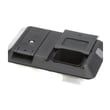
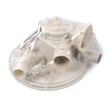
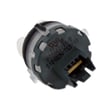
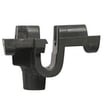
Helpful parts to consider for FGIP2479SF1A:
Why it matters
A dishwasher that cannot drain often leaves dirty water in the sump, which can cause poor cleaning, odors, and repeated cycle failures. Fixing the drain path early also helps protect the circulation system and keeps wash performance consistent.
Step-by-step help
For a guided walkthrough, use our dishwasher not draining video to follow the same checks a technician uses (filters, hose routing, disposer connection, and pump inspection).
Last updated: January 2026
Why is my Frigidaire dishwasher not air drying?
If your Frigidaire FGIP2479SF1A dishwasher isn’t air drying, the most common reasons are poor rinse aid use, a venting or airflow problem, or a heating and control issue that leaves the final rinse and dry phase too cool. Start with rinse aid and loading, then check for drain and heat-related symptoms.
Quick checks that fix most “not drying” complaints
- Fill the rinse aid dispenser and set it to a higher setting (low rinse aid is the top cause of wet plastics).
- Use a heated dry option if your cycle selection includes it.
- Open the door slightly after the cycle ends (10 to 15 minutes) to release steam.
- Avoid nesting bowls and cups; leave space so hot air and steam can escape.
- Do not block the vent area on the inner door with tall items.
Parts that commonly affect drying on this model
Drying performance depends on heat, airflow, and the control system timing. If the dishwasher runs normally but dishes stay wet every cycle, these parts are common suspects:
- Frigidaire dishwasher control panel A18195201 (can affect option selection and cycle commands)
- Frigidaire dishwasher user interface 5304528982 (can prevent heated dry from being enabled)
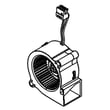
- Crosley dishwasher blower assembly A05660402 (supports airflow and moisture removal)
Symptom-to-cause guide
| What you notice | Most likely cause | What to do first |
|---|---|---|
| Glass and ceramic mostly dry; plastics wet | Normal condensation drying limits | Add rinse aid; crack door after cycle |
| Everything wet and cool at end | Heat or control not operating | Confirm heated dry is selected; check UI/control |
| Strong water droplets inside door | Poor venting or airflow | Check vent blockage; consider blower issue |
| Dishes wet plus standing water | Drain issue keeps humidity high | Follow dishwasher not draining video steps |
Why it matters
A dishwasher “air dries” by using heat and airflow to turn water into steam, then moving that moisture out of the tub. If rinse aid, venting, or the control system is off, moisture stays trapped and re-condenses on dishes.
Last updated: January 2026
Why does my dishwasher keep having power failure?
On the Frigidaire FGIP2479SF1A dishwasher, repeated “power failure” symptoms usually come from the door not staying fully latched, a loose power connection, or an electronic control issue that resets mid-cycle. Start by confirming the door closes firmly and the unit has steady power at the outlet.
Quick checks we recommend first
- Press the door closed firmly and start a cycle; if it stops when you bump the door, suspect the latch.
- Reset power: turn the breaker off for 5 minutes, then back on.
- Confirm the dishwasher is on a dedicated circuit and the breaker is not weak or tripping.
- Check the outlet and plug for looseness, heat discoloration, or intermittent contact.
- If the display or buttons act erratically, focus on the console electronics.
Most common causes (and what to do)
1) Door latch not making consistent contact
If the latch switch opens even briefly, the dishwasher can shut off and “lose power.” Inspect the strike area for misalignment and listen for a solid click when closing.
If the latch feels loose, doesn’t click consistently, or the unit stops when the door is nudged, replacing the latch assembly is a common fix: door latch assembly 111315040.
2) Control or user interface resetting
A failing control or user interface can reboot during a wash cycle, especially after a surge or if internal connections are failing.
- If lights flicker, buttons do not respond, or cycles cancel randomly, check the console components.
- A common replacement related to these symptoms is the dishwasher user interface 5304528982.
3) Power supply or wiring issue
Loose wire nuts in the junction box, a failing outlet, or a weak breaker can cause intermittent power loss.
- Turn off the breaker before inspecting any wiring.
- If you see melted insulation, scorching, or a burnt smell, stop and have a technician correct the wiring.
Symptom-to-part guide
| What you notice | Most likely area | Example part to consider |
|---|---|---|
| Stops when door is bumped | Door latch/switch | Door latch assembly |
| Display resets or buttons glitch | Console electronics | Dishwasher user interface |
| Completely dead, then returns | House power, junction box, breaker | Electrical supply |
Why it matters
Intermittent power can leave the pump running at the wrong time, stop draining, or prevent heating and drying. Fixing the root cause protects the control and helps the dishwasher finish cycles reliably.
For additional troubleshooting steps, use our dishwasher has power but wont run could be demo mode guide.
Last updated: January 2026
What does lo mean on a Frigidaire dishwasher?
On Frigidaire dishwasher model FGIP2479SF1A, “LO” is a display message that points to a setting or status, not a wash-system failure. Most commonly, it relates to the rinse aid dosage setting (shown as L0 to L6) or it is being confused with LOC (control lock) or a time-remaining display.
What to check first
- Look closely at the full display: L0, L1, L2…L6 indicates a rinse aid level setting.
- If it reads LOC (not LO), the controls are locked; unlock using the control lock sequence for your panel.
- If you see a number (for example 120), that is typically minutes remaining.
- If the dishwasher will not start, confirm the door is fully closed and latched.
- Power the dishwasher off at the breaker for 1 minute, then restore power and recheck the display.
Quick meaning guide
| What you see | What it indicates | What to do |
|---|---|---|
| L0 to L6 | Rinse aid dosage level | Adjust rinse aid setting; refill rinse aid if needed |
| LOC | Control lock is on | Turn off control lock, then try Start |
| CL / Close | Door not closed | Close door firmly until it latches |
| 1 to 199 | Time remaining | No action needed |
When “LO” keeps coming back
If the message appears with unresponsive buttons, random beeps, or the display is erratic, focus on the console electronics.
- For keypad and display issues, check the Frigidaire dishwasher user interface 5304528982.
- For physical console or button-area problems, check the Frigidaire dishwasher control panel A18195201.
- If the dishwasher will not start at all, follow the steps in dishwasher wont start video.
Why it matters
“LO” is easy to misread as an error code. Confirming whether it is a rinse aid level, control lock, or a door-related message helps you avoid unnecessary part replacement and restores normal operation faster.
Last updated: January 2026





