Installation guide
 Owner’s manual
 Error Codes





How do I reset the error code on my GE oven?
On the GE JS630SF4SS electric range, most “F-” function error codes clear by pressing Cancel/Off, letting the oven cool for about 1 hour, then trying the oven again. If the code returns, do a full power reset by turning the breaker off for at least 30 seconds, then restoring power (per the JS630SF4SS owner’s manual).
Step-by-step reset (safe, common fixes)
- Press Cancel/Off to stop the current cycle.
- If the oven is hot, wait 60 minutes so it can cool below lock and operating thresholds.
- Try a basic function (Bake) again.
- If the code repeats, turn OFF the range circuit breaker for 30 seconds or longer.
- Turn the breaker back ON and set the clock if needed.
- If the code returns immediately, troubleshoot the likely cause (below).
What the error code usually means
An “F-” plus a number/letter typically indicates a control-detected fault. Resetting clears temporary glitches; repeat codes usually point to a component or wiring issue.
| What you see | What to do first | What it points to if it returns |
|---|---|---|
| “F-” and a number/letter flashing | Cancel/Off; cool 1 hour | Sensor, control, wiring, or keypad issue |
| “LOCK DOOR” flashing | Close door fully | Door not closed during self-clean selection |
| Door lock light on when you want to cook | Cancel/Off; let oven cool | Oven still above locking temperature |
Parts that commonly relate to repeat error codes
If the same code comes back after the reset, these are common suspects on electric ranges:
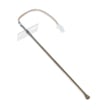
- Oven temperature sensor circuit (sensor or wiring); see wall oven temperature sensor WB23T10015
- Control or relay issues (especially if heating is erratic)
- Overtemperature protection opening (less common)
- Loose harness connections at the sensor or control
Why it matters
Clearing the code correctly helps you separate a one-time power glitch from a repeatable failure. That saves time and helps you avoid replacing the wrong part.
For code definitions and model-family troubleshooting patterns, we also use the GE freestanding range error codes guide.
Last updated: February 2026
Is GE Profile considered high end?
Yes. GE Profile is widely considered GE’s higher-end mainstream line; it typically adds more cooking features, upgraded finishes, and more advanced controls than standard GE models. For your GE JS630SF4SS electric range, the best way to confirm which feature set you have is to compare the model’s feature list in the JS630SF4SS owner’s manual.
Where GE Profile fits in the GE lineup
GE generally positions its brands in tiers; GE Profile sits above standard GE and below GE’s luxury lines.
- Standard GE: core features and value-focused designs
- GE Profile: more premium features and styling (often more tech-forward)
- Café / Monogram: premium to luxury design and performance focus
What “high end” usually means in real use
“High end” can mean different things depending on what you care about most. Here are common upgrades people associate with GE Profile ranges:
- More precise oven temperature control and cooking modes
- More advanced control panel features (timers, settings, diagnostics)
- More premium exterior styling and finishes
- More convenience features (cleaning modes, specialty functions)
- More robust cooktop options (element sizes and power levels vary by model)
Quick comparison
| Line | Typical positioning | Best for |
|---|---|---|
| GE | mainstream | reliable basics and value |
| GE Profile | upper-mainstream | more features without luxury pricing |
| Café / Monogram | premium/luxury | design-forward kitchens and top-tier options |
Why it matters
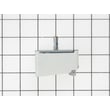
Knowing the product tier helps set expectations for features, replacement part costs, and troubleshooting. For example, if a cooktop element is not heating correctly, the fix may involve a radiant element or an infinite switch; on this model, common related parts include the range surface element control switch WB24T10012 and surface elements such as the range radiant surface element, 8-in WB30T10132.
Last updated: February 2026
What does F4 mean on an oven?
On a GE JS630SF4SS electric range, F4 is a function error code (the display may show “F” plus a number/letter). We recommend canceling the cycle, letting the oven cool, then resetting power; if the code returns, service is typically needed. See the JS630SF4SS owner’s manual.
What to do right away (safe reset steps)
- Press Cancel/Off to stop the oven.
- Let the oven cool for about 1 hour (especially if it was baking, broiling, or self-cleaning).
- Turn power off at the breaker for at least 30 seconds, then restore power.
- Set Bake and start a short test (for example, 350°F) to see if the code returns.
- If the code repeats, schedule service; repeated function codes usually point to a control or sensing issue.
Why you might see F4 on this model
On this GE range, the manual groups “F plus a number/letter” as a function error rather than tying each number to a single user-fixable problem. Common causes include:
- Oven temperature sensing problems (sensor out of range or wiring issue)
- Control board detecting an abnormal condition
- Heat-related issues after a self-clean cycle
- Loose connection at the sensor or control
Parts that are commonly involved
If troubleshooting points to a temperature sensing problem, these model-matched parts are often checked:
| Symptom you notice | Common suspect | Model-matched part example |
|---|---|---|
| Oven heats erratically, then errors | Temperature sensor circuit | Wall oven temperature sensor WB23T10015 |
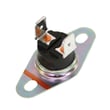
| Error appears after heavy heat load | Safety limit opens intermittently | Wall oven safety thermostat WB24T10060 |
| Random function codes, unresponsive keys | Electronic control issue | Control board WB27X29267 |
Why it matters
An F4 function error can stop heating or interrupt cooking. Resetting power can clear a one-time glitch, but a repeating code helps prevent overheating or unsafe operation by forcing the range into a fault state.
Last updated: February 2026
What is a PEM31SFSS?
PEM31SFSS is a GE Profile countertop microwave model number, not a part or feature for the GE JS630SF4SS electric range. If you saw PEM31SFSS in your kitchen paperwork, it typically identifies a separate microwave appliance, while JS630SF4SS identifies your 30-inch slide-in electric range.
How to confirm which model number you have
Use these quick checks so you order the right GE parts and follow the right instructions:
- Check the rating plate label on the appliance (ranges commonly have it on the oven frame or the side of the drawer frame).
- Match the label to your paperwork; the range should read JS630SF4SS.
- If the label says PEM31SFSS, that label belongs to a microwave, not the range.
- Use the correct documentation for the appliance you are working on; see the JS630SF4SS owner’s manual.
- For electrical hookup and terminal block wiring details on the range, use the JS630SF4SS installation guide.
Why this matters when ordering parts
Ordering by the wrong model number is the most common reason parts do not fit. A microwave model (PEM31SFSS) and an electric range model (JS630SF4SS) use completely different components, wiring, and installation requirements.
| Item | PEM31SFSS | JS630SF4SS |
|---|---|---|
| Appliance type | Countertop microwave | Slide-in electric range |
| Typical parts | Turntable parts, door switches, magnetron-related components | Radiant surface elements, oven sensor, control board |
| Where to look for ID label | Microwave frame (often inside door area) | Oven frame or drawer frame area |
Common JS630SF4SS parts customers mix up with other models
If your question came up while troubleshooting the range, these are examples of model-specific parts for JS630SF4SS:
- Oven lamp 40A15 (interior light bulb)
- Oven lamp holder WB08T10002 (light socket/assembly)
- Wall oven temperature sensor WB23T10015 (helps regulate oven temperature)
Why it matters
Using the correct model number keeps troubleshooting accurate, prevents wiring mistakes during installation, and ensures replacement parts match your GE range.
Last updated: February 2026