 Owner’s manual
 Error Codes







What is the average lifespan of a Samsung dryer?
A Samsung dryer typically lasts 10 to 15 years. For your Samsung DVG45R6300C, consistent airflow (clean lint filter and venting), avoiding overloads, and fixing heat or airflow problems early are the biggest factors that push life toward the high end; see the DVG45R6300C owner's manual for model-specific care and maintenance.
What affects dryer lifespan the most
- Vent restriction (long ducts, too many elbows, crushed flex duct) makes the dryer run hotter and longer
- Lint buildup in the filter, blower housing, and ducting reduces airflow
- Overloading strains the drum belt, rollers, and motor
- Heat system stress (cycling too hot or not cycling correctly)
- Moisture and corrosion in laundry areas (especially if ventilation is poor)
Maintenance schedule we recommend
| Task | Frequency | Why it helps |
|---|---|---|
| Clean lint filter | Every load | Keeps airflow strong and drying times short |
| Check vent airflow at exterior hood | Monthly | Catches clogs before overheating starts |
| Clean vent duct (full run) | Every 6 to 12 months | Prevents long dry times and heat stress |
| Level the dryer and check for vibration | As needed | Reduces wear on the drum support system |
When a “simple part” can extend life
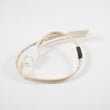
If drying times increase or heat becomes inconsistent, replacing a failed temperature-sensing part can prevent repeated overheating and shutdowns. For this model, a common temperature sensor is the dryer thermistor DC32-00007A.
Why it matters
Most early dryer failures trace back to poor airflow. When the dryer cannot move air efficiently, it runs longer, cycles hotter, and puts extra load on the motor, belt, and heat components, shortening overall lifespan.
Last updated: February 2026
How to tell if a Samsung dryer heating element is bad?
If your Samsung dryer model DVG45R6300C runs but won’t heat, the most reliable way to tell whether the heating circuit has failed is to do a quick visual check and then confirm with a multimeter test (continuity and a ground-fault check). Use the DVG45R6300C owner’s manual for safety guidance before servicing.
Common signs the dryer isn’t heating
- Dryer tumbles normally but clothes stay cold or damp
- Cycle time gets much longer than normal
- A “high heat” cycle still produces little to no warmth
- You see an information code related to heating or temperature sensing (for example, HC, tC, or tC5)
- Burning smell or repeated overheating shutoffs (often tied to airflow restrictions)
How we test the heating circuit (safe, practical steps)
- Disconnect power (and shut off gas if applicable) before opening panels.
- Inspect the heater assembly for a broken coil, hot spots, or contact with the metal housing.
- Test continuity across the heating element terminals with a multimeter.
- Test for a short to ground: check each element terminal to the metal heater housing; you should get no continuity.
- If the element tests good, check common “no-heat” partners: airflow, thermostats, and temperature sensing.
Quick interpretation table
| Test result | What it usually means | What to check next |
|---|---|---|
| No continuity (open circuit) | Heating element is failed | Replace heater assembly/element (model-specific) |
| Continuity to metal housing | Element is shorted to ground | Replace heater assembly/element |
| Element tests normal | Heat problem is elsewhere | Venting, thermostats, sensors, control |
Parts that commonly cause “no heat” symptoms
On the DVG45R6300C, these parts often relate to heating performance and temperature control:
- Dryer thermal cut-off thermostat DC47-00016A (opens if overheating occurs)
- Dryer high-limit thermostat DC47-00017A (protects against excessive heater temperature)
- Dryer thermistor DC32-00007A (temperature sensing; can trigger tC/tC5 codes)
Why it matters
A dryer that won’t heat is often a heating circuit issue, but restricted airflow (lint filter or exhaust duct) can also cause overheating, shutdowns, and repeat failures. The manual troubleshooting section also points to cleaning the lint filter and checking vent restriction when temperature-related codes appear.
Last updated: February 2026
Is it worth replacing a heating element in a Samsung dryer?
Yes. For a Samsung DVG45R6300C dryer, replacing the heating system component that failed is usually worth it because the dryer’s core systems (drum, motor, controls) often outlast a single heat failure; correct diagnosis is the key to avoiding unnecessary parts.
Quick decision checklist
- The dryer tumbles normally but has no heat or weak heat
- You’ve cleaned the lint filter and confirmed good airflow through the vent
- The unit is otherwise in good condition (no loud bearing noise, no burning smell)
- You’re comfortable using a multimeter and basic hand tools
- You confirm the failure before buying parts (common on Samsung dryers)
What to test before you buy parts
On DVG45R6300C, several safety and temperature parts can mimic a “bad heater.” We recommend checking these first:
- Airflow restriction (most common cause of overheating and repeat failures)
- Thermal cut-off / safety thermostat: dryer thermal cut-off thermostat DC47-00016A
- High-limit thermostat: dryer high-limit thermostat DC47-00017A
- Temperature sensor: dryer thermistor DC32-00007A
If the dryer is showing an error, use Samsung’s code list to narrow the diagnosis: Samsung dryer error codes.
Typical cost and effort comparison
| Option | Typical parts cost | Typical labor/effort | Best when |
|---|---|---|---|
| DIY replace failed heat-related part | $25 to $180 | Moderate | Dryer runs but won’t heat, and you can test parts |
| Service call + repair | Higher overall | Low effort | You want diagnosis and repair handled end-to-end |
| Replace dryer | Highest | None | Multiple major issues (heat + motor + drum support) |
Why it matters
Samsung dryers can cycle the gas valve or heating element on and off during normal operation, so “intermittent heat” is not always a heater failure. Also, poor venting can overheat the dryer and repeatedly trip safety devices, so fixing airflow protects the new part and improves dry times.
Where to confirm model-specific procedures
Use the DVG45R6300C owner’s manual for troubleshooting checkpoints, information codes, and specifications.
Last updated: February 2026









