 Installation guide
 Owner’s manual
 Error Codes






Where can I find the GE wall oven model number?
On the GE JK3000SF5SS wall oven, we find the model and serial number on a label located on the side trim or on the front of the (lower) oven frame behind the oven door. This label is the best reference when ordering parts or checking installation requirements.
Where to look on the oven
Check these common label locations on the JK3000SF5SS:
- Open the oven door and look along the front frame (the face of the oven cavity).
- Check the side trim area around the oven opening.
- If your unit is installed as a lower oven position, look on the front of the lower oven behind the door.
- Use a flashlight; the label is often small and can be easy to miss.
What to write down (and why)
Record both numbers exactly as shown:
- Model number (example format: JK3000SF5SS)
- Serial number (used for date and production details)
- Brand (GE)
Why it matters
The model number ensures we match the correct wall oven parts and diagrams for your exact configuration (controls, door components, racks, and electrical parts). Even small model variations can use different parts.
Quick reference table
| Item | Where it appears | What it’s used for |
|---|---|---|
| Model number | Label on side trim or front frame behind oven door | Correct parts lookup and compatibility |
| Serial number | Same label as model number | Production details and service identification |
Helpful next step
Use the location diagram and documentation notes in the JK3000SF5SS owner’s manual to confirm the label position and record the numbers before you start any repair.
Last updated: January 2026
Why is my wall oven not turning on?
If your GE JK3000SF5SS wall oven is completely dead (no display, no beeps, no oven light), the most common causes are a tripped breaker or a control lock or special mode setting. Start by confirming the home power supply, then check control settings, then inspect wiring and key components.
Quick checks first (most common fixes)
- Reset the oven’s circuit breaker (many wall ovens use a 240V double-pole breaker; one side can trip and leave the oven “dead”).
- Make sure the control is not locked; press and hold Lock Controls for 3 seconds to unlock.
- If the display is blank because the clock setting is off or after a power event, reset the clock and press Cancel/Off.
- If the oven was in Sabbath mode and power was interrupted, exit Sabbath mode and reprogram cooking.
- If the oven is in or just finished a clean cycle, wait for the door lock to release and press Cancel/Off.
What to check next (safe, practical troubleshooting)
Before removing panels, shut off power at the breaker.
- Power supply at the junction box: A loose wire nut or burned connection can stop the oven from powering up.
- Harness connections: Look for overheated terminals, loose plugs, or pinched wires.
- Control board symptoms: If power is present but the display stays blank or buttons do nothing, the electronic control is a leading suspect.
Helpful DIY references
- Use the wiring diagram and control features in the JK3000SF5SS owner’s manual.
- Follow electrical shutoff and access guidance in the JK3000SF5SS installation guide.
Parts that commonly relate to “won’t turn on” complaints
These parts do not fix every no-power issue, but they are common checkpoints once power and wiring are confirmed.
| Symptom you see | Common area to inspect | Example part for this model |
|---|---|---|
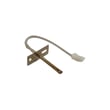
| Oven heats wrong, then errors or shuts down | Temperature sensing circuit | Wall oven temperature sensor WB21X10165 |
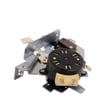
| Fan runs oddly, overheating behavior | Cooling fan system | Wall oven cooling fan assembly WB26X24020 |
| Oven stuck locked after clean | Door lock circuit | Wall oven door lock assembly WB10X23814 |
Why it matters
A built-in oven that will not power on is often a supply or connection issue, and restoring correct 240V power safely prevents repeat failures and protects the control board, wiring harness, and safety lock system.
Last updated: January 2026
What does 5F mean on GE Profile oven?
On the GE JK3000SF5SS wall oven, “SF” on the display is a Special Features mode prompt, not a failure code. If you’re seeing “5F”, it is usually a misread of “SF”; it appears when BAKE and BROIL are held for about 3 seconds to enter Special Features.
What “SF” means and how it shows up
“SF” appears when the control is put into the Special Features settings menu.
Common ways it happens:
- BAKE and BROIL were pressed together (often during cleaning or wiping the control panel)
- A child bumped the keys while the oven was idle
- The control panel was pressed while the oven was warm and the keys were more sensitive
To confirm, follow the Special Features steps in the JK3000SF5SS owner’s manual.
How to exit “SF” (Special Features)
Use these steps to get back to normal operation:
- Press CANCEL/OFF once
- If “SF” stays on, press START to save and exit the menu
- If the display is still stuck, turn off power at the breaker for 1 to 2 minutes, then restore power
When it is not “SF”: symptoms that point to a real problem
If the oven is beeping, won’t heat, or shows other error behavior after you exit Special Features, check these common causes:
- Oven temperature is inaccurate or fluctuates (possible sensor issue)
- Oven won’t reach set temperature (possible bake circuit issue)
- Cooling fan runs oddly or the oven overheats the cabinet area (cooling fan system issue)
Quick part checks (common on wall ovens)
| Symptom | Common part to test/inspect | Example part for JK3000SF5SS |
|---|---|---|
| Erratic temps, long preheat | Temperature sensor | Wall oven temperature sensor WB21X10165 |
| Overheating, fan issues | Cooling fan assembly | Wall oven cooling fan assembly WB26X24020 |
Why it matters
Special Features changes settings that affect baking performance (like temperature adjustment and tones). Exiting “SF” correctly prevents accidental setting changes that can make the oven seem like it is “malfunctioning” when it is actually in a menu.
Last updated: January 2026
How to disable control lock on GE wall oven?
On the GE JK3000SF5SS electric wall oven, Control Lock turns off by pressing and holding Lock Controls for 3 seconds. This unlocks the touch pads so you can select Bake, Broil, and other cooking modes again; Cancel/Off stays active even when locked.
Steps to turn Control Lock off
- Locate the pad labeled Lock Controls on the control panel.
- Press and hold Lock Controls for 3 seconds.
- Watch for the lock indicator or display message to change.
- Press Bake (or another mode) to confirm the panel responds.
- For control locations and display indicators, use the JK3000SF5SS owner's manual.
If it will not unlock
These checks resolve most “panel locked” complaints on GE wall ovens.
- Hold the pad continuously for the full 3 seconds; a quick tap does not toggle the lock.
- Wipe the control panel dry; moisture or grease can prevent the touch pad from registering.
- If the oven is in Self-Clean or still very hot, wait for temperatures to drop and try again.
- Reset power at the breaker for 1 minute, then retry the 3-second hold.
- If multiple pads do not respond, the touch control overlay can be the issue; compare your panel labeling to the overlay WB27T11459.
Quick reference
| Item | What to do | What to expect |
|---|---|---|
| Unlock controls | Hold Lock Controls 3 seconds | Lock indicator clears; pads respond |
| Stop a cycle | Press Cancel/Off | Works even when locked |
| Panel not responding | Power reset at breaker 1 minute | Restores normal operation if control is latched |
Why it matters
Control Lock prevents accidental starts and temperature changes, which is especially helpful with children in the kitchen or when cleaning the control panel.
Last updated: January 2026





