
What is the 3-tooth rule for bandsaws?
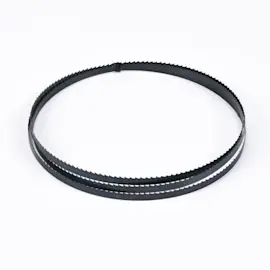
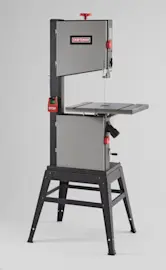
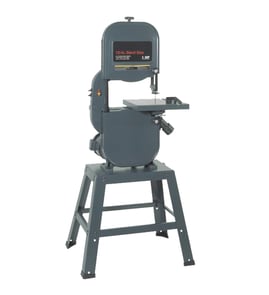
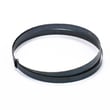
The 3-tooth rule means your Craftsman band saw model 10122923 should use a blade pitch (TPI) that keeps at least three teeth in the cut at all times. This prevents tooth snagging and stripping, improves control, and produces a cleaner, safer cut.
Use your material thickness to pick the right teeth per inch (TPI):
- Measure the thickness where the blade enters the workpiece.
- Choose a blade so 3 to 6 teeth are engaged for most general cutting.
- For metal cutting, aim for 6 to 24 teeth engaged to reduce tooth breakage and chatter.
- If you see heavy vibration or tooth chipping, go to a finer TPI.
- If chips pack in the gullets or the cut overheats, go to a coarser TPI.
This table helps you match blade pitch to thickness while following the 3-tooth rule.
| Material thickness | Typical blade pitch (TPI) | What you’ll notice |
|---|---|---|
| 1/8 in (3 mm) and thinner | 18 to 32 | Smoother cut, less tooth snagging |
| 1/8 to 1/4 in (3 to 6 mm) | 14 to 24 | Good control, reduced chatter |
| 1/4 to 1/2 in (6 to 13 mm) | 10 to 18 | Faster cutting, good chip clearing |
| 1/2 to 1 in (13 to 25 mm) | 6 to 10 | Efficient cutting, less heat buildup |
When fewer than three teeth contact the work, each tooth takes too big a bite. That increases grabbing, tooth damage, blade wandering, and rough cuts. Keeping multiple teeth engaged spreads the load and stabilizes the blade.
- How to use a multimeter to test electrical parts video (helpful if the saw won’t start or loses power under load)
- Are diy appliance repairs safe (good safety checklist before servicing switches, cords, or motors)
Last updated: February 2026
Why does my Craftsman bandsaw blade keep falling off?
On a Craftsman 10122923 metal cutting band saw, a blade that keeps falling off is almost always caused by incorrect blade tension, mis-tracking (wheel alignment or tracking adjustment), worn wheel tires, or worn guide bearings that let the blade wander off the wheels.
- Unplug the saw; open the wheel covers and remove chips from the wheels and guides.
- Verify blade direction and that the blade is fully seated on both wheels before tensioning.
- Increase blade tension gradually; a too-loose blade will climb and derail.
- Adjust tracking so the blade runs centered on the wheel crown (rotate the upper wheel by hand while adjusting).
- Set blade guides correctly: side guides just off the blade (no constant rubbing), thrust bearing just behind the blade.
- Inspect the blade for kinks, missing teeth, or a cracked weld; replace the blade if damaged.
| What you see | Most likely cause | What to do |
|---|---|---|
| Blade walks forward or backward on the wheel | Tracking out of adjustment | Re-center tracking, then re-check guide settings |
| Blade pops off during startup | Low tension or guides too far away | Increase tension; reset guides and thrust bearing |
| Blade won’t stay centered even after tracking | Wheel not coplanar, worn tire, or bad bearing | Check wheel wobble, tire condition, and bearing smoothness |
| Blade derails mid-cut | Dull blade, forcing the cut, or guide mis-set | Use correct blade for metal, slow feed rate, reset guides |
- With the blade off, spin each wheel by hand.
- Feel for roughness, grinding, side-to-side play, or a “notchy” spot.
- Watch the rim for wobble; any wobble can throw the blade.
- Inspect wheel tires for hardening, cracking, flat spots, or glazing.
A blade that derails can damage the blade, guide bearings, and wheel tires, and it can also ruin cut accuracy. Correct tracking and guide setup keeps the blade stable, cooler, and straighter during metal cutting.
For help confirming you have the correct model number before ordering parts, use how to find your appliance model number (and what it means for parts).
Last updated: February 2026
What is the most common cause of a ruined band saw blade?
The most common cause of a ruined blade on a Craftsman 10122923 metal cutting band saw is normal tooth wear from use (end of service life). The next most common causes are operator and setup issues, especially incorrect blade speed or feed pressure that overheats and strips teeth.
- Tooth wear (normal use): teeth round over, chip, or lose set; cutting slows and wanders.
- Wrong speed for the material: too fast on steel causes heat, tooth softening, and rapid dulling.
- Too much feed pressure: forces the blade, overheats the cut, and can strip teeth.
- Poor tracking or guide adjustment: side-loads the blade and accelerates tooth and band fatigue.
- Incorrect tension: low tension promotes wandering and tooth damage; excessive tension increases break risk.
- Cutting tight radii with the wrong blade width: twists the band and can crack the weld.
| What you notice | Most likely cause | What to do first |
|---|---|---|
| Blade dulls very quickly | Speed/feed too aggressive | Reduce speed, lighten feed, use coolant/wax if appropriate |
| Teeth missing on one side | Forcing the cut or poor break-in | Ease feed, break in a new blade gently |
| Blade wanders, crooked cuts | Low tension or guides mis-set | Set tension, align guides, verify tracking |
| Band breaks at weld | Fatigue, misalignment, or over-tension | Check wheel alignment, tension, and guide bearings |
- Set blade tension to a firm, stable tracking condition (no flutter).
- Adjust blade guides close to the work without pinching the blade.
- Verify the blade tracks centered on the wheels.
- Match blade speed to the material (slower for harder metals).
- Let the teeth cut; do not push the stock into the blade.
- Use the right tooth pitch (TPI) so multiple teeth stay engaged in the cut.
A blade that is dull or losing teeth increases heat and vibration, which can damage guides, wheels, and the drive system, and it also makes cuts inaccurate and unsafe.
For more help identifying the correct model information before ordering parts, use how to find your appliance model number (and what it means for parts).
Last updated: February 2026
Is 18 or 24 TPI better for metal?
On the Craftsman 10122923 metal cutting band saw, neither 18 TPI nor 24 TPI is the best “general purpose” choice for most metal stock. 18 to 24 TPI is mainly for thin material; for thicker bar stock, a lower TPI blade cuts faster and runs cooler.
- Choose 24 TPI for very thin sheet, thin-wall tubing, and small cross-sections.
- Choose 18 TPI for thin tubing and light-gauge material when you want a slightly faster cut than 24 TPI.
- Choose lower TPI (typical range: 6 to 10 TPI) for most bar stock and thicker metal.
- If teeth are snagging or stripping, go higher TPI.
- If the blade overheats, loads up, or cuts slowly, go lower TPI.
| Metal thickness (rule of thumb) | Good starting TPI | Why |
|---|---|---|
| Under 1/16 in. | 24 TPI | Prevents tooth “hooking” on thin edges |
| 1/16 to 1/8 in. | 18 to 24 TPI | More control, less chatter |
| Over 1/8 in. | 6 to 10 TPI | Better chip clearance, faster cutting |
- Use the correct blade speed for the metal (slower for harder metals).
- Keep steady feed pressure; forcing the cut overheats the blade.
- Clamp the work securely to reduce vibration and crooked cuts.
- Use cutting fluid when appropriate to reduce heat and tooth wear.
Matching TPI to thickness keeps at least a few teeth engaged in the cut, which prevents tooth breakage, reduces wandering, and extends blade life.
For electrical troubleshooting basics if your saw has power, switch, or wiring issues, use how to use a multimeter to test electrical parts video.
Last updated: February 2026
What is the 4 inch rule for bandsaw?
The “4-inch rule” is a common woodworking band saw guideline: keep hands at least 4 inches from the blade and use a push tool when a cut would bring fingers closer. On the Craftsman 10122923 metal cutting band saw, safe hand distance is achieved by clamping the work in the vise and keeping hands off the cutting path.
- Clamp the stock securely in the built-in vise; never hand-hold material during a cut.
- Keep hands away from the blade path and away from pinch points at the vise and pivoting saw head.
- Support long stock with stands or blocks so it cannot tip, bind, or shift.
- Let the saw do the work; use steady feed pressure and avoid forcing the cut.
- Stop the saw before clearing chips or repositioning the work; use a brush, not your fingers.
| Tool type | Typical “4-inch rule” use | Primary work-holding method |
|---|---|---|
| Vertical woodworking band saw | Yes; hands can approach blade during freehand feeding | Hands plus push sticks, fences, jigs |
| Horizontal metal cutting band saw (10122923) | No; focus is on clamping and guarding | Vise clamp, stops, supports |
Metal cutting band saws can pull material if it shifts, and they create sharp chips and pinch points. Clamping the work and keeping hands out of the cutting zone prevents sudden movement from turning into a hand injury.
If you are troubleshooting switches, cords, or wiring on this saw, use how to use a multimeter to test electrical parts video for safe, step-by-step testing basics.
Last updated: February 2026